
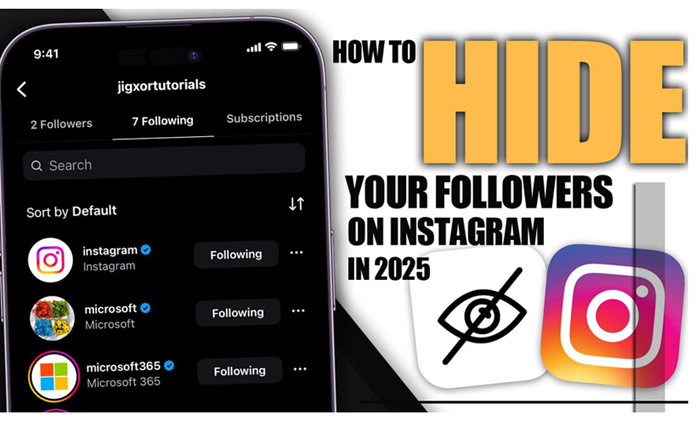
Are you looking to protect your Privacy on Instagram? Maybe you don’t want all your followers to be visible to everyone, or you might want to limit access to your followers list to only certain people, or perhaps you’re tired of random users snooping around your profile.
What if there were ways to restrict who can see it? In 2025, Instagram’s privacy features are getting more powerful, and if you ask how to hide your followers on Instagram, you’re in the right place. Let’s dive into the latest tricks that could give you more control!
At first, tell us that you are unclear about the meaning of followers on Instagram. Check out our detailed guide on to learn all about it. It’ll help you gain a better understanding of what it means for your profile.
Can You Fully Hide Your Followers on Instagram?
Short answer, no. The platform does not allow you to completely conceal your followers on Instagram. If someone is following you, they’ll be able to see who else follows you.
However, there are certain privacy settings and features you can use to limit who can view your followers, especially for users who aren’t following you. You can take the steps in this article.
The most important tip is maintaining complete Privacy doesn’t just stop at hiding followers, with Instagram Reels Downloader, or instagram story downloader online you can save a private version of posts and stories for better management.
(5) Methods to Hide Your Instagram Followers
Sometimes, you might want to keep your follower list private. Whether it’s for personal reasons or just to clean up your profile, Instagram offers several ways to help you. Here’s a quick overview of the options available.
For full details on hide Your Followers on Instagram, keep reading!
| Method | Visibility | What It Does | Best for |
| Private Account | Limits to followers | Hides followers from non-followers | General Privacy |
| Remove Followers | Removes specific followers | Stops certain people from seeing you | Clean up the follower list |
| Mute Users | Hides posts & stories | Keeps posts off your feed | Clean feed, no unfollowing |
| Block Users | Fully hides profile | Blocks posts, stories, and followers | Total Privacy |
| Restrict Users | Limits interactions | Restricts comments & messages | Manage interactions |
1 – Set Your Profile to Private
If you want to keep your followers’ details away from strangers, switching your account to private is the best way to start. Here’s how Instagram privacy settings work in a private account:
- Only approved followers can view your posts and follower list.
- People who don’t follow you will only see the total number of your followers, not the individual accounts.
- You control who can follow you by approving or denying requests.
While setting your account to private does limit visibility, Instagram features to conceal followers are not fully enabled. Steps to set your account to private:
- Go to your profile and tap the three-line menu icon.
- Go to Settings > Privacy.
- Toggle on Private Account
You can’t selectively constrain your followers from certain people. If someone follows you, they will see your full follower list unless you block or remove them.

2- Remove Followers You No Longer Want
If you’ve approved Instagram followers that you no longer want to share your posts or follower list with, you can remove them without blocking them. This method is discreet and prevents unwanted access to your Instagram profile management without causing drama.
- Go to your profile and tap Followers.
- Find the Follower you want to remove.
- Tap the three dots next to their name and select Remove Follower.
Once you remove someone, they can no longer see your posts, Stories, or Follower list Privacy, and you can hide your followers on Instagram.
Read more: maybe you have this question in your mind, what factors determine the order of followers on Instagram, don’t miss the Order of Followers on Instagram section on our site.
3- Mute Accounts Instead of Unfollowing
While muting someone doesn’t hide your follower list, it can help you keep your feed clean. Muting allows you to stop seeing posts and Stories from specific users, while still keeping them on your follower list.
This is perfect for situations where you don’t want to unfollow someone but need a little less visibility. To mute someone:
- Visit their profile.
- Tap Following.
- Choose Mute, and decide whether to mute their posts, stories, or both.
This way, you can stay connected but without their content flooding your feed. Muting doesn’t affect your Instagram follower visibility. If you want more control over who can see your followers, consider removing the person as a follower or using other privacy features.
4- Block Specific Users
Blocking someone on Instagram is the most effective way to prevent them from seeing your content, including your follower list. When you block someone:
- They won’t be able to see your posts, Stories, or Instagram follower control.
- You won’t appear in their search results or recommendations.
- You won’t get notified when you block them.
To block someone to keep your followers hidden on Instagram:
- Visit their profile.
- Tap the three dots in the top-right corner.
- Tap Block.
Blocking is the ultimate method for limiting Instagram profile management access, but it also fully blocks the person from seeing your followers. This approach does not allow selective visibility.

5- Use Instagram’s Restrict Feature
Instagram’s Restrict feature provides a middle ground between blocking and leaving a user free to interact with your profile. When you restrict someone from hiding your followers on Instagram:
- Their comments on your posts will only be visible to them unless you approve them.
- They won’t see when you’re online.
- Their messages will go into your message requests, and you can choose not to reply.
- Mentions or tags won’t appear unless you approve them.
This feature gives you a way to limit interactions without fully blocking someone, but it still doesn’t offer selective hiding of your follower list. To restrict someone:
- Go to their profile.
- Tap the three dots in the top-right corner.
- Select Restrict.
Now that learn the steps to hide your followers on Instagram, you may be curious about how to hide mutual friends. Check out our article to discover its secrets.
How to Hide Your Following List from Followers? (Instagram 2025 Feature)
This option only works for the list of accounts you follow, not for the list of people who follow you. Instagram has rolled out a new feature in 2025 that lets you hide your following list from your followers without needing to set your account to private.
This gives you more control over your profile privacy to hide your followers on Instagram:
- Open the Instagram app and go to your profile.
- Tap the three-line menu icon in the top right corner.
- Select Settings from the options.
- Scroll down and tap on Privacy.
- Under the Connections section, locate the option called Hide Following List and toggle it on.
Once enabled, the following list will be hidden from anyone who views your profile, including your followers. To reverse this, simply toggle the Hide Following List option off, and your following list will be visible again.
For the last tip, do not forget that if you’re having trouble following people on Instagram, be sure to check out our guide on Why Can’t I Follow People on Instagram to find possible reasons and solutions.

Final Thoughts
While Instagram doesn’t let you completely hide your followers from everyone, you do have options to limit who can see them. Whether you choose to make your profile private, remove followers, or block certain users, these features can help you keep your follower list private when needed.
Have you ever wished you could fully conceal your follower list? What features would you love to see in future updates? Are you using Instagram’s new feature to build your following list? How’s it working out for you so far? Share your thoughts below!
Also, if you know any other method for “How to hide your followers on Instagram?”, comment below to add it to our article! Let’s keep the conversation going!
Why can’t I see someone’s followers on Instagram?
You might be restricted, or there could be technical issues.
How to hide followers on Instagram without a private account?
You can remove specific followers or use the block/restrict features to control who can view your follower list.
Can a person hide their followers on Instagram?
No, Instagram doesn’t allow full hiding, but you can limit visibility by setting your account to private.
How to hide followers without changing privacy settings?
You can remove followers or block users to stop them from seeing your followers without changing the overall privacy settings of your account.
How to hide your followers on an Instagram business account?
Instagram business accounts can’t fully hide their followers.







Leave a Reply