

Ever heard about the magic of the Add Yours sticker on Instagram? Picture you’re scrolling through stories and see everyone jumping into this cool challenge, sharing everything from funny memories to hidden talents!
Doesn’t it feel like you’re missing out? Don’t you want to throw your hat in the ring and see what everyone else is up to?
Drop a sticker, and grab a world of interaction! Show your stuff, and see others too. Boost your business, and amplify your voice. Curious to know how this little sticker does all that? Then stick with me, because we’ve got a whole adventure ahead about Instagram “Add Yours” Sticker!
Why the Instagram “Add Yours” Sticker Has Become an Essential Tool?
Introduced in 2021, Add Yours sticker on Instagram has quickly emerged as a favorite engagement feature. Its appeal lies in helping users discover new Stories and connect with like-minded individuals.
By inviting others to participate in a prompt, the sticker encourages a chain reaction, creating a dynamic and interactive experience on Instagram.
When someone responds to an “Add Yours” sticker, their Story becomes visible to viewers of the original post. This can significantly boost Story views on Instagram and increase profile visibility, attracting potential new followers.
The interactive nature of the feature makes it a fun way to explore creative responses while occasionally inspiring Instagram sticker trends.
Consider this tip, don’t let your favorite “Add Yours” moments vanish! Grab them safely with dlinsta download tool.
How to Use the Add Yours sticker on Instagram?
The Instagram Add Yours sticker is a fun way to engage with your audience and encourage creativity. Simply capture a Story, add the sticker, and set a prompt to invite others to join the conversation.
Steps to use it:
- Open your Story camera and capture a photo or video.
- Swipe up to access interactive Instagram stickers and select “Add Yours.”
- Add a title or topic to Create Add Yours prompt, such as “Picture of your workspace” or “Show your weekend fun.”
- Post your Story. Others can tap on the Add Yours sticker to contribute their own Stories, forming Add Yours chain reactions.
This collaborative format allows users to browse contributions from others, exemplifying Instagram community features and fostering meaningful connections.
Read more: Want to turn your Add Yours stories into viral hits that capture attention and engagement? Discover the step-by-step strategies in How to Go Viral on Instagram Reels.
The “Add Yours” sticker for Businesses
Brands can leverage the Add Yours sticker on Instagram to strengthen audience engagement and encourage user-generated content Instagram campaigns.
By creating a challenge related to products or services, companies invite customers to share photos or videos, enhancing visibility and credibility.
Using this tool as part of social media sticker strategies can elevate a brand’s presence while turning followers into active participants.
Also, in addition to add yours feature, if you ever wondered how interactive challenges on Instagram shape your profile’s growth? Find out in What Is the Instagram Effect in 2025.
Evolution and New Features of Instagram “Add Yours” sticker
Instagram continues to refine the “Add Yours” sticker on Instagram. Recent updates highlight the creator’s profile at the top of the chain and improve algorithms to display more relevant Stories.
While direct custom stickers on Instagram are not yet available for this feature, the platform keeps expanding the functionality of Instagram engagement tools to enhance user participation.
Private challenges are another feature of the Add Yours sticker on Instagram, allowing users to share prompts with close friends or select groups. This provides a safer, more intimate environment for sharing content.
Read more: Using “Add Yours” stickers for campaigns can boost engagement like crazy, learn from real examples in What Are the Proven Instagram Marketing Campaigns You Need to Try in 2025.
“Add Yours” sticker Strategies for Optimal Use on Instagram
To use the Add Yours sticker on Instagram effectively, start with a clear and engaging topic that encourages creativity.
By following these strategies, users and brands alike can harness the Instagram Add Yours sticker as a powerful Instagram growth tool, turning simple prompts into engaging, viral content on Instagram app.
- Make your prompt clear, engaging, and relevant to the audience.
- For businesses, align challenges with marketing goals and consider offering incentives or showcasing top responses.
- Respect privacy and avoid sharing inappropriate content, as all responses to public prompts are visible to everyone.
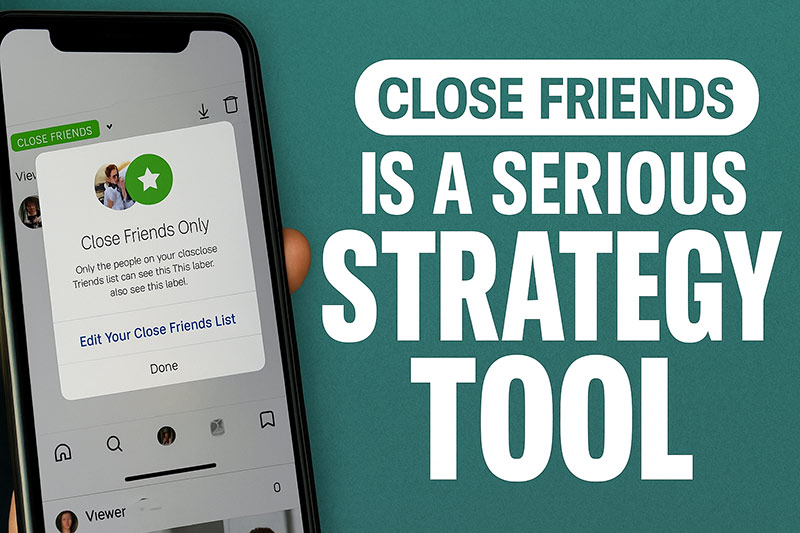
“For more controlled and meaningful interactions, especially when you don’t want challenges to be fully public, this guide explains why Close Friends can be used as a serious strategy tool.”
Comparison Table for the “Add Yours Sticker,” Contrasting Personal Use and Business Use
| Feature | Personal Use | Business Use |
| Main Purpose | Entertainment, sharing memories, interacting with friends | Promoting products/services, gaining followers, boosting engagement and brand credibility |
| Content to Share | Photos, videos, memories, talents | UGC campaigns, product promotions, marketing videos |
| Interaction | Friends and followers joining the sticker challenges | Encouraging customers to participate and create content |
| Benefits | Memorable moments, higher engagement with friends, more Story views | Increased Story views and engagement, follower growth, stronger brand presence |
| Key Tips | Keep content clear and engaging, respect privacy | Design purposeful challenges, offer incentives or rewards, follow Instagram guidelines |
| Helpful Tools | Save stickers and Stories with dlinsta | Save content, analyze results, link to campaigns and related guides |
Conclusion
Ultimately, the Add Yours sticker on Instagram is more than just a fun tool for everyday interactions; it’s a powerful feature with significant marketing and social potential. I hope you now have a comprehensive understanding of the engaging and practical aspects of this functional feature.
Now it’s your turn to dive in and share your own experiences with this sticker. Have you used this feature before? What interesting challenges have you seen or started yourself? What kind of Add Yours prompt really caught your eye? Share and let us know how these community features have impacted your interactions!
How does the Add Yours sticker work?
It lets users create or join a themed Story thread by responding with their own Story.
How do you find specific Add Yours sticker on Instagram?
Tap the sticker in someone’s Story to join, or search for trending ones via Explore or Story suggestions.
Can anyone see your Add Yours on Instagram?
Yes, anyone who views your Story (based on your privacy settings) can see your Add Yours response.
How do you see recently used stickers on Instagram?
While editing a Story, tap the sticker icon, recently used ones appear at the top or in suggestions.
How do I fix my Add Yours sticker?
Update Instagram, clear the cache, or reinstall the app to fix.







Leave a Reply