Category: Articles

  • How to Create an Instagram Account Without a Phone Number

    How to Create an Instagram Account Without a Phone Number

    In 2025, privacy-conscious users are looking for smarter ways to use Instagram without oversharing personal information. One of the most common questions is whether you can still create an Instagram account without a phone number , and the answer is yes. Instagram has updated its sign-up process, allowing users to register safely through email or Facebook instead. This guide explains the latest step-by-step methods, common issues, and security recommendations. You’ll also discover how tools like DLInsta.com
    can help you manage and download your favorite Stories and Reels with ease.

    Is It Possible to Sign Up Without a Phone Number?

    Yes , in 2025, Instagram still allows users to create new accounts using only an email address or by linking an existing Facebook account. While the platform often prompts users to add a phone number for extra security, it is not mandatory for registration or verification if you follow the correct steps.

    Instagram requests a phone number primarily to verify your identity, prevent spam, and recover lost accounts. However, users who value privacy or manage multiple accounts can safely skip this step by relying on verified emails and secure login methods.

    Method 1: Sign Up Using Email Only

    Creating an Instagram account via email is the simplest and safest way to avoid providing your phone number. Here’s the latest process (as of 2025).

    Step-by-Step (Mobile App):

    • Open the Instagram app and tap “Create New Account.”
    • Choose “Sign up with Email.”
    • Enter your valid email address (Gmail, Outlook, etc.).
    • Type your full name, create a strong password, and set your birthday.
    • Confirm the verification link sent to your email inbox.
    • Choose a unique username and profile photo , done!

    Step-by-Step (Desktop / Web Version)

    • Visit instagram.com
    • Click “Sign up” → select “Use email instead.”
    • Fill in your name, email, and password.
    • Complete the CAPTCHA and verify your email.
    • Log in and start customizing your profile.
    • Tips for a Smooth Signup
    • Use an email you actually control for password recovery.
    • Avoid disposable or temporary emails — they often get flagged.
    • Use a strong, unique password to prevent hacking attempts.
    • If prompted for a phone number later, tap “Skip” and verify via email instead.
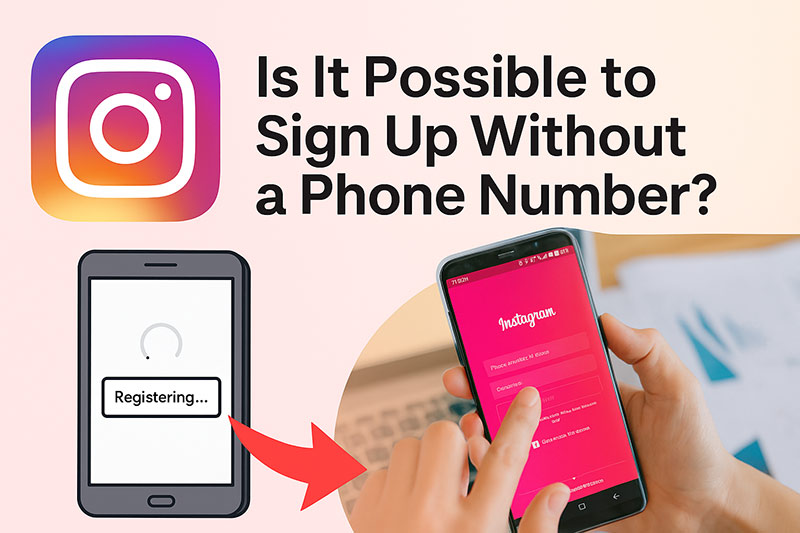
    Is It Possible to Sign Up Without a Phone Number

    Method 2: Sign Up Using Facebook

    If you already have a Facebook account, you can create your Instagram profile in seconds without entering a phone number.

    How It Works :

    • On the Instagram login page, tap “Continue with Facebook.”
    • Log into your Facebook account (if not already).
    • Instagram automatically imports your name, profile photo, and email.
    • You can later unlink the two accounts under Settings → Account Center.

    Advantages:

    • Instant signup, no manual form-filling.
    • Facebook verification replaces phone verification.
    • Easy to manage both platforms together.

    Limitations:

    • Some users prefer to keep Instagram separate for privacy.
    • If your Facebook account is disabled, access to Instagram may also be affected.

    What to Do If Instagram Still Requests a Phone Number

    Occasionally, Instagram may force a phone number prompt , especially if your IP, device, or email appears suspicious. Here’s how to handle it:

    Sometimes, this happens when Instagram’s system detects unusual sign-up activity, such as multiple accounts from the same network or unverified emails. Don’t panic ,it doesn’t mean your account is blocked or unsafe. By following a few simple troubleshooting steps and using legitimate login details, you can usually bypass the phone verification screen and complete registration smoothly.

    1. Avoid multiple new accounts from the same device.

    Creating too many accounts too quickly can trigger automated checks.

    1. Use a real, trustworthy email.

    Emails from domains with good reputations (Gmail, Outlook, Yahoo) reduce verification issues.

    1. Clear cache or try a different browser/device.

    Sometimes the app “remembers” a verification requirement. Logging in fresh can bypass it.

    1. Don’t use virtual or temporary phone numbers.

    These are often banned or recycled. Accounts verified with fake numbers may be disabled later.

    1. Be patient and try again.

    If all else fails, wait 24–48 hours before retrying signup from a clean IP or new network.
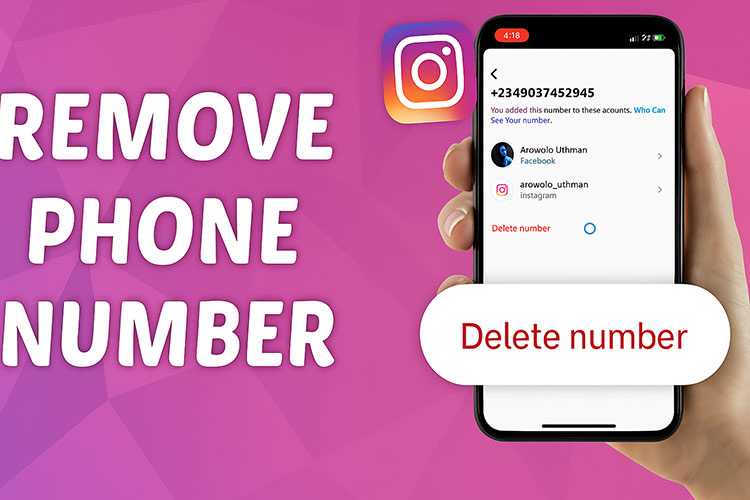
    Removing or Replacing Your Phone Number Later in instagram

    Removing or Replacing Your Phone Number Later

    If you accidentally added your phone number and want to remove it, you can safely do so:

    Sometimes users decide to replace their phone number when switching devices or simply prefer to keep their contact information private. Instagram fully supports this ,as long as your email is verified and two-factor authentication is enabled, you can manage or delete your phone number anytime without losing access to your account.

    1. Go to Settings → Account → Personal Information.
    2. Tap Phone number → Delete.
    3. Make sure your email is verified before removing your number.
    4. Enable two-factor authentication (2FA) using an authenticator app instead of SMS.

    This setup improves both your security and privacy, giving you full control of your account recovery options.

    Security & Privacy Best Practices

    In 2025, Instagram continues to emphasize account safety and user authenticity. If you want to keep your profile secure without sharing your phone number:

    Protecting your privacy goes beyond avoiding phone verification و it’s about maintaining full control of your online identity. Regularly review your connected devices, revoke access to untrusted apps, and update your recovery information every few months. Staying proactive with these small steps can drastically reduce the risk of hacking or unauthorized logins, ensuring your Instagram account remains both private and secure.

    Use an Authenticator App

    Instead of SMS codes, apps like Google Authenticator, Authy, or 1Password generate secure login tokens that work offline.

    Keep Your Email Updated

    Your email acts as your recovery key. Make sure it’s accessible and protected with two-step verification.

    Limit Third-Party Logins

    Avoid connecting unknown apps or bots that claim to grow your followers ,they can compromise your data.

    Avoid Duplicate or Spam Behavior

    Repeatedly creating accounts from the same IP or device can trigger phone verification requests.

    Conclusion

    Creating an Instagram account without a phone number in 2025 is absolutely possible ,and completely safe when done correctly.
    Whether you register via email or Facebook, you can maintain privacy without compromising security by using verified credentials and authenticator apps.

    And if you ever need to download your own Stories or Reels, trusted tools like DLInsta.com
    make it fast, private, and easy.

    In short, Instagram gives users control , and with the right setup, you can enjoy a secure, phone-free experience while protecting your digital identity.

  • Everything about the “Add Yours” Sticker on Instagram

    Everything about the “Add Yours” Sticker on Instagram

    Ever heard about the magic of the Add Yours sticker on Instagram? Picture you’re scrolling through stories and see everyone jumping into this cool challenge, sharing everything from funny memories to hidden talents!

    Doesn’t it feel like you’re missing out? Don’t you want to throw your hat in the ring and see what everyone else is up to?

    Drop a sticker, and grab a world of interaction! Show your stuff, and see others too. Boost your business, and amplify your voice. Curious to know how this little sticker does all that? Then stick with me, because we’ve got a whole adventure ahead about Instagram “Add Yours” Sticker!

    Why the Instagram “Add Yours” Sticker Has Become an Essential Tool?

    Introduced in 2021, Add Yours sticker on Instagram has quickly emerged as a favorite engagement feature. Its appeal lies in helping users discover new Stories and connect with like-minded individuals.

    By inviting others to participate in a prompt, the sticker encourages a chain reaction, creating a dynamic and interactive experience on Instagram.

    When someone responds to an “Add Yours” sticker, their Story becomes visible to viewers of the original post. This can significantly boost Story views on Instagram and increase profile visibility, attracting potential new followers.

    The interactive nature of the feature makes it a fun way to explore creative responses while occasionally inspiring Instagram sticker trends.

    Consider this tip, don’t let your favorite “Add Yours” moments vanish! Grab them safely with dlinsta download tool.

    How to Use the Add Yours sticker on Instagram?

    The Instagram Add Yours sticker is a fun way to engage with your audience and encourage creativity. Simply capture a Story, add the sticker, and set a prompt to invite others to join the conversation.

    Steps to use it:

    1. Open your Story camera and capture a photo or video.
    2. Swipe up to access interactive Instagram stickers and select “Add Yours.”
    3. Add a title or topic to Create Add Yours prompt, such as “Picture of your workspace” or “Show your weekend fun.”
    4. Post your Story. Others can tap on the Add Yours sticker to contribute their own Stories, forming Add Yours chain reactions.

    This collaborative format allows users to browse contributions from others, exemplifying Instagram community features and fostering meaningful connections.

    Read more: Want to turn your Add Yours stories into viral hits that capture attention and engagement? Discover the step-by-step strategies in How to Go Viral on Instagram Reels.

    The “Add Yours” sticker for Businesses

    Brands can leverage the Add Yours sticker on Instagram to strengthen audience engagement and encourage user-generated content Instagram campaigns.

    By creating a challenge related to products or services, companies invite customers to share photos or videos, enhancing visibility and credibility.

    Using this tool as part of social media sticker strategies can elevate a brand’s presence while turning followers into active participants.

    Also, in addition to add yours feature, if you ever wondered how interactive challenges on Instagram shape your profile’s growth? Find out in What Is the Instagram Effect in 2025.

    Evolution and New Features of Instagram “Add Yours” sticker

    Instagram continues to refine the “Add Yours” sticker on Instagram. Recent updates highlight the creator’s profile at the top of the chain and improve algorithms to display more relevant Stories.

    While direct custom stickers on Instagram are not yet available for this feature, the platform keeps expanding the functionality of Instagram engagement tools to enhance user participation.

    Private challenges are another feature of the Add Yours sticker on Instagram, allowing users to share prompts with close friends or select groups. This provides a safer, more intimate environment for sharing content.

    Read more: Using “Add Yours” stickers for campaigns can boost engagement like crazy, learn from real examples in What Are the Proven Instagram Marketing Campaigns You Need to Try in 2025.

    “Add Yours” sticker Strategies for Optimal Use on Instagram

    To use the Add Yours sticker on Instagram effectively, start with a clear and engaging topic that encourages creativity.

    By following these strategies, users and brands alike can harness the Instagram Add Yours sticker as a powerful Instagram growth tool, turning simple prompts into engaging, viral content on Instagram app.

    • Make your prompt clear, engaging, and relevant to the audience.
    • For businesses, align challenges with marketing goals and consider offering incentives or showcasing top responses.
    • Respect privacy and avoid sharing inappropriate content, as all responses to public prompts are visible to everyone.

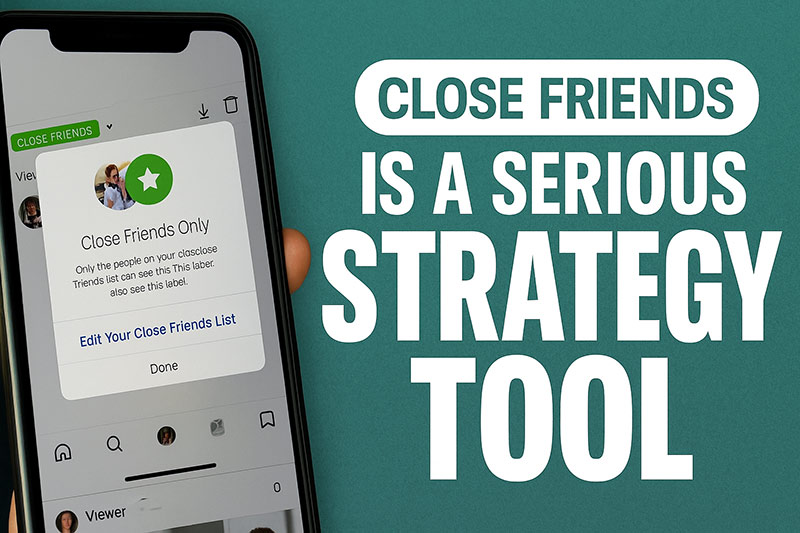
    “For more controlled and meaningful interactions, especially when you don’t want challenges to be fully public, this guide explains why Close Friends can be used as a serious strategy tool.

    Comparison Table for the “Add Yours Sticker,” Contrasting Personal Use and Business Use

    FeaturePersonal UseBusiness Use
    Main PurposeEntertainment, sharing memories, interacting with friendsPromoting products/services, gaining followers, boosting engagement and brand credibility
    Content to SharePhotos, videos, memories, talentsUGC campaigns, product promotions, marketing videos
    InteractionFriends and followers joining the sticker challengesEncouraging customers to participate and create content
    BenefitsMemorable moments, higher engagement with friends, more Story viewsIncreased Story views and engagement, follower growth, stronger brand presence
    Key TipsKeep content clear and engaging, respect privacyDesign purposeful challenges, offer incentives or rewards, follow Instagram guidelines
    Helpful ToolsSave stickers and Stories with dlinstaSave content, analyze results, link to campaigns and related guides

    Conclusion

    Ultimately, the Add Yours sticker on Instagram is more than just a fun tool for everyday interactions; it’s a powerful feature with significant marketing and social potential. I hope you now have a comprehensive understanding of the engaging and practical aspects of this functional feature.

    Now it’s your turn to dive in and share your own experiences with this sticker. Have you used this feature before? What interesting challenges have you seen or started yourself? What kind of Add Yours prompt really caught your eye? Share and let us know how these community features have impacted your interactions!

    How does the Add Yours sticker work?

    It lets users create or join a themed Story thread by responding with their own Story.

    How do you find specific Add Yours sticker on Instagram?

    Tap the sticker in someone’s Story to join, or search for trending ones via Explore or Story suggestions.

    Can anyone see your Add Yours on Instagram?

    Yes, anyone who views your Story (based on your privacy settings) can see your Add Yours response.

    How do you see recently used stickers on Instagram?

    While editing a Story, tap the sticker icon, recently used ones appear at the top or in suggestions.

    How do I fix my Add Yours sticker?

    Update Instagram, clear the cache, or reinstall the app to fix.

  • Does Instagram Show Who Viewed Your Highlights?

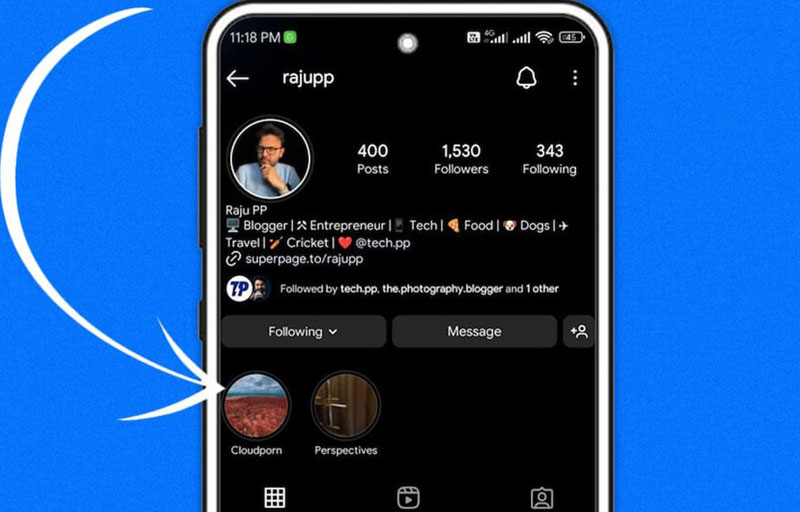
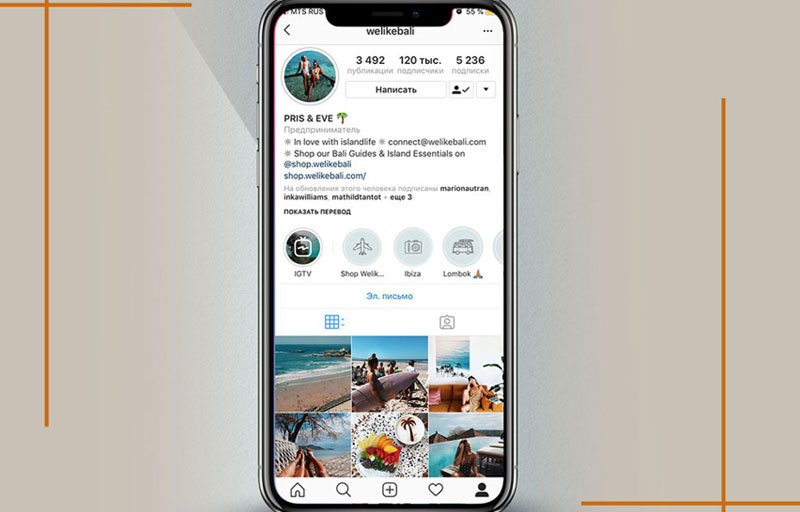
    Does Instagram Show Who Viewed Your Highlights?

    You’ve built your Instagram Highlights, carefully curating those special moments you want to keep visible. When it comes to seeing who viewed your Instagram highlights, a natural curiosity arises; who exactly are the eyes on your content?

    Are they just your close friends and followers, the people you expect to see your posts or a wider audience, perhaps even those you’re less aware of?

    Especially if you have a private profile, understanding who can access these lasting stories becomes even more crucial for your peace of mind and online security. Let’s delve deeper into the intricacies of who gets to view your Instagram Highlights and what that means for your privacy.

    Can You See Who Viewed Your Instagram Highlights

    Can You See Who Viewed Your Instagram Highlights?

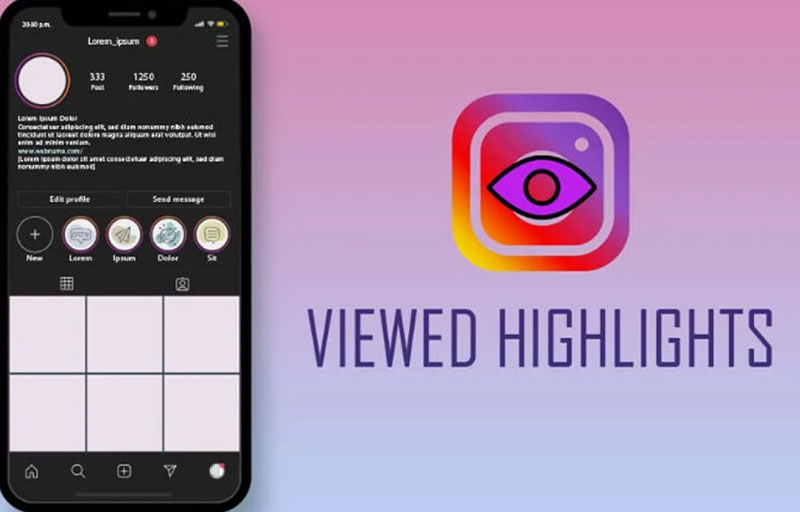
    Many people ask, Does Instagram show who viewed your Highlights? The truth is, Instagram does give you a way to see who has watched your Highlights, but only for a limited period. Instagram Highlights are saved Stories that stay on your profile indefinitely, unlike regular Stories that vanish after 24 hours.

    When you open a Highlight, you can swipe up to reveal an Instagram Highlights viewer list that shows the accounts that saw your content. However, this information isn’t permanent. Instagram intentionally restricts how long you can access these viewer details, balancing transparency with Instagram privacy features designed to protect users’ personal data.

    Instagram highlights views are thus visible but only within a certain timeframe to maintain privacy.

    Consider that if you want to save your favourite Highlights or Stories before they disappear, you can use trusted tools like our dlinsta Instagram Highlights Downloader to back them up easily.

    How to Check Your Instagram Highlight Viewers?

    If you’re questioning how to check Instagram Highlight views, it’s quite straightforward. Head to your profile > select the Highlight you want > and swipe upward on the screen. This gesture brings up a detailed list revealing who viewed my Instagram Highlights at that moment.

    This function helps you monitor your Instagram Highlights engagement tracking and gives insight into your audience’s interests.

    Keep in mind that there’s a difference between Instagram Stories vs Highlights views: Stories disappear quickly with a time limit on viewer data, but Highlights remain visible on your profile even though the viewer list eventually disappears.

    Because of the way Instagram counts and displays who viewed your Instagram highlights, knowing how to access this info can be very useful.

    Is there any way to see views after 48 hours

    Is there any way to see views after 48 hours?

    One common question is, do Highlights show viewers after 48 hours? Unfortunately, once 48 hours pass, Instagram removes the ability to see the specific accounts that viewed your Highlights. After this window, you lose access to the Instagram Highlights viewer list with individual names.

    For business or creator accounts, Instagram might still display total view counts as part of Instagram Highlights view insights, but personal accounts won’t have this advantage. This rule ties into Instagram’s commitment to privacy, ensuring that user activity, such as Instagram view history, isn’t permanently visible to others.

    Therefore, detailed Instagram highlights views data is only temporarily accessible, reflecting Instagram’s privacy balance.

    Can You View Someone’s Instagram Highlights Without Them Knowing?

    Many curios about Instagram anonymous viewing, whether it’s possible to watch someone else’s Highlights without being detected. Instagram’s system is clear: if you view someone’s Highlight, your account will show up on their Instagram Highlights viewer list. There’s no official way to watch Highlights completely incognito.

    Attempts to bypass this usually involve risky hacks or third-party apps, which are against Instagram’s policies and can compromise your security. Instagram’s Instagram viewer activity tracking is designed to be transparent and immediate, meaning that who can see my Instagram Highlights is always informed of viewers.

    So, when it talks about Instagram highlights views, the platform ensures that viewers are visible to content owners for accountability.

    Read more: Think you know all the hidden moves on Instagram? Find out how to see who unsent a message; it’s more revealing than you think!

    How to Control Who Can See Your Instagram Highlights

    How to Control Who Can See Your Instagram Highlights

    Instagram Highlights are a fun way to keep your favourite stories on your profile, but sometimes you don’t want everyone to see them.

    Here’s how you can manage who viewed your Instagram highlights and keep things more private:

    – Switch to a Private Account

    If your account is public, anyone can view your Highlights. By making your profile private, only the people you approve as followers will be able to see it. Just go to “Settings > Privacy > Account Privacy” and turn on “Private Account”.

    – Hide Highlights from Certain Followers

    Don’t want specific people to see your stories or Highlights? You can hide them. Go to “Settings > Privacy > Story > Hide Story From”, then choose the users you’d like to block from seeing your stories and Highlights.

    – Use the Close Friends Feature

    For more control, share stories (and future Highlights) only with your Close Friends list. When posting a story, select the “Close Friends” option; that way, only the people you’ve added to that list can view it.

    – Keep Your Highlights Updated

    It’s a good idea to clean up your Highlights from time to time. To remove something, just tap and hold the Highlight, hit the three-dot menu, and select “Delete”. This helps you manage what stays on your profile.

    Bonus Tip: If you don’t want others sharing your stories or adding them to their own Highlights, turn off that option by heading to Settings > Privacy > Story, and disabling “Allow Sharing to Story” and “Allow Sharing to Highlights”.

    In the end, want to learn more about Instagram’s privacy updates? Don’t miss our in-depth article on Does Instagram Notify When You Screenshot a Post in 2025 to stay fully informed.

    In Conclusion

    It’s important to remember that the primary purpose of sharing Highlights is to provide an overview of your most important content to your profile visitors.

    While knowing who views this content can be interesting, the main focus should be on providing high-quality and engaging content. Understanding the nuances of Instagram highlights can be a useful tool in your Instagram strategy.

    Now we are eager to know if you have any experience in this area or if any other thoughts come to mind. Feel free to share them with us! In your opinion, how important is it to know who viewed your Instagram highlights?

    Can we see who watched your highlights on Instagram?

    Yes, but only for 48 hours after posting the original Story.

    Can you view Instagram highlights anonymously?

    Not officially. But using third-party tools or airplane mode might help; use with caution.

    Can you see if someone has screenshots of your Instagram highlights?

    No, Instagram doesn’t notify you if someone takes a screenshot of your highlights.

    How do you know if someone rewatched your Instagram story?

    You can’t. Instagram doesn’t show rewatch data, only a total viewer list within 24 hours.

    Can I hide Instagram Highlights from specific people?

    Yes, go to Settings > Privacy > Story, and add people to your Hide Story From list.

  • Why Can’t I Log Out of My Instagram Account?

    Why Can’t I Log Out of My Instagram Account?

    When you try to log out of your account over and over but nothing happens, the “Can’t log out of Instagram” issue stops feeling like a minor glitch; it starts to feel like you’re trapped in a digital labyrinth. It feels like you’re trapped in a digital labyrinth, doesn’t it?

    Every time you hit that logout button, it’s like an invisible wall is blocking your way! That feeling of helplessness, of not being able to break free from Instagram, can be truly maddening.

    What could be behind this strange occurrence? A mysterious bug? Or a complex technical issue? Don’t worry, this is just the thrilling beginning of unravelling the mystery of your Instagram logout problem. If you want to uncover this secret, come with us as we break down this complexity step by step!

    Before logging out or making changes to your account, you might want to save your favourite posts. Use the Instagram Story Downloader online or Instagram Reels Downloader to easily and safely download photos and videos.

    Why Won’t the Logout Button Work on Instagram?

    When the Instagram logout button suddenly stops responding, a multitude of reasons could be behind it. Understanding these reasons is the first step in resolving the “Instagram won’t let me log out issue. Let’s explore some of the most common culprits:

    • Internet Connectivity Issues: A weak or lost internet connection can prevent many Instagram features. This is a frequent cause of the Instagram Log out issue.
    • Temporary Instagram Server Problems: Sometimes, Instagram itself experiences technical difficulties, and some users can’t log out of their Instagram accounts. These issues are usually widespread and resolve themselves after a while.
    • Outdated Instagram App Version: Using older versions of the app can lead to various bugs and problems, one of which could be how to fix the Instagram logout bug.
    • Full App Cache and Data: Accumulated extra and old data in the app’s cache can slow down its performance and interfere with the logout process.
    • Conflicts with Other Apps: Occasionally, installing new apps or conflicts between them can cause the Instagram log out problem.
    • Being stuck on an Instagram account in a Specific State: For various reasons, your account might be stuck in a particular state that prevents you from logging out.
    • Issues with Multiple Accounts: If you have several accounts active on your phone simultaneously, you might encounter problems when trying to log out of one of them. This is especially true when attempting to log out of multiple Instagram accounts.
    • Software Bugs: Software bugs within the Instagram application itself can also be the reason why the Instagram app won’t log out.
    • Problems with the Phone’s Operating System: In rare cases, issues with your phone’s operating system (whether Android or iOS) can affect app functionality, including causing the Log out not to work on Instagram.

    While managing your account, you might also want to grow your audience organically. So, getting data about Instagram Followers for Free to boost your Instagram following without spending a dime is necessary.

    How to Resolve Instagram Account Log out Issues?

    Now that we understand the potential reasons behind the “can’t log out of Instagram”, it’s time to look at some practical solutions to fix the Instagram account logout glitch across different devices. Depending on the device you’re using, the steps might vary slightly, but the general principles remain the same.

    If you’re struggling to force Instagram on your iPhone/Android, follow these steps:

    1. Check Internet Connection: Ensure you are connected to a strong Wi-Fi network or cellular data.
    2. Close and Reopen the App: Completely close the Instagram app (remove it from the app switcher) and then reopen it.
    3. Force Quit from iPhone Settings: Go to your iPhone’s Settings app > Select General >Tap on iPhone Storage > Find and select Instagram> Tap Offload App. This will remove the app but keep its documents and data. After it’s done, tap Reinstall App.
    4. Clear App Cache and Data (for Android): Go to your Android phone’s Settings> Find and select Apps or App Management> Locate and select Instagram> Tap on Storage> Tap Clear Cache and then Clear Data. (Clearing data will require you to log back into your account.) You can do it for iOS if the Option Exists.
    5. Update the App: Go to the App Store or Google Play Store and make sure you have the latest version of Instagram installed.
    6. Restart Your Phone: Turn your phone off and then back on; it’s the easiest way when you can’t log out of your Instagram account.
    7. Delete and Reinstall the App: If none of the above works, delete the Instagram app and reinstall it from the App Store/ Google Play Store. (Make sure you have your login information before doing this.)
    8. Check Date and Time Settings: Ensure your phone’s date and time are set correctly.
    9. Contact Instagram Support: If you still can’t sign out of the Instagram app, reach out to Instagram support.
    10. Disable Battery Optimization for Instagram (Android): Some battery optimization apps might interfere with Instagram’s functionality. Temporarily disable it for Instagram.
    11. Safe Mode (Android): Boot your Android phone into Safe Mode. If the logout issue doesn’t occur in Safe Mode, a third-party app is likely the culprit. Uninstall recently installed apps one by one to find the problematic one.

    If you’re experiencing Logout not working on Instagram on the web version:

    1. Refresh the Page: Refresh the page several times (using the F5 key or the browser’s refresh button).
    2. Clear Browser Cache and Cookies: Clear your browser’s cache and cookies. (The steps for this vary depending on your browser.)
    3. Try a Different Browser: Try logging into Instagram using a different web browser and logging out from there.
    4. Close and Reopen Your Browser: Completely close your browser and then reopen it.
    5. Update Your Browser: Ensure you are using the latest version of your web browser.
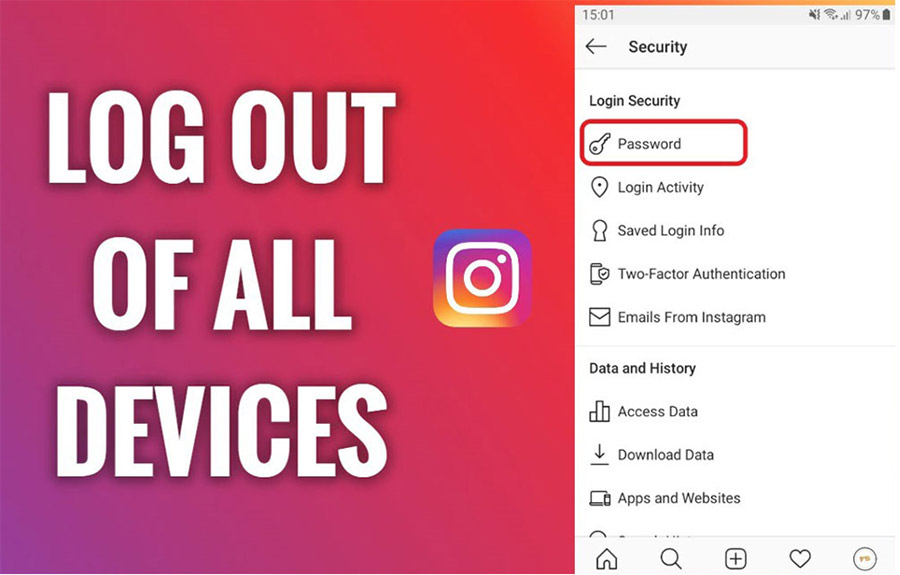
    6. Log Out of All Devices (Through Settings): If you have access to another device where Instagram is logged in, go to the settings on that device and select “Log Out of All Devices.”

    Want to tidy up your Instagram feed before logging out? Discover how to safely stash your memories and study how to archive all your posts on Instagram and keep your content organized with ease.

    Conclusion

    The problem of logging out of Instagram can stem from various causes, from simple internet hiccups to more complex software glitches. In this guide, we’ve aimed to provide the most comprehensive troubleshooting Instagram logout steps to address this issue across different devices.

    Now, it’s your turn! Have you ever encountered the Can’t sign out of the Instagram app problem? What solutions worked for you? Please share your experiences and insights in the comments section below with us and other users. Also, if you have any questions about Instagram logout settings or any other related topic, feel free to ask, and we’ll explore them together.

    How do I force Instagram to log out?

    Go to Settings > Security > Login Activity, then tap the three dots next to each device and select Log Out.

    How do I fix Instagram logging me out?

    Update the app, clear cache (or reinstall), disable third-party apps, and make sure two-factor authentication is set up properly.

    Why can’t I remove my account on Instagram?

    You can’t fully remove an account from the app unless you delete or temporarily deactivate it through Instagram’s website.

    When I log out of Instagram, is the account still there?

    Logging out only disconnects the session; the account shortcut may remain for quick login. To remove it, clear app data or remove saved login info under Settings > Security > Saved Login Info.

    Why is it so hard to deactivate Instagram?

    Instagram hides the Option in the mobile app. You must visit the Instagram website to deactivate your account.

  • 10 Instagram Mistakes to Avoid in 2025

    10 Instagram Mistakes to Avoid in 2025

    Instagram mistakes can silently wreck your growth, even when you’re doing everything “right.” You’re posting regularly, choosing great hashtags, and showing up… yet the likes are down, followers vanish, and your comments stay quiet.

    In 2025, with Instagram’s algorithm getting sharper and competition tighter, avoiding these common pitfalls is crucial. Let’s walk through the 10 mistakes on Instagram to avoid in 2025, so your efforts actually pay off.

    Before the details, if you want to keep track of Instagram content you like, try our Instagram Reels Downloader tools in dl insta website and store posts offline for future reference.

    10 Super Common Instagram Mistakes to Sidestep in 2025

    To grow on Instagram and reach your goals, knowing the Common Instagram mistakes to avoid is key. So, let’s break down 10 of the most frequent ones, along with some friendly fixes:

    10-Super-Common-Instagram-Mistakes

    1- Totally Winging It Without a Plan (No Real Instagram Strategy 2025)

    One of the biggest social media mistakes folks make is just posting stuff without a clear strategy. If you don’t have specific goals (like boosting brand awareness, grabbing leads, or selling more), your efforts can feel a bit all over the place and not really get you anywhere.

    • Get SMART with Your Goals: Make sure your goals are Specific, Measurable, Achievable, Relevant, and Time-bound.
    • Know Your Peeps: Before you do anything, figure out who your audience is, what kind of stuff they love, when they’re online, and what hashtags they’re using.
    • Map Out Your Content: Create a regular schedule for your posts so you don’t have posting inconsistencies and your followers know when to expect your awesome content.
    • Scope Out the Competition (But Be You!): See what your competitors are up to and what their strengths and weaknesses are. Get inspired, but always put your own unique spin on things.

    2- Content Creation Errors

    In 2025, the app users have seen it all, so quality really matters. Some Instagram mistakes like Blurry pics, low-res videos, super long and boring captions, or content that just doesn’t vibe with your audience or your brand’s personality.

    These errors can quickly lead to losing followers and seeing that engagement tank.

    • Invest in Looking Good: Use high-resolution images and videos with great lighting and cool compositions. Make it visually appealing!
    • Share Stuff That Rocks: Your content should be helpful, fun, inspiring, or solve a problem for your audience. Give them value!
    • Tell a Story: Use the power of storytelling to connect with your audience on an emotional level. People love a good story!
    • Mix It Up: Use all sorts of content formats like photos, videos, Stories, Reels, and Lives to keep things interesting for everyone.

    Do not forget if you are looking to grow your audience without spending a dime? Get data about getting Instagram followers for free for actionable tips and proven strategies.

    3- Instagram Engagement Issues leading to Follower Engagement Drops

    Instagram is a social platform, and two-way communication is super important for your success.
    Ignoring comments, DMs, and mentions can make your followers feel ignored, and that’s when you see those Follower engagement drops.

    • Be Speedy and Sweet with Replies: Get back to comments and DMs as soon as you can, and always be friendly.
    • Start Conversations: Try asking questions in your captions and Stories to get people talking.
    • Go Live and Do Q&As: These are awesome ways to connect directly with your audience and answer their questions in real-time.
    • Show Some Love: Thank your followers who interact with your content and make them feel appreciated.
    Instagram Engagement Issues leading to Follower Engagement Drops

    4- Outdated Instagram Tactics

    Stories and Reels have become seriously powerful tools for boosting engagement and getting seen on this platform.

    Not using them right or not paying them enough attention make Instagram mistakes, means missing out on tons of chances to connect with your audience and grow.

    • Get Story-Savvy Daily: Stories are perfect for sharing more casual stuff, chatting with your audience through polls, Q&As, and stickers, and pointing them to your main posts.
    • Get Creative with Reels: Reels are super fun for sharing short, snappy videos that can grab new eyeballs and even go viral. Play around with trending music, challenges, and cool effects.
    • Keep It Consistent: Make sure your Stories and Reels vibe with the rest of your feed to create a smooth experience for your followers.

    If you want to make your Instagram Reels and posts even more engaging, check out our full guide on Creative Food Caption for Instagram to discover captions that boost engagement and make your content stand out.

    5- Hashtag Strategy Issues

    Hashtags are a fantastic way to get your content seen by more people, but using them incorrectly can actually hurt you. Stuffing your posts with too many irrelevant or repetitive hashtags is a common hashtag strategy issue.

    • Do Your Hashtag Homework: Use hashtag research tools to find relevant tags for your niche and content.
    • Mix It Up: Use a combo of popular, medium, and niche hashtags.
    • Quality Over Quantity: This app lets you use up to 30 hashtags, but aim for around 5-10 that are super relevant and targeted.
    • Create Your Own Brand Hashtag: Make a unique hashtag for your brand so your followers can easily find your content.

    6- Ignoring Your Insights (Missing Out on Key Info)

    The app gives you some seriously cool analytics tools that show you how your content is doing, what your audience likes, and how well your strategies are working. Not checking these out and using them to improve is one of the big Instagram mistakes.

    • Check Your Stats Regularly: Keep an eye on your views, engagement, follower growth, and how each post performs (daily, weekly, monthly).
    • See What’s Popular: Figure out what kind of content gets the most love and create more of that.
    • Understand Your Audience’s Habits: See when your followers are most active and post during those times.
    • Experiment and Tweak: Try different strategies and use your data to figure out what works best for your page.
    8 instagram mistakes and how to avoid them

    7 -Big Instagram Marketing Mistakes!

    It might seem tempting at first, but buying fake followers and likes is one of the biggest marketing mistakes you can make.

    Not only does it not give you any real value, but it can also damage your credibility and make Instagram’s algorithm side-eye you.

    • Focus on Real Growth: Create awesome content, engage authentically, and use the right strategies to attract genuine followers.
    • Steer Clear of Follower/Like Services: These usually use bots and inactive accounts that won’t actually interact with your content.
    • Patience is Your Friend: Real growth on Instagram takes time. Hang in there and keep doing your thing!

    To better understand why engagement patterns are changing and how the algorithm affects content visibility, read our detailed article on the Instagram Effect in 2025 and stay ahead with the latest insights.

    8 – Not Playing with All the Cool Instagram Features

    Instagram keeps rolling out new features (like Reels, Guides, Shops, etc.). Not getting familiar with them and using them means you could be falling behind and making Instagram mistakes on new ways to connect and grow.

    • Stay in the Know: Follow updates and learn about the latest features.
    • Give New Features a Whirl: Use new tools to create fresh and exciting content.
    • Use Business Tools Wisely: If you’re using Instagram for your business, take advantage of features like Shops, Ads, and customer communication tools.

    9 – Not Looking Pro (Having a Profile That’s a Bit of a Mess)

    Your profile is the first thing people see when they land on your page. Having a non-professional look with a bad profile pic, a weak bio, or a feed that looks all over the place can lead to an Instagram mistake.

    • Choose a Great Profile Pic: Use a high-quality photo that represents you or your brand well.
    • Write a Catchy and Informative Bio: Briefly explain who you are or what you do and what value you offer your audience.
    • Create a Consistent Look: Try to use a similar colour palette, fonts, and visual style in your posts and Stories.
    • Use Story Highlights Smartly: Organize your important and evergreen Stories into Highlights so they’re easy for people to find.

    One common Instagram mistake is having a cluttered or inconsistent feed. To fix this without deleting posts, check out How to Archive All Your Posts on Instagram? and give your profile a clean, professional look.

    10- Instagram Algorithm 2025 Changes

    The Instagram algorithm is always changing, and in 2025, we can expect some more tweaks in how content gets shown. Not knowing about these changes and not adapting can lead to some Instagram mistakes to avoid, such as Instagram reach problems and your awesome content not getting seen.

    • Follow Algorithm News: Keep up with reliable news sources and social media marketing blogs to stay updated on algorithm changes.
    • Focus on Real Connections: The new algorithm often values genuine interactions between users. Create content that encourages conversations.
    • Embrace New Formats: This app often gives a boost to content that uses its latest features.
    • Mix Up Your Content and Posting Times: Having a varied posting schedule and content types can help improve your visibility.

    Now tell us that are you ready to turn your everyday Reels into share-worthy hits? Check out our fun and actionable guide on going viral on Instagram Reels and start creating content that people can’t stop watching!

    instagram mistakes

    Wrapping It Up

    In the ever-evolving world of Instagram, knowing the Instagram mistakes to avoid and making an effort to avoid them is super important for success. By really understanding these and avoiding Instagram errors and using the friendly fixes we’ve talked about, you’ll be well on your way to Instagram growth tips in 2025.

    So, now that we’ve covered the 10 mistakes on Instagram to avoid in 2025, which ones are you noticing in your current strategy? Have you ever made one of these mistakes yourself? How did you fix it? Share your experience, your story might be exactly what someone else needs to hear! If you could give just one golden tip for growing on Instagram in 2025, what would it be? Comment on it!

    Is it worth investing in Instagram marketing in 2025?

    Yes, with a smarter algorithm and increasing competition, Instagram is still a great platform for growth when done right.

    How do I grow my Instagram following in 2025?

    Post high-quality content regularly, engage with followers, use the right hashtags, and keep up with its new features.

    Can I recover from Instagram mistakes?

    Absolutely! Learn from them, adapt your strategy, and keep improving your content and engagement for better results.

    How important are Instagram hashtags in 2025?

    Hashtags are key for discoverability, but using the right, relevant ones is crucial.

    Does the Instagram algorithm affect engagement in 2025?

    Yes, the algorithm prioritizes content with real engagement and interactions.

  • Creative Food Caption for Instagram (Boost Engagement & Likes on Your Food Photos)

    Creative Food Caption for Instagram (Boost Engagement & Likes on Your Food Photos)

    Food captions for Instagram that will make every foodie envious and spark a delicious rivalry on Instagram! Tired of your amazing food photos getting lost in the feed?

    It’s time to ditch those bland captions and discover the secret ingredients to captions that ignite curiosity, make your followers’ mouths water, hook your audience, and leave them hungry for more, so let’s dive in and taste the true flavor of being seen! Get ready to transform your food posts from overlooked to unforgettable.
    These ideas follow Instagram caption strategies that increase engagement, especially for visual and lifestyle content.

    food captions for instagram

    Why is a Great Food Caption So Important on Instagram?

    You might think a stunning food photo is enough, but trust us, a well-crafted food captions for Instagram can work wonders! Captions breathe life into your photos, tell a story, and connect your audience with the vibe of that meal. A good best caption for food photography can:

    • Boost Engagement: Asking a question or sharing an interesting thought increases the chances of people leaving comments.
    • Convey the Mood: A caption can express how delicious the food was, how it made you feel, or the story behind it.
    • Spark Curiosity: An engaging caption can make others want to try that dish too.
    • Differentiate Your Page: With a unique writing style and creative captions, you can build a distinct identity for your profile.

    So, if you want your food photos to stand out on Instagram, giving as much importance to the captions as you do to the food itself is key.

    Delectable Ideas for Writing Engaging Food Captions for Instagram

    Delectable Ideas for Writing Engaging Food Captions for Instagram

    Now, let’s get to the good stuff! I’ve gathered a plethora of awesome ideas you can draw inspiration from to create exceptional captions for your food photos:

    Utilizing the Best Captions for Food Pictures

    o “A taste of heaven!”
    o “A bite of love.”
    o “Pure bliss.”
    o “The magic of flavors.”
    o “A good day starts with good food.”

    Captions Tailored for Food Lovers

    o “Eating is an art, and I’m a masterpiece!”
    o “My life wouldn’t be complete without food.”
    o “The best way to my heart is through my stomach.”
    o “I travel for food.”
    o “Food is my happy place.”

    Creative Food Instagram Captions

    o “This plate is full of stories.”
    o “If only you could smell this…”
    o “A perfect harmony of taste and color.”
    o “Just what a great day needs.”
    o “Food; the fuel of the soul.”

    Aesthetic Captions for Food Pics

    o “Simplicity in its finest form.”
    o “A delicious masterpiece.”
    o “Art on my plate.”
    o “A feast for the eyes and the palate.”
    o “A moment of pure indulgence.”

    Funny Food Captions for Instagram

    o “I’m on a diet… starting Monday! (It’s Friday now)”
    o “The only love that won’t break my heart is my love for food.”
    o “My brain says salad; my heart says pizza.”
    o “I live to eat, not eat to live!”
    o “When I’m hungry, I don’t even talk to myself.”

    Short Food Captions

    o “Yum!”
    o “Perfect!”
    o “Divine.”
    o “Amazing.”
    o “That’s it.”

    Instagram Captions for Food Bloggers

    Many food bloggers also rely on business-focused Instagram captions when promoting restaurants, cafes, or brand collaborations.

    o “My experience today at [Food Name/Restaurant Name].”
    o “Tried a new flavor, what are your thoughts?”
    o “The recipe for this delicious dish is coming soon.”
    o “Which dish from this menu do you love the most?”
    o “Join me as we explore the tastiest spots in town.”

    Captions for Homemade Food

    o “Love baked into every spoonful.”
    o “The authentic taste of home.”
    o “Made with love, devoured with pleasure.”
    o “Nothing compares to Mom’s cooking.”
    o “A simple meal, full of good vibes.”

    Hashtags for Food Photography

    o #food
    o #foodphotography
    o #instafood
    o #foodie
    o #delicious
    o #yummy
    o #foodlover
    o #homemade

    Mouth-watering Food Captions for Instagram

    o “Imagine… a bite of this [Food Name] with a hint of [Flavor Description].”
    o “The aroma is intoxicating; the taste is out of this world!”
    o “This [Food Name] is an explosion of flavors in your mouth.”
    o “A new sensation with every bite.”
    o “Ready for an unforgettable taste experience?”

    Food Quote Captions

    o “One cannot think well, love well, sleep well if one has not dined well.” – Virginia Woolf.
    o “First we eat, then we do everything else.” – M.F.K. Fisher
    o “Enjoying food is one of life’s simplest pleasures.” – Auguste Escoffier
    o “People who love to eat are always the best people.” – Julia Child
    o “Everything you see I owe to spaghetti.” – Sophia Loren

    Sweet Tooth Captions

    o “Life is short, eat dessert first.”
    o “A little sweetness for a sweet day.”
    o “Chocolate heaven.”
    o “The taste of happiness.”
    o “A perfect dessert, a perfect ending.”

    viral food captions

    Brunch Captions

    o “The perfect brunch for a perfect day.”
    o “Weekend bliss with a delicious brunch.”
    o “The best way to start (or continue) a day off.”
    o “Coffee, food, and good vibes.”
    o “Good company and great brunch.”

    Delicious Meal Captions

    o “Absolutely delicious!”
    o “Every bite was a delight.”
    o “A memorable taste.”
    o “An exceptional dining experience.”
    o “You have to try this!”

    Trending Food Captions for Instagram 2025

    o Using food-related emojis.
    o Asking interactive questions to your audience.
    o Utilizing Stories and Reels to showcase engaging food videos.
    o Sharing personal anecdotes related to food.
    o Using trending and relevant hashtags.

    Instagram Captions for Restaurants

    o “We’re waiting to welcome you at [Restaurant Name].”
    o “Experience authentic flavors with us.”
    o “A new and exciting menu every day.”
    o “A cozy atmosphere with delicious food.”
    o “Contact us to reserve your table.”

    Dessert Captions

    o “The sweet ending to a good day.”
    o “A dessert you can’t resist.”
    o “Just one more spoonful… okay, maybe two!”
    o “A taste of paradise in a bowl.”
    o “A dessert for all seasons.”

    Snack Time Captions

    o “A delicious snack for a boost of energy.”
    o “When hunger strikes…”
    o “A little bit of deliciousness.”
    o “The best way to satisfy those cravings.”
    o “The simple pleasure of a snack.”

    Comfort Food Instagram Copy

    o “The taste of home, the feeling of comfort.”
    o “A plate full of memories.”
    o “Just the flavor I was craving.”
    o “Food for the soul.”
    o “A warm hug in a bowl.”

    Street Food captions for Instagram (Quotes)

    o “The joy of authentic flavors on the street.”
    o “You’ll find the best tastes right here.”
    o “A delicious street experience.”
    o “The true taste of the city.”
    o “Simple yet extraordinary.”

    Food Styling for Instagram

    o Proper Lighting: Use natural light whenever possible.
    o Right Angle: Experiment with different angles to find the best view.
    o Appealing Arrangement: Arrange the food in a visually pleasing way.
    o Suitable Background: A simple and clean background makes the food stand out.
    o Adding Garnishes: Use fresh herbs, spices, and sauces to make the photo more attractive.

    Instagram Content for Foodies

    o Restaurant & Cafe Reviews: Share your detailed experiences.
    o Cooking Tutorials: Teach your followers your favorite recipes.
    o Introducing Special Ingredients: Talk about different ingredients and their properties.
    o Food Challenges: Start an engaging challenge and invite others to participate.
    o Brand Collaborations: Partner with food-related brands.

    Foodie Instagram Post Ideas

    o Before & After Food Photos: Show how simple ingredients transform into a delicious meal.
    o Short Cooking Videos: Take your audience through the process.
    o Polls & Questions: Ask your followers about their favorite foods or what they’d like you to try.
    o Live Streams from Restaurants/Cafes: Share your experiences in real time.
    o Contests & Giveaways: Boost engagement with exciting competitions.

    If you want to save food captions for later use, a caption tool can help you organize inspiration easily.

    foods , sweets and best captions

    Final words

    As you can see, writing an engaging and trending food caption 2025 for your photos on Instagram doesn’t have to be a daunting task. Remember, the main goal is to connect with your audience, convey the feeling of that meal, and make them crave that delicious experience too.

    Now it’s your turn! Which of these ideas did you like the most? What experiences do you have with writing food captions for Instagram? Be sure to share your thoughts and ideas with us in the comments below! I’m looking forward to reading your delicious comments!

    How do I caption a food photo?

    Use descriptive, fun, or pun-filled text. Highlight taste, ingredients, or mood. Example: “Sundays are for spicy ramen 🍜🔥”

    Can I copy a caption from Instagram?

    Yes, you can copy captions manually, but use them as inspiration, to avoid plagiarism.

    How long is a good Instagram caption?

    Ideally 125–150 characters for engagement; longer captions work if storytelling or value is involved.

    Does every post need a caption?

    No, but captions boost engagement and help convey your message or personality.

    What hashtags should I use for a food post on Instagram?

    Use relevant ones like #Foodie, #InstaFood, or specific ones like #VeganEats.

  • How to Turn Off Vanish Mode on Instagram? (2025 Tutorial)

    How to Turn Off Vanish Mode on Instagram? (2025 Tutorial)

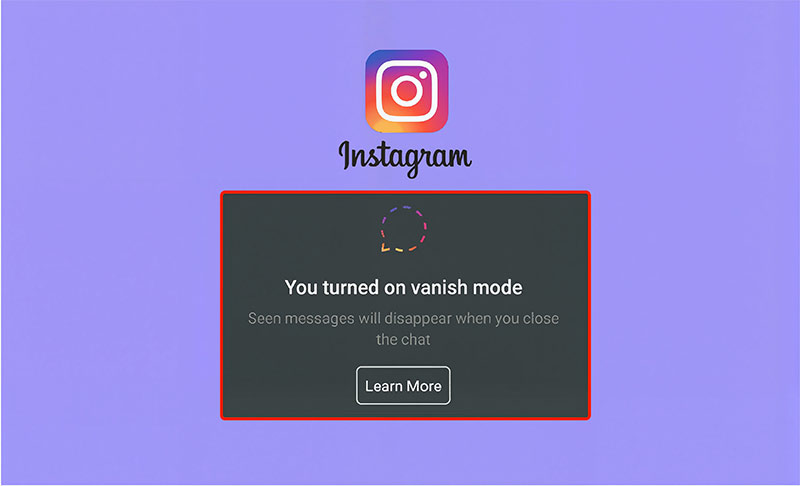
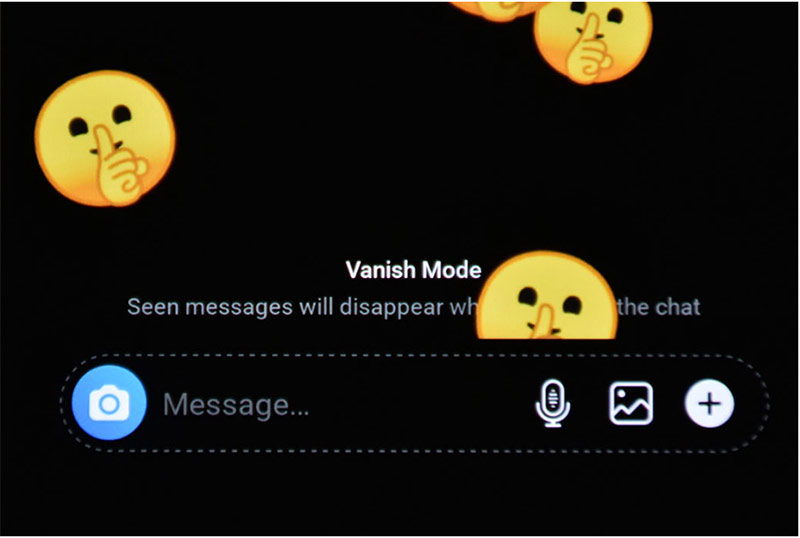
    Sent a message on Instagram and watched it disappear before your eyes? Sometimes, Vanish Mode on Instagram can activate unexpectedly, causing your messages to evaporate after they’re seen. You might notice the conversation looks different, messages fading without warning, or feel unsure whether the other person has received what you sent.
    If this sounds familiar, let’s discover the simple steps on how to turn off Vanish Mode on Instagram to regain full control of your conversations.
    Consider that if you’re looking for an easy way to download Instagram content, check out our guide to Instagram Reels Downloader or instagram story downloader online.

    (2) Ways to Turn Off Vanish Mode on Instagram (Android & iPhone)

    If you’re thinking about disabling vanish mode on Instagram, it helps to first understand what this feature really does. Vanish Mode allows messages to perish automatically after being seen, creating temporary, private chats that aren’t saved. Both users must enable it, making it ideal for short-lived and confidential conversations.
    If you’ve noticed your messages evaporating in Instagram chats, it means Vanish Mode is active. You might want to remove vanish mode on Instagram to keep your messages visible and maintain a normal chat history. Here are two simple ways to do it:

    Ways to Turn Off Vanish Mode on Instagram

    1- Swipe-Up Method

    You can easily set Instagram vanish mode off in just a few taps. Whether you’re on Android or iPhone, the process is quick and identical:
    • Launch the Instagram app and open your Direct Messages (DMs).
    • Choose the chat where Vanish Mode is currently active.
    • Swipe up from the bottom of the screen to disable it.
    Once you do this, your chat reverts to the normal mode, where all messages stay visible and are stored in your conversation history.

    2- Chat Settings Method

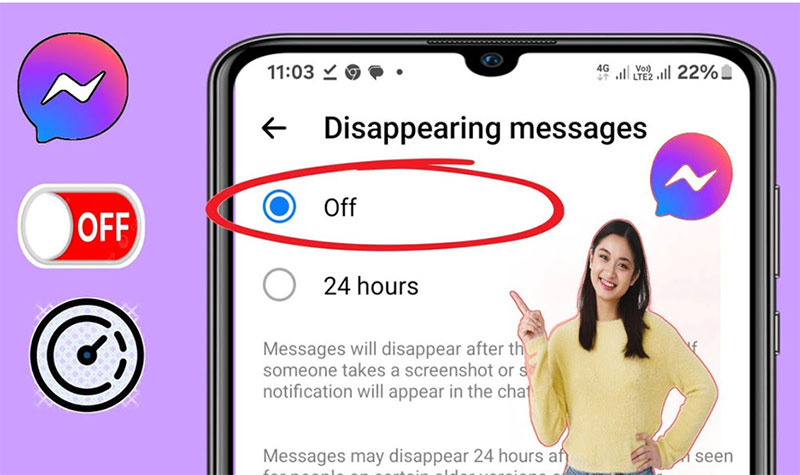
    If swiping up doesn’t work or you prefer a different approach, you can turn off Vanish Mode on Instagram through the chat settings. Once you do this, any disappearing messages will no longer be visible, and your chat will return to its standard format:
    • Open the conversation where Vanish Mode is active.
    • Tap the person’s name or the chat header at the top to access the chat profile.
    • Scroll down to Privacy and Safety.
    • Locate the Vanish Mode option and toggle it off.

    How to Turn Off Vanish Mode for All Chats?

    Vanish Mode is enabled on a per-chat basis, so there’s no way to deactivate vanish mode across all conversations at once. You must disable it individually for each chat where it’s active.
    Following the steps above makes managing disappearing messages simple and ensures your chats return to normal. Remember, full control to turn off Vanish Mode on Instagram messages is only possible through the mobile app.

    • Note: Currently, Instagram’s desktop version does not allow Vanish Mode. While you can view and respond to messages on a computer, you cannot enable or shut off this mode permanently from a desktop.

    Why People Use Vanish Mode on Instagram?

    When exploring vanish mode settings, Instagram users often discover that it’s more than just a privacy tool; it’s a flexible feature tailored for different communication needs. Here are some common reasons users choose to use it:

    Privacy: Keeps conversations temporary and self-erasing after being read.
    Spontaneity: Great for fun, fleeting exchanges.
    Digital Minimalism: Helps avoid clutter and permanent message storage.
    Relaxed Conversations: Encourages casual chatting without worry.
    Security: Reduces the risk of sensitive information being stored.

    This versatility makes Vanish Mode an attractive option for users who want both freedom and privacy in their interactions.

    Why People Use Vanish Mode on Instagram

    How to Report or Block Inappropriate Messages in Vanish Mode?

    Being able to turn off Vanish Mode on Instagram is useful, but it’s just as important to stay protected from unwanted or inappropriate messages. If you encounter something concerning while Vanish Mode is active, you can report or block it directly within the chat:
    • Press and hold the message you want to report.
    • Tap Report, then select a reason for your report.
    • Choose to block or restrict the user if necessary.
    Instagram prioritizes safety, so reporting inappropriate behavior helps keep the platform secure for everyone.

    vanishmode in instagram

    Why Parents Should Be Aware of Instagram Vanish Mode?

    For parents, stopping vanish mode Instagram messages is crucial to ensuring their child’s digital safety. Since Vanish Mode allows conversations that disappear instantly, it can sometimes hide concerning interactions or content.
    Parents should familiarize themselves with this feature, discuss it openly with their children, and encourage responsible social media behavior. Awareness and communication are key, helping families create a safe and transparent online environment.

    What to Do If You Can’t Turn Off Vanish Mode on Instagram?

    If you’re facing issues when trying to turn off Vanish Mode on Instagram, it may prevent your chats from behaving as expected and interfere with your regular messaging. The good news is that this issue is fairly common and can often be resolved with a few straightforward steps:
    • Update Instagram: Ensure your app is up to date, as older versions can sometimes cause features to malfunction.
    • Restart Your Device: Turning your phone off and back on can resolve temporary glitches and refresh app performance.
    • Clear Cache (Android Only): Deleting temporary data can fix bugs that prevent Vanish Mode from deactivating.
    Once you’ve completed these steps, reopen Instagram and check the chat. Most of the time, this resolves the issue, and Vanish Mode can be turned off normally.

    What to Do If You Can’t Turn Off Vanish Mode on Instagram

    Final Words

    Stopping vanish mode on Instagram is simpler than it seems, but it can still catch you off guard if you’re not familiar with the steps. Each chat requires individual attention, and keeping your app updated helps prevent glitches.
    What’s the most unexpected moment you’ve experienced with Vanish Mode, or how have you adapted your messaging habits because of it? Share your insights in the comments and think about the way knowing how to turn off Vanish Mode on Instagram has changed your chat experience; we’d love to hear your perspective.

    Can you accidentally turn on vanish mode on Instagram?

    Yes, it can be activated by swiping up in a chat without realizing it.

    Why is vanish mode not working on Instagram?

    It may not work if the app is outdated, the chat partner doesn’t support it, or settings are restricted.

    How do I get rid of vanish mode on Instagram?

    To change your vanish mode back to normal, open the chat, then swipe up within the chat.

    Can both users turn off Vanish Mode?

    Yes, either person in the chat can swipe up to disable it.

    How to disable vanish mode on Instagram desktop?

    You can’t disable Vanish Mode on Instagram desktop; it can only be turned off using the mobile app.


  • What Are the Proven Instagram Marketing Campaigns You Need to Try in 2025?

    What Are the Proven Instagram Marketing Campaigns You Need to Try in 2025?

    Your feed scrolls by, but some posts just stop you. They grab your attention, make you double-tap, maybe even buy something, all before you know it. That’s the magic of a smart Instagram marketing campaign combined with a strong Instagram ad strategy.

    In 2025, it’s not about pretty pictures anymore. It’s about hooks, strategy, and Content that sticks. Viral Reels, shoppable posts, niche influencers, and clever contests aren’t just trends; they’re the playbook brands use to turn casual scrollers into loyal fans and paying customers.

    In this guide, you’ll discover proven campaigns that actually work this year. Each strategy is designed to grab attention, drive engagement, and grow your brand, fast. Ready to see what makes them irresistible? Let’s jump in.

    (11) Top Instagram Marketing Campaigns That Actually Work in 2025

    Instagram in 2025 is more than a visual platform; it’s a stage where brands compete for attention, trust, and conversions. To stand out, you need strategies that combine creativity, analytics, and community engagement.

    In this guide, we’ll explore 11 proven marketing campaigns that have been tested by top brands. Each approach includes clear steps, expert tips, and practical insights to help you grow your reach, increase engagement, and boost sales. Use this list as a roadmap for your next campaigns:

    Top Instagram Marketing Campaigns That Actually Work in

    -1- Leverage Reels & Trending Audio

    Short-form video is the fastest path to viral visibility. The most effective Instagram marketing campaigns in 2025 use Reels paired with trending sounds to hook viewers in the first three seconds. The right mix of audio, visuals, and timing can turn casual scrollers into engaged followers.

    • Plan 3–5 Reels per week with one focused story each.
    • Include a Creator collaboration for at least one post to expand reach.
    • Monitor completion rate and shares to measure algorithmic lift.

    Example :

    A home appliance brand called HomeEase used short Reels to promote a new vacuum cleaner. Three videos were released each week:

    • A before-and-after video of a cleaning job with a trendy song, titled “The Secret to a Flawless Home.”
    • A behind-the-scenes look at how a vacuum cleaner is made, with a humorous twist.
    • A short instructional reel with quick tips for maintaining your home appliances.
    • A collaboration with a homeowner influencer increased reach by 40% and doubled product sales in a month.

    2- Run a Branded Contest That Spurs Organic Sharing

    Engage your audience directly with a Hashtag challenge or contest. Top Instagram marketing programs motivate followers to participate and create user-generated Content that spreads organically. This Instagram Marketing Campaign amplifies reach and builds trust while rewarding participation.

    • Launch a contest with a short, clear deadline.
    • Encourage posts using your branded hashtag campaign.
    • Feature winning entries in Stories or on your main feed.

    Example :

    A summer clothing brand launched the #SummerStyleChallenge hashtag challenge. Participants had to create a complete summer style using the brand’s clothing and post a photo or video on Instagram with the hashtag. Each week, a selected style was featured on the brand’s page, and the winner received a special gift card for online shopping.
    The result: a 50% increase in user-generated Content and a significant growth in followers in two weeks.

    3- Activate Niche Creators for Localized Trust

    Partnering with targeted influencers adds credibility without huge budgets. In 2025, the smartest Instagram Marketing Campaigns programs combine niche voices with targeted messaging. This is an effective Influencer activity tactic for authentic engagement.

    • Select creators aligned with your audience.
    • Use short-term promo codes to track conversions.
    • Repeat successful partnerships to scale impact.

    Example:

    A local cafe on Instagram teamed up with three regional food bloggers to launch a “taste journey” challenge. Each blogger created a video showcasing the cafe’s signature dish in their own unique style and offered a 20% discount code for online orders.

    The result? A 40% increase in online orders and a significant increase in engagement on the cafe’s Instagram page, all with minimal advertising spend.

    4- Build a Seamless Shop-First Funnel

    The other Instagram Marketing Campaigns and shopping strategies are essential for turning engagement into sales. The best Instagram marketing programs integrate Shoppable Content directly into Reels, Carousels, and Stories. This makes shopping effortless and measurable.

    • Tag products and link directly to checkout.
    • Optimize user experience with fast-loading landing pages.
    • Track performance for conversion optimization and adjust flows accordingly.

    Example:

    A sneaker brand created a Reel titled:

    “A Day in Our Shoes” scenes included running in the park, working out at the gym, and walking down the street. In each scene, the shoe model was displayed with a direct shopping tag and a purchase link.

    At the end, a creative CTA was added: “Your future shoes are here, order now!”

    The result: a 50% increase in clicks and purchases directly from the Reel.

    instagram marketing strategy

    5-Produce Episodic Brand Stories to Hold Interest

    Storytelling builds anticipation. The top Instagram marketing campaigns use episodic Content to keep audiences returning. Integrating storytelling through Reels enhances retention and emotional connection.

    • Map a 4–6-episode arc with teasers in Reels.
    • End each episode with a micro-CTA for engagement.
    • Combine analytics insights to refine future episodes.

    Example:

    A handbag brand decided to tell the story of an “urban adventure” in the form of a series on Instagram.

    • Episode 1: Introducing the main character with the brand’s signature bag in a cafe.
    • Episode 2: Following her on a fascinating urban route.
    • Episode 3: A bag design challenge with followers.

    Each episode was released with a short teaser on Reels and ended with a question or invitation to participate, for example: “What color would you suggest for the next bag?”

    This approach kept followers coming back for the next episode and increased engagement rates by 45%.

    6- Create a VIP Program That Generates Ambassadors

    Reward your most loyal followers to turn them into brand advocates. This method of Instagram Marketing Campaigns strengthens marketing programs by creating exclusivity and FOMO. The result is higher loyalty and organic amplification.

    • Identify VIP members based on engagement metrics.
    • Offer early access or special perks.
    • Encourage sharing using a unique hashtag campaign.

    Example:

    A small clothing brand created a “golden club” for loyal fans. Members of the club, using the hashtag #GoldenStyle, were allowed to preview and purchase new collections before they were officially unveiled.

    This led to 50% of members purchasing and a 25% organic growth in the brand’s followers.

    7- Use AI and Data to Continuously Improve Ads and Creative

    Modern Instagram marketing campaigns leverage AI for predictive targeting and optimization. Automation and data-driven adjustments keep campaigns competitive and scalable.

    • Track ROI with campaign analytics & metrics.
    • Run continuous A/B tests to identify top-performing creatives.
    • Apply ROI-driven advertising techniques to maximize spend efficiency.

    Example

    An online cosmetics store used AI to optimize its Instagram ads. By running A/B tests on two ad versions, the AI selected the version that had a 30% higher click-through rate and reduced ad costs by 20%.

    8-Optimize Your Instagram Content Mix Like Top Brands

    Diversified Content consistently outperforms one-type feeds. The leading Instagram Marketing Campaigns balance videos, Carousels, and interactive posts. A rich content mix attracts attention without overwhelming your audience.

    • Mix Reels, static posts, and Stories to keep audiences engaged.
    • Incorporate user-created Content for authenticity.
    • Maintain algorithmic reach by posting consistently at optimal times.

    Example:

    Brand: EcoStyle Apparel
    Goal: Increase engagement and online sales.

    Weekly Plan:

    Reels: 3 times/week — style tips or behind-the-scenes
    Carousels: 2 times/week — guides or brand stories
    Static Posts: 2 times/week — product photos with catchy captions
    Stories: Daily — polls, user content, product updates

    Result: 45% increase in engagement and 30% more site visits in 2 months.

    Optimize-Your-Instagram-Content-Mix-Like-Top-Brands

    9- Launch Interactive Polls and Quizzes

    Gamification keeps audiences participating. Effective Instagram marketing campaigns use polls, quizzes, and interactive stickers to increase engagement. Interactive features make followers feel involved and valued.

    • Ask questions related to your products or niche.
    • Highlight responses in Stories for community visibility.
    • Encourage sharing to extend reach.

    Example:

    A skincare brand posts a Story quiz:

    “What’s your biggest skin concern?”

    A) Dryness 
    B) Oily skin 
    C) Acne
    After votes come in, they share results and post a Reel:

    62% said dryness. Here’s how our HydraGlow Cream helps!”

    Simple, interactive, and a great way to boost engagement and trust.

    10 -Collaborate with Micro-Influencers for Authentic Reach

    Targeted specialized influencers can amplify campaigns while keeping costs manageable. Leading Instagram marketing programs partner strategically to maximize credibility. This Instagram Marketing Campaign builds trust and expands your audience organically.

    • Select creators with high engagement, not just follower count.
    • Track conversions to measure Influencer engagement success.
    • Use Content across both the influencer and brand profiles.

    Examples:

    A small skincare brand, GlowHaven, partners with three micro-influencers (each ~15K followers) who share honest “morning routine” Reels using the brand’s serum with the hashtag #GlowWithGlowHaven.
    Result: engagement doubles, the hashtag trends with 200+ user posts, and website traffic jumps 65%, all without big-budget influencers.

    11- Experiment with Social Commerce Campaigns Across Formats

    Sales-focused campaigns dominate in 2025. The top Instagram marketing campaigns integrate multiple formats to increase Shoppable media exposure. A multi-format approach ensures that shopping opportunities reach audiences wherever they are.

    • Test ads in Stories, Reels, and Carousels simultaneously.
    • Track results with conversion rate improvement dashboards.
    • Adjust creative, copy, and placements based on real-time data.
    Examples:

    • A Reel showing the serum in action with a trending audio clip (“glow-up in 5 seconds”).
    • A Story ad with a “Shop Now” sticker leading directly to checkout.
    • A Carousel post highlighting before-and-after results and customer testimonials.
    Experiment-with-Social-Commerce-Campaigns-Across-Formats

    Conclusion

    2025 is all about smart Instagram marketing campaigns that blend creativity with strategy. Focus on what resonates with your audience, avoid common mistakes, and leverage trends like Reels, contests, and influencer activations to boost engagement. Plan carefully, test wisely, and watch casual scrollers turn into loyal customers.

    Ready to start your first campaign? Launch your Instagram marketing campaign today and see the results yourself! Share your idea in the comments and inspire others, and also download our free guide to plan and track your campaigns perfectly, and follow us to stay updated with the latest strategies to dominate Instagram in 2025.

    How do I choose the right campaign type for my brand?

    Test a few small campaigns first to see what resonates with your audience.

    What’s the best way to measure campaign success?

    Track engagement, reach, and conversions to gauge effectiveness.

    How can I involve followers without over-promoting products?

    Use polls, contests, and unique hashtag campaigns to boost participation naturally.

    Are influencer collaborations worth the investment?

    Yes, choose creators who align with your brand for authentic reach.

    How often should I update or refresh my campaigns?

    Analyze performance regularly and introduce new trends like Reels or challenges.

  • Does Instagram Notify When You Screenshot a Post in 2025?

    Does Instagram Notify When You Screenshot a Post in 2025?

    Have you ever cautiously taken a screenshot of an Instagram post, secretly worried that the owner might find out? Or even vice versa! This is a concern for many Instagram users, and the question that constantly lingers in their minds is Does Instagram notify when you screenshot a post in 2025?

    In this article, we will thoroughly and comprehensively examine this issue, and based on the latest updates and available information, we will clear up your doubts about Instagram screenshot notifications. Join us as we explore every angle of this matter.

    What’s the Current Status of Instagram Screenshot Notification?

    To accurately understand whether Instagram currently sends notifications for taking screenshots of posts, it’s necessary to look at the platform’s behavior in different sections. Generally, Instagram’s policy regarding screenshot notifications has changed over time and varies depending on the type of content.

    What’s the Current Status of Instagram Screenshot Notification

    • Direct Messages (A Little Caution is Needed)

    The Direct Messages section of Instagram also has its own rules regarding screenshot notifications. In the past, if a user took a screenshot of a disappearing direct message (View Once), the sender of the message would be notified. This feature was designed to enhance privacy in private conversations.

    However, Instagram’s policy on Instagram DM screenshot notifications has also evolved. Generally, Instagram does not send a notification for regular text messages or permanently shared photos and videos in Direct Messages.

    Instagram Screenshot notifications were primarily related to disappearing content and may still be active for this type of content, so it’s advisable to exercise more caution when interacting with such messages.

    • Stories, Feed Posts, and Reels (No Notification for Now!)

    The good news is that currently, Instagram does not send any notification to the content owner when you take a screenshot on Instagram anonymously of public content, such as feed posts (including photos and videos), engaging Reels, and even your friends’ Stories (both regular and Close Friends Stories).

    This means you can freely save that beautiful travel photo, that recipe post you want to try later, or a motivational quote that resonates with you, all without alerting the user who posted it.

    So, if you come across an informative post, a funny Reel catches your eye, or you want a Screenshot of your friend’s Instagram, you can do so without worry, and you no longer need to wonder Can people see if you screenshot their Instagram post?

    For example, you might be watching a Close Friends Story where someone shares a cool life hack or a limited-time offer, and you want to refer back to it later. You can take a screenshot with peace of mind.

    This indicates that for most public content, the Instagram screenshot alert is not active, a key aspect when considering Instagram screenshot notifications.

    If you prefer downloading posts or Reels instead of taking screenshots, you can use reliable tools like our Instagram Reels Downloader.

    Why Did Instagram Change Its Screenshot Notification Policy

    Why Did Instagram Change Its Screenshot Notification Policy?

    The changes in the Instagram screenshot policy likely occurred for various reasons. One of the main possibilities is user feedback and their request for greater privacy while browsing content.

    Sending a notification for every screenshot could be bothersome for some users and negatively impact the user experience. Additionally, maintaining consistency and simplicity in the platform’s operation could also be a contributing factor.

    Having different rules for various types of content might be confusing for users, and removing the notification for public content could lead to a smoother user experience, aligning with Instagram’s privacy and screenshots. This shift also reflects a change in how the Instagram screenshot notification is implemented.

    Important Points About Taking Screenshots of Instagram Content

    Despite the fact that currently Instagram screenshot notifications aren’t sent for many sections, observing certain points is still important, and understanding Instagram privacy and screenshots is essential:

    • Respect Privacy: Always respect the privacy of others and avoid taking screenshots and sharing private content without permission.
    • Be Aware of Potential Changes: Instagram’s policies may change in the future. Stay updated on the latest changes regarding screenshot notifications. We might see different Instagram screenshot rules in 2025.
    • Pay Attention to Disappearing Content: Exercise more caution when interacting with Direct Messages with the “View Once” feature, as the sender may be notified if you take a screenshot.
    Important Points About Taking Screenshots of Instagram Content

    How to Prevent Screenshots on Instagram?

    If you, as a content creator, are concerned about others easily taking screenshots of your content, while Instagram doesn’t directly prevent this, you can use the following strategies to protect your content, even if the Instagram screenshot notification is not sent to you. Keeping in mind Instagram post privacy settings:

    • Add Watermarks: Adding a watermark with your username or logo to your photos and videos can make unauthorized use more difficult.
    • Avoid Sharing Sensitive Content: If you have content that you don’t want to be easily accessible to others, refrain from posting it on Instagram or sharing it only with trusted individuals.
    • Use the Close Friends Feature for Sensitive Stories: Although screenshot notifications are not sent for these types of Stories either, limiting the audience can reduce the risk of content being shared without your knowledge.
    • Be Aware of Privacy Settings: By carefully reviewing your post privacy settings, you can control who sees your content.

    In the end it suggested that instead of just taking screenshots, learn How to Go Viral on Instagram Reels that people actually share.

    Final words

    In conclusion, considering the changes in Instagram Screenshot notifications in 2025, users no longer need to worry about capturing public Instagram moments via screenshot, as screenshot detection on Instagram isn’t active for this type of content. However, observing social media screenshot etiquette and respecting privacy remains crucial.

    Have you had any experiences with taking or having your content screenshotted? Have you ever worried about whether someone can see if I screenshot their Instagram? Share your opinions and experiences with us and other users in the comments section. This exchange of information can help us all better understand Instagram’s privacy features.

    Can you see when someone screenshots your Instagram post?

    No, Instagram does not notify users when someone screenshots posts, Reels, or Stories.

    Is it illegal to screenshot Instagram posts?

    Not illegal, but copyright laws apply; don’t repost or reuse without permission.

    Why doesn’t Instagram allow screenshots?

    Instagram does allow screenshots, but it limits alerts to protect privacy in disappearing DMs only.

    How to prevent someone from taking screenshots on Instagram?

    You can’t fully prevent it, but you can switch to a private account and limit sharing or interactions with trusted followers.

    Does Instagram plan to add screenshot alerts for posts or Stories?

    As of now, there’s no official plan to expand screenshot alerts.


  • What Is the Instagram Effect in 2025?

    What Is the Instagram Effect in 2025?

    Instagram in 2025 isn’t just about sharing photos; it’s a hidden force quietly shaping culture, influencing decisions, and redefining the way we experience the world online. The Instagram effect is everywhere, from the filters you choose to the stories you scroll past to the products you decide to buy.

    But what makes some posts go viral while others fade into oblivion? How does this platform turn ordinary users into trendsetters and brands into cultural icons overnight? Unlocking the secrets behind the Instagram influence reveals not just social media trends but also the invisible rules guiding attention, Instagram engagement, and influence in the digital age.

    Consider that using dlinsta download Tool to save and analyze Instagram content and check out the best filters and effects.

    The Evolution of Instagram Trends in 2025

    To understand Instagram in 2025, it helps to look at how far the platform has evolved. From the early days of Valencia and X-Pro II to today’s interactive AR overlays, Instagram has continuously adapted to user preferences.

    Now, trends are less about perfect visuals and more about personal identity. Smart algorithms curate content that aligns with your individual style, seamlessly blending entertainment, social interaction, and even shopping into one cohesive experience, giving rise to Instagram social commerce.
    In this digital landscape, the platform acts like a mirror, reflecting not only daily moments but also aspirations and personal expression, enhanced by advanced, personalized creative tools, including Instagram AI features.

    To learn more about how you can leverage the power of Instagram effects, trends, and the algorithm to make your videos go viral on Instagram Reels, we recommend reading our comprehensive guide on How to Go Viral on Instagram Reels. This article provides practical tips, creative ideas, and actionable strategies for driving high views and engagement.

    What Are the Best Instagram Effects? (Filters & Effects)

    Filters and effects form the core of Instagram’s creative identity. They turn ordinary posts into eye-catching stories and feed updates that capture attention mid-scroll.

    By 2025, these tools will have evolved far beyond simple color adjustments; they will be intelligent, adaptive, and often interactive, creating content that makes every post feel alive.

    This evolution has redefined creativity on the platform, enabling users to craft visually stunning and highly engaging content that stands out in a crowded digital landscape.

    • Instagram Social News and Updates

    The platform has become a news feed for the digital age. From updates on trending challenges to announcements of new creative tools, Instagram ensures users are constantly in the loop.

    This is part of the Instagram effect; you’re not just consuming content; you’re participating in a global dialogue. Instagram Stories, Reels, and updates often spread faster than traditional media, making Instagram a hub for instant cultural exchange.

    This constant wave of Instagram social news and updates keeps the platform fresh, making users eager to log in and engage with user-generated content.

    • AI Filters and Smart Content

    Artificial intelligence has redefined filters. Smart content tools analyze lighting, mood, and even the subject of your photo to suggest filters that enhance your post perfectly. For creators and businesses, this is a revolutionary tool.

    It minimizes editing time and maximizes impact. Consider taking a selfie and having an AI instantly generate three filter options that align with your aesthetic; that’s the power of AI-driven filters.

    This new level of personalization is at the core of the Instagram effect, making every post feel curated and every creator feel like a professional. It’s all part of the rise of AI filters and smart content, which are revolutionizing visual storytelling through social media personalization.

    For creators whose work depends on strong visual storytelling,especially photographers,the Instagram Effect in 2025 makes content planning more important than ever. If you’re looking for practical ideas that actually work, our full guide on Instagram content ideas for photographers breaks down the most effective formats to use this year.

    • What’s Hot and What’s Not on Instagram?

    Every year brings its own wave of popular and outdated trends. In 2025, vibrant AR effects, retro-inspired overlays, and cinematic color grading are in, while overly-filtered, unnatural looks are fading out. Users are gravitating toward filters that add flair without removing authenticity.
    Brands and creators alike are watching closely, because what’s hot defines visibility. Aligning with these trends isn’t just a style choice; it’s a strategy to ride the momentum of the Instagram effect and reach audiences who crave fresh, authentic Instagram marketing strategies.

    AI Filters and Smart Content

    Instagram Filter Names You Should Know

    Some filters are more than creative tools; they’re cultural symbols. Clarendon, for instance, still holds its place as a timeless choice. Meanwhile, names like Juno, Lark, and Ludwig continue to dominate, thanks to their balance of vibrance and subtlety.
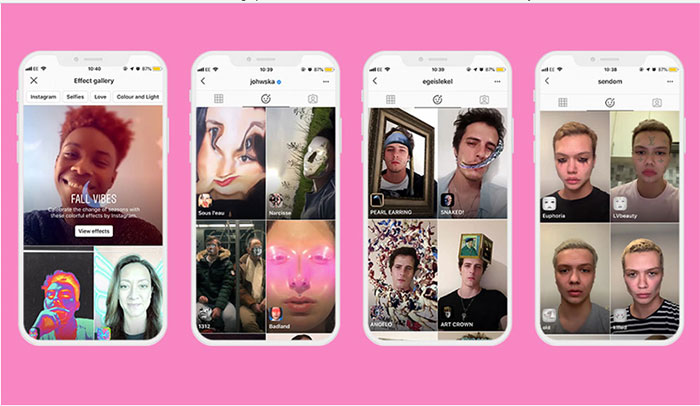
    In 2025, however, new contenders have entered the spotlight. Filters with dynamic overlays, futuristic AR effects on Instagram, and nostalgic film-inspired tones are making waves. Knowing these names matters if you want to stay relevant.

    That’s why staying aware of Instagram filter names is critical; the Instagram effect thrives on shared visual language, and filter names often become shorthand for aesthetic trends across the platform.

    Interactive Overlays and AR Experiences

    This is where Instagram moves beyond simple editing into immersive experiences. Interactive overlays and Instagram AR effects allow users to play with their content in new ways. Think of filters that respond to movement, music, or even facial expressions.

    For creators, this interactivity is a magnet for engagement. When users can tap, swipe, or react to your content in real time, they’re more likely to share and revisit it. That’s the Instagram effect at its most powerful. Content isn’t just seen; it’s experienced.

    AR shopping effects are also gaining traction. Trying on sunglasses, testing makeup, or visualizing furniture in your home before buying are all possible through augmented reality experiences. This blurs the line between social media and e-commerce, turning casual scrolling into meaningful interaction, perfectly showcasing multimedia content on Instagram.

    How Instagram Shapes Trends, Communities, and Commerce

    The Instagram effect is everywhere in 2025, shaping how we connect, create, and even shop. AI-powered feeds and immersive AR experiences turn every interaction into a potential trend or movement. Trends making waves in 2025:

    • Empowered communities: Users actively create content and spread trends globally.
    • Creator launchpads: Niche ideas can go viral overnight, giving small creators a big voice.
    • Authentic brand engagement: Campaigns feel like genuine conversations rather than ads.
    • Smart content with AI and AR: Businesses can visualize audience behavior and deliver content that resonates.
    • Culture and commerce intersect: Micro-communities influence fashion, lifestyle, and purchases.

    Read more: If you want to grow your Instagram page naturally and without spending a dime, check out the complete guide on How to Get Instagram Followers for Free. This article includes proven strategies, practical tricks, and top tips for attracting real followers and increasing engagement.

    How Instagram Shapes Trends, Communities, and Commerce

    Conclusion

    In 2025, the Instagram effect is more than just a social media trend; it shapes culture, sets new norms, and influences how we express ourselves online. From everyday posts to viral stories, it affects what we notice, share, and engage with.

    Each interaction has the potential to spark creativity, connect communities, and even inspire new trends. Understanding this effect helps us see how digital culture evolves and how individuals can make an impact in the online world.

    Your opinion matters. Let’s start a conversation! Which recent trend or feature on Instagram caught your attention the most? How do you usually decide what content to engage with on social media?

    Let us know in the comments about your ideas in the case of “What Is the Instagram Effect in 2025?”. Share a post or story that inspired you recently. What made it stand out? If you could add one new feature to Instagram, what would it be and why? Write your ideas below!

    How does the Instagram effect influence what goes viral?

    The Instagram effect combines algorithms, trends, and engagement patterns, helping some posts gain massive attention while others stay under the radar.

    Can small creators become trendsetters overnight?

    Yes! Thanks to interactive features and viral mechanics, even niche creators can spark global trends with the right content.

    Why are AR effects and interactive filters so popular in 2025?

    They make content immersive and fun, letting users express themselves creatively and engage with posts in unique ways.

    How does Instagram shape online communities?

    By curating content based on interests and encouraging interaction, Instagram fosters active communities where trends and ideas spread quickly.

    What role does Instagram play in social commerce?

    Instagram integrates shopping with content, allowing users to discover, try, and purchase products seamlessly while exploring trends.