Category: Articles

  • Instagram Stories vs Feed: Which One Should You Use for Better Engagement in 2026?

    Instagram Stories vs Feed: Which One Should You Use for Better Engagement in 2026?

    If you’re trying to grow on Instagram, you’ve probably asked yourself this question more than once:
    Should I focus on Stories or Feed posts?

    The short answer? You need both.
    But the real value comes from understanding how each one works,and when to use them strategically.

    In this guide, you’ll learn the key differences between Instagram Stories and Feed posts, when to use each, and how to combine them for better engagement and growth.

    What Is Instagram Feed?

    Your Instagram Feed is your profile’s main grid,the place where your content lives permanently (unless you delete it).

    Key Features of Instagram Feed

    • Posts stay on your profile long-term
    • Includes photos, carousels, and videos
    • Can appear in Explore and hashtags
    • Supports captions, tags, and SEO-style keywords

    Pros of Using Feed Posts

    1. Long-term visibility
      Feed posts don’t disappear. A well-performing post can bring traffic for weeks—or even months.
    2. Discoverability
      Instagram’s algorithm pushes Feed content to new audiences via Explore and search.
    3. Brand identity
      Your Feed is like your storefront. It shows who you are and what you offer at a glance.
    4. Higher reach potential
      Compared to Stories, Feed posts have a better chance of reaching non-followers.

    Limitations of Feed Content

    • Requires more planning and design
    • Less spontaneous
    • Engagement is slower (people don’t always interact immediately)

    What Are Instagram Stories?

    Instagram Stories are short, temporary posts that disappear after 24 hours.

    They appear at the top of the app and are usually seen by your existing followers.

    Key Features of Instagram Stories

    • 24-hour lifespan
    • Interactive tools (polls, questions, quizzes, sliders)
    • Casual, behind-the-scenes format
    • Direct communication via DMs

    Benefits of Using Stories

    1. Strong engagement
      Stories are designed for interaction. Features like polls and Q&A make it easy to connect with your audience.
    2. Authentic connection
      Stories feel real and unpolished—which builds trust.
    3. Daily visibility
      Posting Stories keeps you at the top of your followers’ screens.
    4. Instant feedback
      You can quickly test ideas and see what your audience likes.

    Limitations of Stories

    • Content disappears after 24 hours
    • Limited reach to new audiences
    • Not ideal for evergreen content

    Instagram Stories vs Feed: Key Differences

    Instagram Stories and Feed posts differ mainly in visibility and interaction style. Feed content is permanent and helps with long-term growth and discovery, while Stories disappear after 24 hours and focus on quick, casual engagement.

    Feed is better for reaching new audiences and building a lasting presence, whereas Stories are ideal for creating daily interaction and stronger connections with your existing followers.

    When Should You Use Instagram Feed?

    Instagram Feed is best used when you want to create content that delivers long-term value and represents your brand in a clear, professional way. It helps you reach new audiences while building a strong and consistent presence on your profile.

    Best situations for Feed:

    • Sharing valuable tips or educational content
    • Posting high-quality product images
    • Creating carousel posts (step-by-step guides)
    • Building your brand identity
    • Targeting new audiences

    Example:

    If you’re selling kids’ educational toys, a Feed post could be:
    👉 “5 Ways This Puzzle Boosts Your Child’s Brain”

    That kind of content can keep attracting users over time.

    When Should You Use Instagram Stories?

    Instagram Stories are best used when you want to share quick, real-time content and stay consistently visible to your audience. They help you build a more personal connection through daily interactions and casual communication.

    Best situations for Stories:

    • Asking questions or running polls
    • Showing behind-the-scenes content
    • Sharing quick updates
    • Promoting new posts
    • Creating urgency (limited offers, reminders)

    Example:

    👉 “Which toy should I review next?” (Poll)
    👉 “New product just arrived!” (Quick video)

    Stories make your audience feel involved.

    Instagram Stories vs Feed: Which Is Better for Business?

    When it comes to business, choosing between Instagram Stories and Feed isn’t about picking one over the other,it’s about understanding their roles. Each serves a different purpose in your marketing strategy, and using them together creates better results.

    For example, a toy store might post a high-quality product photo or a helpful carousel on the Feed to attract new customers, then use Stories to show how the toy works, ask parents for their opinion, or share real customer feedback.

    Use Feed for:

    • Growth
    • Visibility
    • Authority

    Use Stories for:

    • Trust
    • Engagement
    • Retention

    A business that only posts Feed content may grow—but feel distant.
    A business that only posts Stories may connect—but not grow.

    The real power comes from combining both.

    How to Combine Stories and Feed for Maximum Growth

    To grow effectively on Instagram, you shouldn’t treat Stories and Feed as separate tools—they work best when used together as part of one clear strategy. By combining the long-term impact of Feed with the daily engagement of Stories, you can attract new followers while keeping your current audience active and connected.

    Step 1: Post valuable content on Feed

    Start by creating a strong, high-quality post that provides value, such as tips, tutorials, or product insights, so it can attract and stay useful for a wider audience over time.

    Step 2: Promote it through Stories

    Share your Feed post in Stories and add a simple call-to-action to guide your audience to view, like, or comment on it.

    Step 3: Start conversations in Stories

    Use interactive tools like polls or questions to encourage your audience to engage and share their opinions related to your Feed content.

    Step 4: Stay consistent with Stories

    Even on days you don’t post on Feed, use Stories to stay visible and maintain regular communication with your audience.

    Final Thoughts

    Instagram Stories and Feed posts serve different purposes,but together, they create a powerful strategy.

    • Feed builds your presence and reach
    • Stories build your relationship and trust

    If you want real growth in 2026, don’t choose between them.
    Learn how to use both,intentionally and consistently.

    Because on Instagram, success isn’t about posting more.
    It’s about posting smarter.
  • Hashtag Strategy After the 2026 Update: Less Is More

    Hashtag Strategy After the 2026 Update: Less Is More

    Instagram didn’t “kill” hashtags in 2026 , but it definitely killed the way most people were using them.

    If you’re still pasting 20–30 hashtags at the bottom of every post, hoping for reach, you’re working with a 2018 strategy in a 2026 algorithm. The platform has shifted from hashtag-based categorization to AI-driven contextual understanding, and the recent reduction of the hashtag limit (now typically 3–5 per post) confirms it.

    In this guide, we’ll break down:

    • What actually changed
    • Why Instagram reduced the hashtag limit
    • Whether hashtags still matter
    • And how to build a smarter strategy that aligns with how the algorithm works today

    This article is based on documented platform updates, public statements from Meta, and current ranking behavior observed across creator accounts.

    What Changed in the 2026 Instagram Hashtag Update?

    For years, Instagram allowed up to 30 hashtags per post. Many creators treated that as a growth lever ,stacking tags like:

    #entrepreneur#business#success#mindset#motivation#growth#marketing

    But in late 2025 and rolling into 2026, Instagram began limiting hashtag usage to 3–5 hashtags per post, with in-app notifications warning users against excessive tagging.

    This shift aligns with broader changes in how the platform ranks content.

    According to multiple social media marketing analyses in early 2026:

    • Instagram now prioritizes watch time, saves, shares, and meaningful interactions over surface-level signals like hashtag volume.
    • The algorithm uses AI to analyze captions, on-screen text, visuals, and engagement patterns to understand content topics.
    • Discovery is becoming increasingly interest-based, not tag-based.

    In short: Instagram no longer needs 30 hashtags to understand your content.

    Are Hashtags Dead in 2026?

    No , but they’re no longer a growth tool.

    Instagram now understands content through captions, visuals, and engagement behavior, not hashtag quantity. A few relevant niche hashtags can support your topic, but they won’t increase reach on their own.In 2026, clarity and engagement matter more than tags.

    Why Instagram Reduced the Hashtag Limit

    This wasn’t random.There are four main reasons behind the reduction:

    1- Spam Reduction

    Hashtag stuffing led to irrelevant distribution. Posts were appearing in feeds where they didn’t belong. Reducing tag quantity improves content relevance.

    2- Algorithm Maturity

    Instagram’s AI now understands:

    • Visual objects
    • Spoken words in video
    • Caption context
    • Topic clusters

    It no longer depends on user-added tags to categorize posts.

    3- Shift Toward Search Behavior

    Instagram is increasingly functioning like a search engine. A 2026 consumer trend report from Sprout Social noted that nearly one-third of users now start product discovery inside social platforms rather than Google.

    That means:

    Searchable captions > Hashtag blocks

    4- Content Quality Emphasis

    Instagram publicly emphasized original content and engagement depth as ranking priorities in recent algorithm changes (as reported by BBC and other tech outlets). Broad hashtag farming does not align with that direction.

    Instagram Reduced the Hashtag Limit

    Hashtags vs Keywords: What Matters More Now?

    In 2026, Instagram SEO is real.

    Here’s how content ranking works in practice:

    • The platform scans captions for natural language phrases
    • It reads text embedded in videos
    • It identifies engagement patterns to validate topic relevance
    • It clusters your content based on recurring themes

    That means writing:

    “How to grow a small bakery on Instagram using local SEO” is far more powerful than writing:

    #bakery #instagramtips #businessowner #foodlover

    Keywords now signal intent.

    Hashtags simply reinforce it.

    If your caption doesn’t clearly state what your post is about, three perfectly chosen hashtags won’t save you.

    The 2026 Hashtag Strategy (Step-by-Step)

    Let’s move from theory to execution.

    Step 1: Use 3 Highly Targeted Niche Hashtags

    Choose hashtags that are:

    • Directly aligned with your content
    • Specific, not generic
    • Relevant to your audience’s intent

    Instead of:

    #fitness #love #life

    use :

    #homeworkoutforbeginners

    #postpartumfitnessjourne

    #strengthtrainingover40

    Specificity beats popularity.For example, here’s a list of creative Instagram hashtags for artists and designers that work better than broad generic tags.

    Step 2: Align Hashtags With Caption Keywords

    Your hashtags should mirror your main topic.

    If your caption is about “Instagram SEO for photographers,” your tags should support that theme , not drift into broad territory.

    Alignment signals consistency to the algorithm.

    Step 3: Avoid Broad & Overused Tags

    Massive hashtags (millions of posts) don’t improve reach anymore. In many cases, they dilute relevance.

    Examples to avoid:

    • #entrepreneur
    • #travel
    • #food
    • #marketing

    Instead, think micro-niche.

    Step 4: Focus on Engagement Signals

    Instagram’s ranking now heavily prioritizes:

    • Watch time (especially on Reels)
    • Saves
    • Shares
    • Comment quality

    Your strategy should center on creating content that people:

    • Finish watching
    • Bookmark
    • Send to friends

    Hashtags don’t generate those behaviors. Content does.
    To study patterns properly, you can download Instagram Reels to analyze top-performing content and break down how creators structure captions and hashtags.

    Biggest Hashtag Mistakes in 2026

    The biggest mistake in 2026 is still using hashtags as a growth shortcut. Copy-pasting the same tags on every post or relying on broad, high-volume hashtags no longer improves reach. Instagram now prioritizes contextual clarity and engagement signals, not tag quantity.

    Another common error is using hashtags to compensate for weak captions. If your content isn’t clear, searchable, and aligned with user intent, hashtags won’t fix it. In today’s algorithm, relevance and engagement matter more than volume.

    How to Combine Instagram SEO + Smart Hashtags

    The strongest 2026 strategy looks like this:

    1. Identify your content pillar
    2. Research how people search that topic
    3. Write a natural, keyword-rich caption
    4. Add 3 supporting niche hashtags

    Example:

    Old Style (Pre-2026):

    25 hashtags pasted at the bottom.

    New Style (2026):

    Caption:

    Here’s how small fashion brands can use Instagram SEO to increase local visibility and attract ready-to-buy customers.

    Hashtags:

    #fashionbrandmarketing

    #instagramseotips

    #localbrandgrowth

    Clear. Focused. Intent-based.

    Real Example: Old Strategy vs 2026 Strategy

    Let’s compare outcomes:

    Old Model:

    • 30 hashtags
    • Minimal caption
    • Low watch time
    • High bounce

    2026 Model :

    • 3 niche hashtags
    • Clear topic-driven caption
    • Hook in first 3 seconds
    • Encourages saves

    Accounts that adapt see:

    • More consistent reach
    • Better audience matching
    • Higher save-to-like ratios

    The difference is strategic clarity, not tag quantity.

    Final Takeaway: Less Hashtags, More Precision

    In 2026, success on Instagram isn’t about how many hashtags you use , it’s about how clearly your content communicates its topic. The algorithm rewards relevance, watch time, saves, and meaningful engagement, not hashtag volume. A few precise, niche hashtags that align with a strong, searchable caption are far more effective than a long, generic list. Focus on clarity and intent, and let hashtags support your strategy , not define it.

    FAQ

    How many hashtags should I use in 2026?

    Instagram now generally limits posts to 3–5 hashtags. Quality and relevance matter more than quantity.

    Do hashtags still increase reach?

    Not directly. They support categorization, but engagement signals and content clarity drive reach.

    What replaced hashtags on Instagram?

    Search-driven captions, AI-based content recognition, and behavioral engagement signals.

    Are keywords more important than hashtags now?

    Yes. Natural language keywords in captions and on-screen text play a bigger role in discoverability.

  • How to Create Instagram Reels with AI (Without Getting Shadowbanned)

    How to Create Instagram Reels with AI (Without Getting Shadowbanned)

    Using AI to create Instagram Reels feels like a shortcut to growth. You can produce videos faster, test more ideas, and stay consistent without burning out. But for many creators, that excitement quickly turns into anxiety. Views drop. Reach feels capped. Reels stop appearing on Explore. And the same question keeps coming up: Did AI just get my account shadowbanned?

    The truth is more nuanced than a simple yes or no. Instagram doesn’t punish AI itself,but it does react strongly to how AI is used. Understanding that difference is the key to growing safely.

    Why Everyone Is Using AI for Instagram Reels

    AI didn’t become popular on Instagram by accident. Creators are under pressure to post more frequently, keep up with trends, and maintain quality at the same time. AI tools promise speed, efficiency, and scale,three things social media rarely gives you for free.

    For many users, AI helps with scripting hooks, generating captions, editing clips faster, or even creating full videos. That feels empowering, especially for small teams or solo creators. But Instagram is still built around human behavior, not automated production. Problems start when efficiency replaces authenticity.

    Can AI-Generated Reels Get You Shadowbanned?

    Instagram doesn’t need to “recognize AI” the way humans do. It looks at signals, not tools. Those signals fall into two main categories: content behavior and account behavior.

    On the content side, Reels that reuse the same visuals, pacing, voice style, or structure over and over start to blend together. When dozens of creators publish near-identical AI videos, the system learns to deprioritize them.

    On the account side, unnatural posting habits raise flags. Uploading many Reels in a short time, never replying to comments, or having weak engagement compared to impressions makes the account feel automated,even if a human is technically behind it.

    AI doesn’t trigger limits. Repetition does.

    Common Mistakes That Kill Reach When Using AI

    When creators rely too heavily on AI, reach usually drops for reasons that aren’t immediately obvious. The issue is rarely the tool itself, but the patterns it creates. Instagram’s algorithm is extremely sensitive to repetition and low-engagement signals, especially when they appear consistently.

    The most common mistakes include:

    • Publishing AI-generated videos without adding any human edits or personalization
    • Reusing the same structure, pacing, and visual style across multiple Reels
    • Relying on generic AI voices or captions that feel detached and impersonal
    • Posting too frequently simply because AI makes content faster to produce
    • Ignoring comments and engagement after publishing

    When these patterns repeat, Instagram starts to treat the content as low-priority. Viewers scroll faster, retention drops, and distribution quietly slows down,even though nothing appears “wrong” on the surface.

    ai generated reels

    How to Tell If Your Account Is Shadowbanned

    Shadowbans are confusing because there is no official notification or clear warning. Most creators only notice something is wrong when performance drops suddenly and stays low across several posts.

    Common signs to look for are:

    • Reels reaching mostly followers, with little to no exposure to new audiences
    • A sudden disappearance of Explore impressions
    • Hashtags generating little or no traffic compared to previous posts
    • Strong engagement from followers that does not translate into wider reach

    It’s important not to panic over a single underperforming Reel. Algorithms fluctuate naturally. A real issue usually shows up as a pattern over time, not as a one-off dip in views.

    AI Tools That Are Safe to Use for Instagram Reels

    Not all AI tools carry the same risk. The safest ones are those that support your creative process without fully automating it. When you stay in control of the final output, Instagram is far less likely to treat your content as repetitive or low-quality.

    AI tools that are generally safe to use include:

    • Video editing assistants that help with cuts, timing, or subtitles
    • Caption and hook generators used as drafts, not final text
    • Script outlining tools for structuring ideas
    • Customizable text-to-speech tools instead of stock AI voices
    • Analytics and trend research tools

    Used this way, AI helps you work faster while keeping your content human, original, and algorithm-friendly.

    What to Do If Your AI Reels Aren’t Getting Views

    When reach drops, the best response is to slow down. Reduce posting for a few days, switch to more personal or original content, and focus on engagement rather than output.

    Reintroduce AI gradually and observe how each Reel performs. Treat AI content like an experiment, not a factory line. Over time, patterns become clearوand those patterns help you adjust before real damage happens.

    AI Reels Aren’t Getting Views

    Final Verdict: Is AI Safe for Instagram Reels?

    Yes,but only when used with intention.

    Instagram doesn’t reward tools. It rewards behavior. AI can help you move faster, but it can’t replace creativity, judgment, or human presence. Accounts don’t lose reach because they use AI. They lose reach because they stop feeling human.

    Use AI to work smarter, not louder. That’s how you grow without fear,and without disappearing from the feed.

    Frequently Asked Questions

    Does Instagram shadowban AI-generated Reels?

    Instagram does not officially shadowban accounts for using AI. What usually happens is a reduction in reach when content shows repetitive patterns, low engagement, or automation-like behavior. AI itself is not the issue,how it’s used is.

    Can Instagram detect AI-generated content?

    Instagram does not publicly confirm AI detection, but it analyzes content and behavioral signals. Reels that look repetitive, generic, or trigger low retention are more likely to be deprioritized, regardless of whether AI was used.

    How often should I post AI-generated Reels?

    There is no fixed number. A safe approach is to mix AI-assisted Reels with original content and post at a pace that feels natural. Posting less but maintaining strong engagement is usually better than high-volume automated publishing.

  • How the Instagram Reels Algorithm Works and How to Beat It

    How the Instagram Reels Algorithm Works and How to Beat It

    You post a Reel.You refresh the app a few times.The views stop at 327.

    Later that day, you see another creator , maybe with fewer followers , hitting tens of thousands of views with a simple video. That moment creates a very human reaction: confusion, frustration, and the feeling that the algorithm is unfair.

    The truth is less dramatic and more useful.

    The Instagram Reels algorithm is not random, and it’s not working against you. It follows clear behavioral signals. Once you understand those signals, you stop guessing and start designing your content in a way the algorithm can actually understand.

    This article explains how the Instagram Reels algorithm works today, why some Reels suddenly stop getting views, and how you can realistically improve your reach , without tricks, spam, or fake promises.

    Understanding how the Instagram Reels algorithm works is only one piece of the puzzle.
    To see how Reels fit into a broader content and growth system, our Instagram Marketing Strategy in 2025 breaks down algorithms, posting times, and long-term growth tactics in one complete framework.

    Why Most Reels Fail Before the Algorithm Even Kicks In

    Most creators blame the algorithm too quickly. In reality, many Reels fail before Instagram even has enough data to properly test them.

    When someone scrolls past your Reel in the first second, the algorithm doesn’t “punish” you , it simply receives a signal: this content didn’t hold attention. Multiply that by a few dozen users, and distribution slows down naturally.

    This is why two Reels with similar topics can perform very differently. One creates curiosity instantly. The other looks fine but feels familiar, predictable, or slow.

    At this stage, the issue is not reach. It’s perception.

    How the Instagram Reels Algorithm Actually Works

    Before thinking about tactics, it helps to understand the structure behind distribution. Reels are not pushed to everyone at once. They move through phases.

    The Three Distribution Phases of a Reel

    Every Reel goes through a quiet testing process, even if you don’t notice it.

    • Initial test: Instagram shows your Reel to a small group of users who have interacted with similar content.
    • Expansion: If those users watch, rewatch, or interact, the Reel is shown to a wider audience.
    • Stabilization or decline: If engagement drops, distribution slows. If signals stay strong, reach continues.

    This explains a common frustration: a Reel performs well for two hours, then suddenly stops. That doesn’t mean it failed. It means the algorithm finished one test phase.

    Getting a Reel onto the Explore page isn’t random.
    There are specific engagement and distribution signals that increase visibility, many of which are broken down in10 practical tips for reaching the Instagram Explore page.

    How the Instagram Reels Algorithm Actually Works

    The Signals That Matter More Than Likes

    Likes are visible, but they are not the strongest signal. The Reels algorithm focuses on behavior, not applause.

    Here are the signals that matter most, in realistic terms:

    • Watch time: How long people stay before scrolling.
    • Completion rate: Whether users reach the end.
    • Replays: Watching again is a strong positive signal.
    • Shares and saves: These signal value, not just entertainment.
    • Comments: Especially thoughtful or longer ones.

    A Reel with 2,000 views and strong completion can outperform a Reel with 10,000 views and weak retention. This is why chasing likes often leads creators in the wrong direction.

    Why Small Accounts Can Still Go Viral

    One of the most damaging myths is that only large accounts succeed on Reels. That belief quietly kills consistency.

    The Reels algorithm is content-based, not follower-based. Instagram cares about how people react to a video, not how many followers the creator has.

    You’ve probably seen this yourself: a new account posts a simple Reel, and it explodes. That usually happens because the content matches a clear interest pattern and holds attention long enough for the algorithm to expand reach.

    This is also why analyzing successful Reels in your niche matters.If you’re looking for real-world patterns and repeatable strategies, our guide on How to Go Viral on Instagram Reels in 2025 breaks them down step by step.

    Common Myths About the Reels Algorithm

    Misinformation spreads faster than good advice. Let’s clear a few things up.

    Many creators believe hashtags are useless, that posting daily guarantees growth, or that shadowbans explain every drop in views. In reality, these ideas oversimplify how the system works.

    Hashtags still help with context. Daily posting only works if quality stays high. And most “shadowbans” are actually normal distribution limits caused by weak early engagement.

    Practical Ways to Beat the Reels Algorithm

    This is where theory becomes execution. Small changes here make a big difference over time.

    Optimize the First Two Seconds

    The opening of your Reel decides everything. People scroll fast, and curiosity must hit immediately.

    Instead of starting with introductions or logos, start with tension:

    • A bold statement
    • A visual contrast
    • A question your audience silently asks themselves

    If the first two seconds feel optional, the Reel will struggle.

    In many cases, the difference between scrolling and watching comes down to pacing and visual clarity.Using the right tools makes this much easier, which is why we reviewed some of the best apps for editing Instagram Reels quickly and cleanly.

    Practical Ways to Beat the Reels Algorithm

    Design for Silent Viewers

    A large percentage of users watch Reels without sound, especially during the day.

    Adding short subtitles or on-screen text is not a trend , it’s accessibility. It helps the viewer understand context instantly and stay longer.

    This also improves completion rate, which directly affects distribution.

    Use Trends Strategically, Not Blindly

    Trends work best when they match your niche and message. Using a trending sound without context often leads to quick skips.

    Ask yourself one question before using a trend: does this audio reinforce my idea, or distract from it?

    Sometimes original audio performs better because it feels authentic and less repetitive.

    Why Reels Suddenly Stop Getting Views

    This moment feels personal, but it isn’t.

    Most Reels stop getting views because one or more core signals drop:

    • Viewers stop watching till the end
    • The Reel reaches an audience that isn’t interested
    • Engagement slows after expansion

    This doesn’t mean the Reel is bad. It means the algorithm learned enough to pause distribution.

    You’ll notice this pattern often if you post consistently. It’s part of the system, not a failure.

    Reels Suddenly Stop Getting Views

    Should You Delete, Repost, or Leave a Dead Reel?

    This decision causes unnecessary stress for many creators.

    In most cases, deleting a Reel does nothing. Reposting only helps if you improve the hook, pacing, or clarity. Otherwise, the same signals repeat.

    A better approach is to treat every Reel as feedback. Learn from it, then apply those lessons to the next one.

    Learning From Successful Reels (Without Guessing)

    Studying high-performing Reels is easier when you can slow them down, rewatch them, and analyze structure.

    This is where tools become helpful , not for copying, but for learning.

    Breaking down successful Reels frame by frame can reveal why they perform well.
    Being able to review high-performing Reels offline makes it easier to study pacing, hooks, and structure without distractions.

    Use these tools to understand pacing, hooks, caption structure, and storytelling patterns , not to duplicate content.

    Captions Still Matter More Than You Think

    Many creators underestimate captions on Reels. While viewers come for the video, captions reinforce meaning and invite interaction.

    A clear, human caption can turn passive viewers into commenters or savers. It also adds context that helps Instagram understand who might enjoy your content.

    Studying real examples makes this process much easier.
    By analyzing captions from high-performing Reels, you can see which tones, lengths, and calls-to-action actually drive engagement.

    Final Thoughts: Work With the Algorithm, Not Against It

    The Instagram Reels algorithm is not your enemy. It’s a feedback system built on human behavior.

    When you stop chasing shortcuts and start focusing on attention, clarity, and value, your content naturally performs better over time. Not every Reel will win , and that’s normal.

    Consistency, learning, and honest experimentation beat viral fantasies every time.

    If you understand how the system works, you don’t need to fight it. You simply design content that fits it.

  • What Are Instagram Stories and How Do They Work?

    What Are Instagram Stories and How Do They Work?

    Open Instagram and notice where your attention goes first.For most people, it’s not the feed.It’s the Stories at the top of the screen.

    Instagram Stories have become one of the most used parts of the platform. People watch them every day, reply to them, and make decisions based on them , from following an account to trusting a brand. Yet many users still don’t fully understand how Instagram Stories actually work, or why some Stories get attention while others are skipped without a second glance.

    This article explains Instagram Stories from the ground up. Not as a list of tricks, but as a system. You’ll learn what Stories are, how they function behind the scenes, who sees them, and how they fit into a real content strategy.

    What Are Instagram Stories?

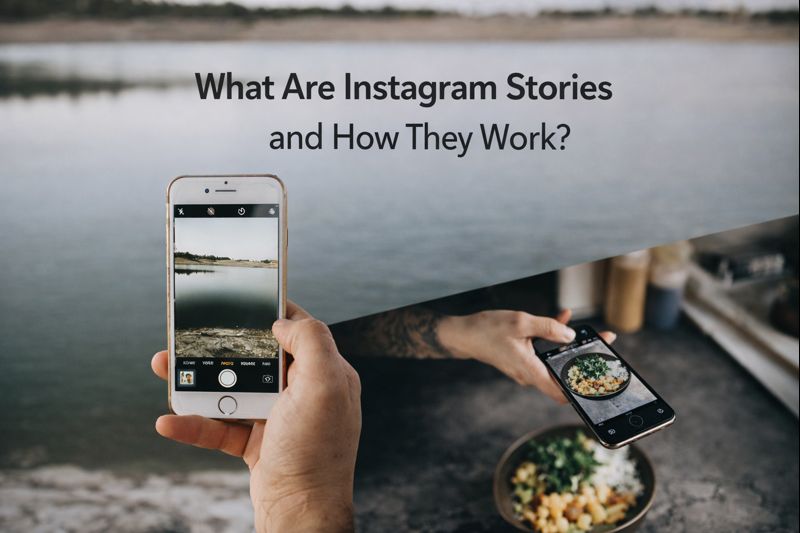
    Instagram Stories are short, vertical pieces of content that disappear after 24 hours. They can be photos, videos, text slides, or interactive elements like polls and questions.

    What sets Stories apart isn’t just how long they last, but why they exist. While feed posts are meant to represent you, Stories are meant to show you , in real time, without the pressure of being perfect.

    That’s why people share Stories more often and consume them more casually. A Story doesn’t need to look polished. It just needs to feel relevant. Because of this, Stories feel closer to conversation than broadcasting, and replies go straight to private messages instead of public comments.

    How Do Instagram Stories Work?

    Posting a Story is easy, but what happens after it’s shared is what really matters. Once a Story goes live, Instagram prioritizes it based on past interactions, showing it first to people who are more likely to watch or engage.

    Stories aren’t displayed randomly. They’re ordered around relationships, not reach, which is why some accounts consistently appear at the front of your Story feed.

    How Stories Are Shown to Followers?

    Instagram prioritizes Stories based on interaction history.

    If someone frequently watches your Stories, replies to them, or visits your profile, your Stories are more likely to appear earlier in their Story tray. Accounts you rarely interact with are pushed further back.

    This is why the same accounts tend to appear first every day. It’s not random, and it’s not about posting time alone. It’s about past behavior.

    For creators and businesses, this means Stories reward consistency and relevance far more than one-off performance.

    How Do Instagram Stories Work?

    How Long Do Instagram Stories Last?

    An Instagram Story is visible for 24 hours from the moment it’s posted.

    After that, it disappears from public view. However, Instagram automatically saves Stories to a private Story Archive that only the account owner can see. This archive allows users to reuse content later or organize important Stories into Highlights.

    Highlights are pinned collections of past Stories that remain visible on a profile. They extend the life of Stories without turning them into feed posts, which is useful for FAQs, tutorials, or evergreen information.

    Types of Instagram Stories You Can Post

    Instagram Stories support several content formats, each serving a slightly different role. The format you choose influences how people interact with your Story.

    Here are the main types you’ll see on Instagram:

    • Photo Stories, usually used for visuals or announcements
    • Video Stories, which feel more personal and dynamic
    • Text-based Stories, focused on short messages
    • Interactive Stories using polls, questions, or sliders
    • Music Stories that combine sound with visuals
    • Collage Stories that combine multiple images in one slide

    Collage-style Stories are especially popular for storytelling, before-and-after comparisons, or showing progress,here’s how to make a collage on Instagram Story without Layout. Many creators prefer custom collage methods instead of Instagram’s built-in layout tools because they allow more flexibility and control over design.

    Who Can See Your Instagram Stories?

    Story visibility depends on your account settings and privacy controls.

    Stories can be shared with:

    • Everyone (for public accounts)
    • Approved followers only (for private accounts)
    • Close Friends
    • Everyone except selected users

    This level of control makes Stories more flexible than feed posts. You can share personal updates, test ideas, or communicate with a smaller group without making content public to your entire audience.

    Many creators use Close Friends Stories for behind-the-scenes content or more informal updates, keeping their main Stories polished but still personal.

    For creators and brands, a Close Friends Story strategy can be a smart way to share exclusive content without posting it to everyone.

    Instagram Stories vs Reels vs Feed Posts

    Each Instagram format serves a different purpose, and confusion often comes from using them interchangeably.

    • Feed posts are about presentation.
    • Reels are about discovery.
    • Stories are about connection.

    Stories are not designed to reach new audiences at scale. Their strength lies in staying visible to people who already follow you. Reels, on the other hand, are optimized for reaching users outside your follower base. Feed posts sit somewhere in between, balancing visibility and longevity.

    Understanding this difference helps set the right expectations. Stories are not meant to go viral , they are meant to maintain presence.

    Why Instagram Stories Matter for Engagement

    Stories lower the barrier to interaction.There are no public comments, no visible likes, and no pressure to perform. Watching a Story takes seconds, and replying feels private. This makes people more comfortable engaging.

    From a behavioral perspective, Stories feel less formal than posts. That’s why replies, reactions, and quick interactions happen more often through Stories than through feed content.

    For accounts that post regularly, Stories often drive more profile visits and direct messages than posts.

    If you’re not sure what to post, these creative Instagram Story ideas can help you keep your Stories active without feeling repetitive.

    Common Instagram Story Features Explained

    Instagram continues to add features to Stories, but their purpose remains the same: encourage interaction.

    Stickers, links, music, location tags, and hashtags all give viewers something to do instead of just watch. The key is moderation. Using too many elements at once can distract from the message.

    The most effective Stories usually focus on one clear action or idea rather than trying to use every feature at once.

    Common Instagram Story Mistakes

    Despite how casual Stories feel, there are common mistakes that reduce their effectiveness.

    Posting too many slides in a row without a clear point often leads to drop-offs. Overcrowded designs make text hard to read. Random posting without rhythm makes it harder for viewers to build habits around your content.

    Stories work best when they feel natural but intentional. Casual does not mean careless.

    How Instagram Stories Fit Into a Content Strategy

    Stories are not meant to replace posts or Reels. They support them.

    A Story might tease a new post, expand on a Reel, or share something that doesn’t belong in the feed. Over time, Stories also become a source of insight , showing what your audience responds to and what they skip.

    Many creators treat Stories as a daily touchpoint rather than a performance metric. This mindset leads to more sustainable content creation and better long-term engagement.Some of them download Instagram Stories they find effective to analyze what works and refine their own content ideas.

    Frequently Asked Questions

    Can people see if you screenshot an Instagram Story?

    No. Instagram does not notify users when someone screenshots their Story.

    Can you see who viewed your Instagram Story?

    Yes. While a Story is active, you can swipe up to see a list of viewers.

    Can Instagram Stories be reused?

    Yes. Stories saved in your archive can be reposted, added to Highlights, or reused later.

    Do Instagram Stories affect the algorithm?

    Stories don’t directly impact feed ranking, but consistent interaction strengthens relationships, which can influence overall visibility.

    Can Instagram Stories be saved or downloaded?

    Yes. Stories can be saved by the creator, and many users also download Stories for reference or inspiration.

    Final Thoughts

    Instagram Stories are not just a feature. They are a communication layer.

    They sit between public content and private messages, allowing people to show up without overthinking. When used with intention, Stories build familiarity, trust, and consistency in a way few other formats can.

    Understanding how Stories work isn’t about exploiting the platform. It’s about respecting how people actually use it.

    Once you understand that, everything else becomes easier.

  • 30 Instagram Caption Strategies for Growth (Reach, Engagement, and Sales)

    30 Instagram Caption Strategies for Growth (Reach, Engagement, and Sales)

    Many Instagram accounts post consistently but still struggle to grow. The visuals may look great, the feed may be polished, yet the results stay the same. In many cases, the missing piece isn’t the content itself, but the way captions are used.

    Captions are more than a place to describe a photo. They guide attention, shape conversations, and often determine whether someone scrolls past or stops to engage. A clear caption strategy can turn ordinary posts into tools for reach, engagement, and even sales.

    If you’re looking for ready-to-use examples, this list of 50 Short Business Promotion Captions for Instagram That Drive Sales can help you apply these strategies faster.

    Why Captions Matter for Instagram Growth

    Captions play a bigger role than most people think. While visuals grab attention, captions are what keep people interested long enough to react, comment, or take action.

    Instagram’s algorithm also responds to how users interact with your posts. Saves, comments, and profile visits often start with something written in the caption. Without intention, captions become missed opportunities.

    • Captions help explain context and value
    • They encourage interaction beyond likes
    • They guide users toward actions like comments or DMs

    When captions are treated strategically, growth becomes more predictable instead of random.

    This is especially clear in captions designed for personal connection, where emotional tone increases replies and shares.

    What Makes a Caption Strategy Effective

    A caption strategy isn’t about using the same formula on every post. It’s about knowing what you want each post to achieve and writing accordingly.

    Effective strategies focus on clarity and consistency. Instead of guessing what might work, you follow patterns that match your goals and audience behavior.

    • Each caption has a clear purpose
    • The tone stays consistent with the brand
    • The message matches the type of post
    • Engagement is encouraged naturally

    This approach removes a lot of uncertainty from posting and makes results easier to analyze.

    You can see how this works in practice through food and lifestyle caption examples that rely on clarity and tone.

    Below are 30 practical caption strategies you can apply across different types of posts. Not every strategy will fit every account, but together they form a flexible framework you can adapt.

    Focus on One Clear Message

    A caption should communicate one main idea. When too many points are mixed together, readers lose interest.

    Match the Caption to the Visual

    When the caption clearly explains what’s happening in the image or video, people stay longer on the post.

    “This is how we pack every order to make sure nothing gets damaged.”

    Ask Simple, Relevant Questions

    Questions work best when they feel natural and easy to answer.

    “Do you prefer ordering online or in person?”

    Use Relatable Everyday Situations

    Captions that reflect daily experiences help people connect quickly.

    “Trying to reply to messages while handling everything else? Same here.”

    Explain Why the Post Matters

    Give people a reason to care by adding a short line of context.

    “This update saves time when you place repeat orders.”

    Write Captions That Sound Like Spoken Language

    Conversational captions feel more human and easier to engage with.

    “This part always takes longer than we expect, but it’s worth it.”

    This approach is especially effective in travel captions for Instagram Reels, where natural language keeps viewers watching longer.

    Share One Honest Thought or Insight

    Small, honest reflections build authenticity over time.

    “We learned this the hard way, but it improved our process.”

    Leave Space for the Reader to React

    Not everything needs to be explained. Leaving space invites response.

    “Not every solution works the same way for everyone.”

    Use Short Sentences for Scannability

    Short lines are easier to read while scrolling on mobile.

    “New stock. Same quality. Faster delivery.”ntences for Scannability

    Keep the Tone Consistent Across Posts

    A consistent tone helps people recognize and trust your brand. When captions suddenly change style, engagement often drops.

    “Simple steps. Clear results.”

    Invite Opinions Without Forcing Them

    People are more likely to respond when they feel invited, not told what to do. Soft prompts feel natural and make engagement easier.

    “Some people prefer this approach, others don’t. What’s your take?”

    End Captions with Gentle Prompts

    Ending a caption with a soft prompt gives people an easy reason to respond. Gentle prompts feel natural and don’t pressure the reader.

    “Let us know if this would be useful for you.”

    Reflect Common Challenges Your Audience Faces

    When captions mention real problems people deal with, they feel understood. This makes posts more relatable and easier to engage with.

    “Keeping up with daily orders shouldn’t feel this exhausting.”

    Use Curiosity Without Being Vague

    Curiosity works best when people still understand what the post is about. Being too mysterious often causes users to scroll past.

    “This small change helped us respond to messages faster.”

    Encourage Conversation, Not Just Likes

    Likes are passive, but conversations build stronger engagement. Captions that invite discussion usually perform better over time.

    “We’re curious how others handle this situation.”

    Explain Small Decisions Behind Your Work

    Sharing simple reasons behind choices builds trust. It shows thoughtfulness without sounding promotional.

    “We chose this option because it lasts longer, not because it’s cheaper.”

    Show How Things Are Done, Not Just the Result

    Process-based captions make your work feel more transparent and real.

    “Here’s what happens before an order is marked as complete.”

    Be Clear About Who the Post Is For

    Clear captions attract the right audience and reduce confusion.

    “This is for small teams that need simple tools.”

    Avoid Over-Selling in Informational Posts

    Not every caption needs to push an offer. Informational posts build trust first.

    “No promotion here,just a quick explanation of how this works.”

    Build Familiarity Through Repetition

    Repeating core ideas helps people remember what your brand stands for.

    “As always, we focus on speed, clarity, and support.”

    Highlight Real Use Cases or Scenarios

    Real-life examples make value easier to understand.

    “Many customers use this to manage daily tasks faster.”

    Make the Value Clear Before the CTA

    People are more likely to act when the benefit is obvious first.

    Example:
    “This reduces back-and-forth messages. DM us for details.”

    Use Calm, Clear Calls to Action

    Simple CTAs feel natural and less pushy.

    “Message us if you’d like more information.”

    Align Sales Captions with Audience Needs

    Sales work better when captions match real needs.

    “If manual tracking takes too long, this can help.”

    Separate Promotional and Conversational Posts

    A balanced feed keeps followers interested and engaged.

    “This week we focused on improving small details behind the scenes.”

    Pay Attention to What Gets Saved

    Saved posts often signal long-term value.

    “This guide keeps getting saved, so we’re sharing more like it.”

    Adjust Captions Based on Past Performance

    Growth improves when you learn from what already worked.

    “Short explanations performed better last month, so we’re sticking with them.”

    Test Different Caption Lengths Over Time

    Different formats work for different audiences.

    Stay Flexible Instead of Following Trends

    Trends fade, but audience needs stay.

    “We’re skipping the trend and focusing on what you asked for.”

    Treat Captions as Part of a Long-Term System

    Captions work best when they’re consistent over time.

    “Each post builds on the last, not just today’s result.”

    Even attitude-based caption styles perform better when they follow a consistent system instead of random trends.

    Common Caption Strategy Mistakes

    Even well-written captions can fail if the overall strategy is unclear. Many growth issues come from small mistakes that repeat over time without being noticed.

    • Trying to include too many ideas in a single caption
    • Writing captions that sound vague or disconnected from the post
    • Using sales-heavy language that feels forced
    • Posting without a clear goal or next step
    • Copying captions without adjusting them to your brand voice

    These mistakes don’t usually stop growth immediately, but over time they limit reach, engagement, and results. Paying attention to clarity and consistency often fixes more than people expect.

    If you don’t want to write captions from scratch every time, using an instagram caption download tool can help you save time and apply these strategies faster.

    Frequently Asked Questions About Caption Strategies

    How do captions help Instagram growth?

    Captions help guide interaction. When people comment, save, or share a post, it signals relevance and can increase visibility.

    Do captions really affect engagement?

    Yes. Captions shape how people respond to content. Clear, relatable captions often lead to higher interaction than generic ones.

    How often should I change my caption strategy?

    Strategies shouldn’t change daily, but they should evolve. Review performance regularly and adjust based on what consistently works.

  • 50 Short Business Promotion Captions for Instagram That Drive Sales

    50 Short Business Promotion Captions for Instagram That Drive Sales

    Promoting a business on Instagram sounds simple until you actually have to write the caption. You post a great photo or video, but then you freeze. What do you say that feels natural, doesn’t sound pushy, and still leads to real sales?

    That’s exactly why short business promotion captions work so well. They respect how people actually use Instagram: fast scrolling, short attention spans, and quick decisions. In this guide, you’ll find practical captions you can use right away, along with tips to help you adapt them to your brand and audience.

    Before using these captions, it helps to understand the logic behind them. This guide on 30 Instagram Caption Strategies for Growth (Reach, Engagement, and Sales) explains how captions support reach, engagement, and sales.

    Why Short Captions Work for Business Promotion

    Most people don’t read long paragraphs on Instagram. They scan, pause for a second, and move on. Short captions match this behavior and make your message easier to understand at a glance.

    This is also why clear and focused caption styles perform well across lifestyle and product-based content.

    When your caption is clear and focused, it reduces friction. People don’t have to “figure out” what you’re offering or what to do next.

    • Short captions are easier to read while scrolling
    • They highlight the main offer without distractions
    • Clear calls to action stand out more
    • They feel less like ads and more like natural posts

    For business promotion, this combination often leads to higher engagement and faster decisions.

    How to Use Captions for Your Business?

    These captions are designed to work in real Instagram feeds, not just look good on paper. People scroll fast, so each caption focuses on one clear idea that can be understood in a second or two.

    The wording stays simple and natural, avoiding sales-heavy language or complicated phrases. Instead of trying to say everything at once, the captions highlight what matters most and leave space for curiosity. This makes them easier to read and more comfortable to use for everyday business posts.

    Most importantly, these captions are flexible. You can use them as they are or adjust them slightly to match your brand’s tone, product, or service without losing their impact.

    How to Use Captions for Your Business

    50 Short Business Promotion Captions for Instagram

    Below are 50 short business promotion captions, grouped by purpose. This makes it easier to choose the right caption depending on what you’re posting and what you want people to do.

    1- Direct Sales Captions

    These captions are straightforward and work well when you want to promote a product or service clearly.

    • Available now. Message us to order.
    • Your next favorite product is here.
    • Simple, effective, and ready for you.
    • Designed to solve a real problem.
    • This is what your business has been missing.
    • Quality you can see and feel.
    • Made for people who want better results.
    • Ready to upgrade? Start here.
    • Built to work, not just look good.
    • Try it once and see the difference.

    2- Limited Offer & Urgency Captions

    Urgency can help people act faster, as long as it feels honest and not forced.

    • Limited stock available.
    • Only a few spots left.
    • Don’t wait too long on this one.
    • This offer won’t last forever.
    • Last chance to grab this deal.
    • Almost sold out.
    • Now is the best time to try it.
    • Available for a short time only.
    • Miss it now, wait longer later.
    • Once it’s gone, it’s gone.
    Limited Offer & Urgency Captions

    3- Soft Promotion Captions

    Not every post needs to push for a sale. These captions gently introduce your offer and build interest.

    • Made with care and real intention.
    • Something new we’ve been working on.
    • Created to make your life easier.
    • A small change that makes a big difference.
    • Thoughtfully designed for everyday use.
    • We believe simple works best.
    • Built around real needs, not trends.
    • This one means a lot to us.
    • A better option, without the noise.
    • Because details actually matter.

    Many brands apply emotion-driven caption ideas to build trust before asking for a sale.

    4- Trust-Building Captions

    Trust is essential for sales. These captions help build confidence without sounding salesy.

    • Trusted by people who value quality.
    • Real results from real customers.
    • We focus on long-term value, not shortcuts.
    • Built on experience, not guesswork.
    • Quality comes first, always.
    • We stand behind what we offer.
    • Consistency you can rely on.
    • Designed with real users in mind.
    • Honest work, honest results.
    • We care about what we create.

    5- DM & Action-Based Captions

    Clear calls to action make it easier for people to take the next step.

    This approach is common in action-oriented captions for short videos, especially Reels.

    • Send us a message to get started.
    • DM us for details.
    • Want to know more? Message us.
    • Let’s talk. Send a quick DM.
    • Questions? We’re one message away.
    • Tap the link in our bio to learn more.
    • Reach out and we’ll help you choose.
    • Start with a simple message.
    • Tell us what you need.
    • Let’s make this easy for you.

    How to Customize Captions for Your Brand

    Using these captions as-is can work, but small adjustments can make them feel more personal and aligned with your brand.

    Customization doesn’t mean rewriting everything. Often, it’s just about tone, wording, or context.

    • Replace general words with your product or service name
    • Adjust the call to action to match your goal
    • Add a light brand-specific phrase if it fits naturally
    • Keep the sentence structure simple and readable
    • The goal is to sound like you, not like a template.

    Now let’s look at a few simple examples.

    A general caption like:
    “Available now. Message us to order.”

    Can easily become more brand-specific:
    “Available now. Message us to order your custom leather wallet.”

    Another example:
    “Limited stock available.”

    Can be customized to feel more real and urgent:
    “Only 5 spots left for this week. Message us to book yours.”

    If your brand has a softer tone, a caption like:
    “Designed to solve a real problem.”

    Could turn into:
    “Designed to make your daily routine a little easier.”

    And if you want a clearer action:
    “Want to know more? Message us.”

    Can become:
    “Want to know if this is right for you? Send us a quick DM.”

    These small changes keep the caption short while making it feel intentional, relevant, and aligned with your brand.

    If you want to save or reuse captions from Instagram posts, you can use an Instagram caption saving tool to quickly extract and manage captions without doing it manually.

    Common Caption Mistakes That Hurt Sales

    One mistake many businesses make is trying to say too much in a short caption. When users are scrolling, long or crowded captions are easy to ignore. A short caption works best when it focuses on one clear idea instead of multiple messages.

    Another common problem is being too vague. Captions like “Don’t miss this” or “Big news coming” may sound catchy, but they don’t explain what’s actually being offered. If people can’t quickly understand the value, they won’t stop or take action.

    Tone also plays a big role. Captions that feel overly promotional can push people away, especially on a platform meant for casual browsing. In practice, captions written in a natural, conversational way tend to get better responses.

    Finally, many captions fail simply because they don’t guide the reader. Even an interesting post can lose momentum if it doesn’t clearly suggest what to do next, such as sending a message or visiting a link.

    Frequently Asked Questions About Instagram Promotion Captions

    People often have similar questions when it comes to promoting a business on Instagram. Here are clear, simple answers to some of the most common ones.

    How do I promote my business on Instagram captions?

    Focus on clarity. A good business caption quickly explains what you offer, why it matters, and what the next step is. Short captions usually work better because they’re easier to read and act on.

    How to write a promotion caption?

    Start with one idea. Highlight a benefit instead of listing features, then add a simple call to action. Avoid sounding pushy and keep the language natural.

    What should I caption my business post?

    Your caption should match the goal of the post. If you want sales, be direct. If you’re building trust, keep it softer and more informative. There’s no single perfect caption for every post.

    What are small captions?

    Small captions are short, often one-line captions that get straight to the point. They work well for business posts because they’re easy to scan and don’t overwhelm the reader.

    Final Thoughts

    You don’t need complicated formulas to promote your business on Instagram. Often, a short, clear caption does more than a long explanation ever could.

    Use these captions as tools, not rules. Test them, adapt them, and pay attention to what feels right for your audience. When your captions sound human and intentional, sales usually follow naturally.

  • 25 Creative Content Ideas Without Showing Your Face

    25 Creative Content Ideas Without Showing Your Face

    If there’s one thing the Instagram world has proved in the last few years, it’s that you don’t need to show your face to grow an engaged, loyal audience. Faceless content isn’t just about privacy,it’s a creative direction that many successful creators choose intentionally. Whether you’re shy, prefer anonymity, or simply want your visuals to take center stage, faceless content can be just as powerful as traditional on-camera storytelling.

    This guide explores why faceless content works so well today and gives you a rich library of ideas you can start creating immediately. Each idea is practical, beginner-friendly, and designed to help you grow even if you never appear in your videos.

    Why Faceless Content Works in 2025

    Faceless content has become one of the fastest-growing formats on Instagram because viewers connect more with the story than the person telling it. With shorter attention spans and a global trend toward aesthetics, simplicity, and emotional storytelling, this format fits perfectly into Reels culture.

    Another reason it performs so well is that it appeals to creators who want consistency without pressure. When you take your face out of the equation, your creativity becomes the focal point,your hands, your objects, your surroundings, your colors, and your ideas. This builds a visual identity that feels both intentional and low-stress.

    How to Succeed With Faceless Content (Even as a Beginner)

    You don’t need sophisticated equipment or advanced editing skills to produce content that resonates. The true secret lies in crafting visuals that feel personal, thoughtful, and aesthetically coherent. When your content has a clear style,whether that’s calm, colorful, mysterious, or minimalist,people begin recognizing your work instantly.

    • Use consistent angles and lighting
    • Build a repeatable aesthetic (color palette, filters, framing)

    Keep your edits clean and focused on the main action

    The more you simplify your style, the easier it becomes to publish consistently. Even a simple hands-only clip can look premium when you pay attention to lighting and movement.

    25+ Instagram Content Ideas Without Showing Your Face

    Below you’ll find categories of faceless content that work extremely well today. Choose the ones that match your personality, niche, and creative energy.

    Tutorials & How-To Videos

    Tutorials are one of the easiest faceless formats because the focus naturally shifts to the action happening on screen. The viewer doesn’t look for your expressions,they follow your steps, your hands, and your process. This type of content is excellent for both personal and business accounts because it builds trust without requiring on-camera presence.

    • Screen recordings explaining how to use an app or tool
    • Hands-only step-by-step guides (crafting, cooking, drawing, organizing)
    • Quick problem-solving tips with text overlays

    These videos work well because they’re direct, helpful, and extremely shareable. People save them often, which boosts your engagement and reach.

    Aesthetic & Creative Visuals contents for instagram

    Aesthetic & Creative Visuals

    Imagine you’re scrolling through Instagram and suddenly stop at a flat-lay of a journal, a cup of coffee, soft shadows, and dried flowers. You never see the creator’s face, yet the photo feels personal,almost like you’ve stepped into their quiet morning. That’s the power of aesthetic visuals. They create emotion without identity. They make the viewer feel something beautiful, calm, or nostalgic without ever needing to see the person behind the lens.

    A creator posts a stop-motion sequence of scattered Polaroids slowly coming together to form a color-coordinated mood board. There’s no human face, only objects, textures, and movement. The caption reads:
    “Collecting moments that feel like autumn.”
    The video goes viral,not because of personality, but because of mood, color, and emotion.

    Studies on user engagement show that aesthetic imagery receives up to 40% more saves compared to regular photos because users treat them like inspiration boards.

    Lifestyle Without Showing Your Face

    A viewer watches a POV-style morning routine: sunlight slipping through the curtain, hands pouring coffee, a book opening, slippers sliding across the floor. Although they don’t see the creator’s face, they feel like they’re right there,experiencing a slow, peaceful morning. Lifestyle content works beautifully faceless because the viewer steps into the moment instead of focusing on the person who filmed it.

    A creator shares a Reels titled “My cozy winter morning”. The clip shows:

    • Steam rising from a mug
    • A hand lighting a candle
    • Soft blankets and a laptop booting up
    • Snow falling outside the window

    There’s no face, no dialogue,just atmosphere. The comments fill up with:
    “This feels so peaceful.”
    “What candle is that?”
    “I want to recreate this vibe.”

    This is lifestyle content at its strongest: immersive, emotional, and completely faceless.

    lifestyle stories for instagram

    Business & Branding Ideas

    Many small businesses and personal brands choose faceless content to maintain professionalism and focus on their products rather than the creator. You can showcase your work beautifully without appearing on screen, making this format ideal for handmade brands, digital creators, and service providers.

    A candle business records a short Reel:

    • Hands pouring melted wax into jars
    • A wick being trimmed
    • Labels being applied
    • Final shot of the product glowing softly

    The caption reads: “From our hands to your home.”
    No face shown.
    But the process is mesmerizing,and the Reel boosts sales because viewers feel connected to the craftsmanship, not the person behind the brand.

    Trend-Based Faceless Reels

    Trends on Instagram move quickly, but they rarely require showing your face. A creator can use a viral audio clip with fast, close-up shots,typing on a keyboard, flipping through a notebook, pouring iced coffee. The storytelling becomes about rhythm and mood rather than personality. The creator remains unseen, yet their visual style becomes instantly recognizable.

    • Trending audio paired with text-on-screen insights
    • Quick montages made from existing photos or clips
    • Text-driven storytelling over aesthetic visuals

    Trends give your account regular discovery potential while still maintaining your privacy and style.

    Examples of Viral Faceless Accounts

    Across Instagram, you’ll find faceless creators growing faster than traditional influencers. Some post only their hands as they cook or craft. Others use objects to tell mysterious stories. Some rely purely on colors and patterns. The common thread among successful faceless creators is consistency,their visuals create an atmosphere viewers want to return to.

    These accounts prove that a face is not required to build a memorable brand. In fact, the anonymity often enhances the mystique, encouraging viewers to follow simply because the style feels different.

    Best Tools for Creating Faceless Content

    Creating strong faceless content depends on clean visuals and an efficient workflow, and the right tools make that process much easier. Canva is perfect for designing polished text overlays, cover images, and simple visual compositions that elevate your overall aesthetic. For editing your clips, InShot and CapCut offer quick trimming, smooth transitions, and easy audio syncing,features that help your Reels feel more intentional and engaging.

    If you want to speed up production, AI tools like Descript or Zebracat can turn basic footage or text into well-edited videos with minimal effort. Together, these tools help you maintain visual consistency, improve watch time, and produce high-quality content without ever needing to show your face.

    To make your Reels look more polished, explore the best apps to edit Instagram Reels and upgrade your editing toolkit.

    Common Mistakes to Avoid

    Many new faceless creators fall into two traps: overcomplicating their visuals or under-planning their content. A clean, simple idea executed well performs better than a complex idea recorded poorly. Another common issue is inconsistency in style, which confuses the audience and weakens your brand identity.

    Creators should also avoid shaky footage, poor lighting, and unclear storytelling. These issues distract from the atmosphere you’re trying to create and reduce viewer retention.

    To make sure your faceless content continues to perform well, check out the 10 Instagram Mistakes to Avoid in 2025 so you don’t accidentally limit your reach.

    Final Tips for Growing Without Showing Your Face

    Faceless content gives you the freedom to experiment, pivot, and refine your visual identity without pressure. Focus on routines you can repeat easily,simple scenes, daily objects, short moments. Use captions that add value, ask questions, or share reflections. Repurpose your Reels on other platforms to multiply your reach.

    Most importantly, stay consistent. Even if your identity stays hidden, your style becomes your signature. Over time, viewers will follow you not because they know who you are, but because they know how your content makes them feel.

  • Why Close Friends Is a Serious Strategy Tool

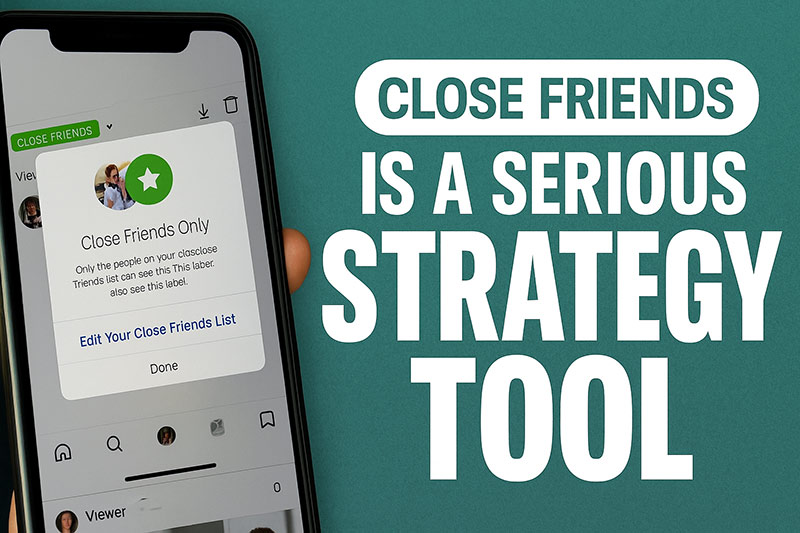
    Why Close Friends Is a Serious Strategy Tool

    The Close Friends feature on Instagram is often overlooked, yet it’s one of the most effective tools for building real connection with your audience. Instead of competing in the noisy public feed, Close Friends gives you a private space where engagement is stronger, conversations feel more genuine, and followers become more invested in what you share,especially when you understand how Instagram Stories work and how visibility is shaped by interaction..

    Whether you’re a creator, a business owner, or someone growing a personal brand, using Close Friends strategically can help you deepen loyalty, test ideas safely, and create a meaningful “inner circle” around your content.

    What Instagram Close Friends Actually Is Today

    Close Friends is Instagram’s built-in feature for sharing selected content with a smaller, private group instead of your full audience. It creates a controlled space where engagement is higher and followers feel closer to you , making it perfect for exclusive updates, behind-the-scenes stories, and more personal communication.

    For practical inspiration on interactive and behind-the-scenes content, see our guide to creative Instagram Story ideas that boost engagement.

    What the Close Friends audience can include

    • Stories visible only to your selected audience
    • Reels restricted to Close Friends
    • Feed posts shared privately
    • Live streams just for your inner circle
    • Optional location sharing for trusted contacts

    Close Friends vs. Instagram’s Other “Friends” Features

    Instagram offers several features focused on friend-based interaction, but Close Friends is unique. It is the only tool that lets you deliberately choose who sees specific pieces of content. Other tools,like friend-based suggestions or interaction-based tabs,help discovery, but they aren’t private and they don’t create exclusivity.

    Close Friends is a controlled, intimate space where you decide the audience. That distinction makes it perfect for loyalty-building, storytelling, and testing ideas in a safer environment.

    Why Close Friends Is a Serious Strategy Tool

    Close Friends works because it is smaller, more focused, and more emotionally charged than your public audience. Engagement is naturally higher because the people watching are already invested in your work. They’re more likely to vote in polls, reply to your Stories, swipe up on links, or share feedback.

    This makes Close Friends ideal for:

    • early product testing
    • building trust
    • sharing honest updates
    • showcasing behind-the-scenes content
    • running small launch funnels
    • nurturing potential buyers

    It also removes the pressure of perfection. You can experiment more freely, show your process, or share vulnerable thoughts without worrying about public reactions.

    How to Set Up and Curate Your Close Friends List

    The technical setup is simple, but the strategy behind who you choose is what truly matters. A strong Close Friends list feels handpicked. People inside it should feel like they’re part of something special.

    Your list should not include everyone. It should include your most engaged followers,the ones who respond, ask questions, support your work, or buy from you.

    Tips for building a great Close Friends list

    1. Add followers who interact consistently.
    2. Include loyal customers or repeat buyers.
    3. Add subscribers from your community or audience.
    4. Create segments like “local followers” if you host events.
    5. Refresh the list monthly to remove inactive viewers.

    Curating the list helps keep engagement high and ensures the content remains meaningful.

    Strategic Ways to Use Close Friends

    This is where the feature truly shines. Close Friends can operate like a private newsletter, a mini community, a feedback engine, or a VIP program,depending on how you use it.

    Below are the most effective strategies creators and brands rely on.

    1- VIP Access and Exclusive Offers

    Close Friends is a great way to create a VIP space for your most loyal followers. By sharing early product previews, exclusive discounts, or limited-time offers, you make people feel valued and part of an inner circle. This sense of exclusivity boosts engagement and encourages more followers to stay connected so they don’t miss these special perks.

    3- Behind-the-Scenes Content That Builds Trust

    Close Friends is the perfect place to share more honest, unfiltered moments from your work or daily routine. Showing your process, challenges, or early-stage ideas helps your audience feel closer to you and understand the real effort behind what you create. This kind of behind-the-scenes content builds trust and makes your followers feel connected on a deeper, more personal level.

    4- Beta Testing and Feedback Loops

    Close Friends works well as a private space to test new ideas before sharing them publicly. You can ask for feedback on Reels, captions, product concepts, or design options and get honest responses from people who already care about your work. This small, trusted group helps you refine your content or products quickly and confidently before launching them to a wider audience.

    5- Community Building Through Location-Based Sharing

    Close Friends is especially useful for connecting with followers in your local area. You can share event details, pop-up announcements, or meetup invitations only with people you trust. This creates a more personal and safe environment while helping you build a tighter, real-world community around your brand or content.

    Content Ideas for Your Close Friends List

    Creating the right mix of content is key to keeping your Close Friends engaged and excited. By sharing exclusive, personal, or interactive posts, you can make this private space feel meaningful and worth being part of.

    • Early previews: Share a first look at upcoming projects or products before they go public.
    • Interactive decisions: Ask your Close Friends to vote on colors, titles, designs, or content ideas.
    • Draft content tests: Post unfinished Reels or concepts to get honest feedback before publishing.
    • Exclusive perks: Offer limited-time discounts, early access links, or bonus content just for this group.
    • Authentic behind-the-scenes moments: Show your process, workspace, or small daily wins that build connection.
    • Personal updates: Share reflections or stories that feel too private for your main audience.
    • Quick tips or mini lessons: Deliver short, helpful insights that add value to your inner circle.
    • Private Q&A sessions: Use question stickers to answer more meaningful or detailed questions.
    • Monthly highlights: Wrap up your progress, goals, or learnings in a simple recap.
    • Light, intimate content: Share casual humor, relatable moments, or trends that fit the Close Friends atmosphere.

    Mix value, personality, and exclusivity for best results.

    These ideas work especially well when you create collage-style Instagram Stories, combining multiple visuals into a single, more personal update.

    Best Practices and Common Mistakes to Avoid

    Close Friends works best when your list is small, intentional, and consistently nurtured. Share a mix of valuable insights and authentic behind-the-scenes moments to keep the experience personal and engaging. Avoid adding too many people or turning the space into a purely promotional channel, as this quickly weakens trust and interest. With thoughtful boundaries and regular interaction, Close Friends becomes a powerful tool for building deeper connections.

    How to Measure Success in Close Friends

    Success in Close Friends is all about how your inner circle responds. Look for signals like Story views, replies, poll participation, and link clicks , these show whether your content feels valuable and personal. If people interact often, ask questions, or take action on early-access links, it’s a strong sign your Close Friends strategy is building real connection and driving meaningful results.
    Consistent engagement from the same people is especially important, as it shows loyalty and trust. And if more followers ask to join your Close Friends list over time, that’s one of the clearest indicators that your strategy is working.

    Conclusion: Close Friends as a Private Conversion Engine

    Close Friends might look like a simple feature, but when used strategically, it becomes one of the most effective tools on Instagram. It allows you to experiment safely, build trust, share authentically, and convert your most engaged followers into supporters or customers.

    Public posts help you reach more people,but Close Friends helps you keep the right people close. Treat it like a private community rather than just a Story audience, and you’ll see deeper engagement, stronger relationships, and more meaningful results over time.

    For users who want to save Stories for later analysis or reuse, our Instagram Story Downloader is a simple and fast solution.

  • How to Turn Off Instagram Read Receipts and Control DM Privacy

    How to Turn Off Instagram Read Receipts and Control DM Privacy

    You open your phone and see a message notification pop up on Instagram. You tap it out of habit. Seconds later, that tiny “Seen” label appears,and now you feel obligated to reply, even if you’re not ready.

    Sound familiar?

    In a world where digital communication never sleeps, privacy and boundaries matter more than ever. Whether you’re someone who values a moment to think before replying, or simply prefer a little more control over who can contact you, this guide is for you.

    By the end of this article, you’ll know exactly how to turn off Instagram read receipts, manage your direct message (DM) privacy settings, and protect your peace of mind,all using the latest tools available in 2025.

    If you want to strengthen your overall account privacy beyond DM controls, learning how to hide your followers on Instagram is another effective way to limit what others can see on your profile.

    What Are Instagram Read Receipts and Why Do They Matter?

    Read receipts show others when you’ve opened their message. While this can be helpful for clarity, it can also feel intrusive. If you’ve ever wished you could read a message without instantly signaling you’re online and available, you’re not alone.

    In 2025, Instagram finally rolled out features that allow you to turn off read receipts,both globally and per conversation. This puts power back into your hands.

    How to Turn Off Read Receipts on Instagram

    Turning off read receipts is simple, but not many users realize it can now be customized. You can do this in two ways:

    Disable Read Receipts for All Chats :

    To stop showing “Seen” across all messages:

    1. Go to your profile and tap the menu (three lines).
    2. Tap Settings and Privacy.
    3. Select Messages and Story Replies.
    4. Tap Show Read Receipts.
    5. Turn the toggle off.

    Now, others won’t see when you’ve read their messages,and you won’t see theirs either. Note that this doesn’t apply to Vanish Mode, where messages always show a read receipt.

    Disable Read Receipts for Individual Chats

    If you only want to turn off read receipts for specific conversations:

    1. Open the chat.
    2. Tap the username at the top.
    3. Tap Privacy & Safety.
    4. Turn off Read Receipts.

    This allows you to stay visible in some chats while going silent in others,a balance few platforms offer.

    While adjusting your read receipt settings can improve DM privacy, understanding How to Turn Off Vanish Mode on Instagram is just as important if you want full control over how your messages appear and disappear.

    Managing Instagram DM Privacy Settings

    Managing Instagram DM Privacy Settings

    Read receipts are just one piece of the puzzle. Controlling who can message you,and how their messages are delivered,is key to maintaining your digital boundaries.

    Instagram DMs are divided into two main categories:

    • Inbox: Messages from followers or approved contacts.
    • Message Requests: Messages from people you don’t follow, which you can accept or ignore without sending a read receipt.

    You can adjust who lands in each category. Here’s how:

    1. Go to Settings > Privacy > Messages.
    2. Under Message Requests, you’ll see categories like:
    • Followers
    • Others on Instagram
    • People on Facebook or Threads

    3.For each category, choose:

    • Deliver to Inbox
    • Send to Message Requests
    • Don’t receive requests

    Want fewer strangers in your inbox? Set “Others on Instagram” to “Don’t receive requests.”

    Stop Unwanted Group Chat Invites

    Have you ever been added to a spammy group DM out of nowhere? You’re not alone. Thankfully, Instagram now lets you control this too.

    To prevent random group additions:

    1. Go to Settings > Privacy > Messages.
    2. Tap Who Can Add You to Groups.
    3. Choose Only People You Follow.

    This simple setting can eliminate a lot of noise,and prevent scammy group chats before they start.

    Restrict vs. Block: Silencing Without the Drama

    Not ready to block someone but want peace? Use Instagram’s Restrict feature. It hides your activity status, prevents read receipts, and moves their messages to Message Requests,without alerting them. Perfect for handling unwanted DMs quietly, and you can reverse it anytime.

    Restrict is ideal when you want space without escalating the situation. You can enable it from the user’s profile or within a DM chat, and reverse it at any time.

    Final Tips to Take Back Control

    Digital peace of mind starts with your settings. Here’s how to make Instagram DMs work for you:

    • Adjust read receipts based on your comfort level
    • Customize who can message you
    • Keep group invites limited to trusted contacts
    • Use Restrict for soft boundaries without drama
    • Check your privacy settings after every major app update

    Conclusion

    You don’t have to be always-on. In fact, the smartest social media users in 2025 are the ones who set healthy boundaries,and stick to them.

    Instagram’s latest privacy features finally allow you to control who gets your attention, when, and how. Whether it’s silencing that persistent acquaintance, avoiding spammy group chats, or simply reading messages on your own time, the power is now in your hands.

    Start by turning off those read receipts. Your inbox,and your mental space,will thank you.