Category: Articles

  • How to See Who Unsent a Message on Instagram

    How to See Who Unsent a Message on Instagram

    A new Instagram message appears, but in a blink, it vanishes. No trace, no screenshot, nothing. That sudden disappearance sparks curiosity, frustration, and an irresistible urge to uncover the hidden words. Everyone has experienced it: the suspense, the doubt, the “what did they even write?” moment.

    Many users search for ways to see unsent messages on Instagram, hoping to catch what disappeared before it’s gone forever. In this article, you’ll explore tips, tricks, tools, and notification strategies that might help, and you’ll understand why messages vanish so mysteriously. By the end, you’ll feel empowered to handle disappearing messages like a pro.

    Can You See Unsent Message on Instagram Directly?

    Instagram doesn’t let you view an unsent message on Instagram directly. Once deleted, it disappears instantly. Since native Instagram can’t help, your best chance is to use notification previews, trusted third-party apps, or backups.

    These methods give you a proactive way to catch messages before they vanish, without breaking rules. Users who want to view Instagram unsent messages often rely on these strategies.

    How to See Who Unsent a Message on Instagram

    • Using Notifications to See Unsent Messages on Instagram

    Enabling push notifications is one of the most practical ways to see an unsent message on Instagram. When a message arrives, your device shows a preview, even if the sender deletes it seconds later. Here’s how you can do it:

    1. Go to Instagram Settings > Notifications > Direct Messages
    2. Make sure previews are turned on
    3. Keep your screen alerts visible (avoid Do Not Disturb mode)
    4. When a DM arrives, take a quick look, or even a screenshot, before it’s gone.

    This method works especially well if you’re fast, but it has limits. For instance, if the sender deletes the text before your phone pushes the alert, you won’t see it. Still, many users find this trick surprisingly effective.

    Tip: This method works best on Android devices, which allow more flexible notification logging.

    • Third-Party Tools & Monitoring Apps

    If you’re serious about seeing unsent messages on Instagram, some third-party monitoring apps and message recovery tools can help. These apps often capture message previews before they are deleted, giving you a chance to see content that would otherwise vanish. Popular options include:

    • AirDroid Parental Control: Monitors all notifications in real time, useful for parents or guardians.
    • Notification History Log apps (Android): Store temporary previews of all incoming DMs.
    • Other recovery tools: Designed to log messages or keep a record of Instagram activity.

    Important considerations:

    1. Always use trusted apps; sharing your account with unsafe tools can compromise your security.
    2. iOS devices may have limited options compared to Android devices due to stricter notification restrictions.
    3. These tools should only be used responsibly and ethically to avoid violating privacy.

    • Recovering Deleted or Unsent Instagram Messages from Backups

    Sometimes, official or cloud backups can help recover deleted Instagram messages or even allow you to see unsent DMs. While Instagram itself doesn’t keep deleted DMs permanently, certain tools and backup methods give you a second chance. Here are some ways to try recovery:

    • Facebook Download Your Information Tool

    Since Instagram is owned by Meta, your DMs may be included in your Facebook data download. Look for deleted chat history in the exported file.

    Go to Settings > Privacy > Download Your Information > Messages.

    To easily save Instagram videos and reels, you can use reels download online tool and get any content in just a few seconds.

    • Cloud Backups

    If your phone automatically backs up to Google Drive (Android) or iCloud (iOS), older messages might be saved before they were unsent. This method works only if the backup was made before the message disappeared.

    • Local Device Backups

    On some devices, a local backup might store message data temporarily. Use carefully and avoid overwriting existing data.

    1. Recovery isn’t guaranteed; messages deleted before any backup will likely be lost.
    2. Always check for security risks when accessing backups or third-party tools.
    3. Use these methods responsibly to respect privacy.

    By combining backups with notification strategies and message recovery tools, users sometimes manage to see unsent messages on Instagram that would have otherwise disappeared, giving them a second chance to review deleted Instagram messages.

    MethodVisibility of Unsent MessagesNotes
    Native InstagramNot possibleUnsends are permanently removed
    Notification PreviewLimitedOnly works if you saw it instantly
    Third-party AppsConditionalUse with caution due to security risks
    Cloud/Facebook BackupRarelyOnly shows messages that existed before unsend
    see unsent messages

    Why People Unsend Messages on Instagram?

    After learning the details about seeing unsent messages on Instagram, understanding the reasons can help you make sense of removed Instagram messages and reduce frustration when a DM disappears.

    People have several reasons for using this feature:

    1. Typing Errors or Accidental Sends: Sometimes messages are sent to the wrong person or contain typos. Unsend allows the sender to correct their mistake immediately.
    2. Second Thoughts or Regret: People often reconsider what they just wrote. They might realize the tone is too harsh, personal, or inappropriate.
    3. Professional or Business Reasons: In work-related conversations, a message might need editing or clarification. Removing it prevents miscommunication with clients or colleagues.
    4. Privacy and Personal Boundaries: Some users delete messages containing sensitive information. This ensures that private content doesn’t linger in a chat unnecessarily.
    5. Social Etiquette or Avoiding Awkwardness: Messages might be removed to prevent misunderstandings or awkward situations.
    ReasonExample
    MistakeYou accidentally sent it to the wrong friend.
    RegretYou sounded a bit too harsh.
    ProfessionalYou shared the wrong info in the work DM.
    PrivacyYou shared your Personal info.
    EtiquetteYou explained it to avoid awkwardness.

    By knowing these reasons, you can better interpret disappearing messages and approach deleted Instagram messages without frustration. It also highlights why Instagram designed the unsend feature, to give users control and peace of mind over their DMs.

    Does Instagram Notify When Someone Unsend a Message?

    Instagram does not provide an Instagram unsend notification. Messages removed by the sender vanish from both sides of the chat instantly.

    • No alerts or logs in Instagram itself
    • You might catch a preview only if notifications were active
    • Privacy is prioritized over message transparency
    Does Instagram Notify When Someone Unsend a Message

    Alternative Ways to Handle Unsent Messages

    Instead of stressing over disappearing content, you can rely on a few simple Instagram DM tricks to stay in control:

    Ask directly: “Did you mean to send something?”
    Move on: Accept that some messages aren’t meant for you.
    Learn: Use unsent messages as reminders to communicate clearly.

    Ethical Considerations: Should You Try to See an Unsent Message on Instagram?

    Curiosity can be tempting, but there’s a fine line between being curious and invading privacy. Instagram privacy hacks or using unauthorized tools to access unsent Instagram messages may seem exciting, but they come with real consequences. Why ethics matter:

    • Respect privacy: Every unsent message represents someone’s choice to retract what they shared. Ignoring this choice can harm trust.
    • Avoid account risks: Third-party apps that promise to recover deleted messages may require your login, putting your account in jeopardy.
    • Legal implications: In some regions, using certain monitoring apps without consent can be against the law.

    Creative perspective: Think of unsent messages as invisible notes, meant to disappear. Trying to retrieve unsent text is like peeking into someone’s diary without permission. Sure, you might see something interesting, but the cost may be more than just ethics; it could affect your relationship, reputation, or even your digital security.

    • Focus on building trust in conversations rather than trying to recover everything.
    • Use message recovery tools only if you have legitimate reasons (like parental monitoring).
    • Always weigh curiosity against respect and responsibility.

    By keeping these ethical boundaries in mind, you can approach vanished Instagram messages responsibly, satisfy your curiosity safely, and maintain healthy digital interactions.

    Should You Try to See an Unsent Message on Instagram

    Conclusion

    So, how to see unsent messages on Instagram? Directly, you can’t, but notifications, trusted third-party monitoring apps, and backups sometimes help catch fleeting messages. Understanding why people unsend, make mistakes, regret, or have privacy issues lets you stay calm and strategic.

    Take action now; ever missed a disappearing DM? Don’t worry, you can still catch some of them! Want to know how people manage unsent messages on Instagram? Curious about what someone deleted? Ready to handle disappearing messages like a pro? Start using safe monitoring tricks.

    Can I use Instagram to see unsent messages?

    No, Instagram does not provide a built-in method to view or recover unsent messages.

    Does Instagram notify if someone unsends a message?

    No, there is no Instagram unsend notification.

    Are there safe apps to recover unsent Instagram messages?

    Some message recovery tools exist, but verify safety before use.

    Can I recover unsent messages through Facebook’s data download?

    Sometimes deleted chat history appears, but unsent messages are generally gone.

    Why do people unsend messages on Instagram?

    Mostly mistakes, regret, or reconsideration are common daily behaviors.

  • How to Get Instagram Followers for Free? [Tips & Tricks]

    How to Get Instagram Followers for Free? [Tips & Tricks]

    You’ve probably heard all sorts of wild promises, but the truth is, there is a straightforward way to get Instagram followers for free without bots, ads, or tricks. It’s closer than you think, and thousands are already doing it. Why not you?

    Real Instagram growth isn’t about luck or spending big; it’s about smart moves anyone can make. Imagine your profile steadily growing with genuine followers who actually care about your content. Curious to uncover these game-changing secrets?

    Stay with us, because I’m sharing 15 powerful tips that will help your Instagram grow naturally and freely, no gimmicks involved. Ready to crack the code?

    Top (15) Effective Ways to Get Instagram Followers for Free

    Before diving in, remember, there is no magic button for instant getting free Instagram followers. However, when these strategies are applied consistently and synergistically, they create unstoppable momentum for organic Instagram growth.

    If you’ve ever wondered what exactly Instagram followers are and why they’re important, don’t miss this article, “What Are Followers on Instagram?” at first.

    Effective Ways to Get Instagram Followers for Free

    1- Optimise Your Profile Like A Pro

    Your profile is your digital storefront. If it’s unclear, unattractive, or generic, people will scroll right past. What to include:

    • A searchable username and display name with keywords (like “FitnessCoach_LA”)
    • A clear bio with a value proposition (such as “Helping busy women lose weight without the gym”)
    • A branded profile picture
    • Actionable links using Linktree or Beacons
    • Curated highlights with covers for key content

    Pro Tip: Use emojis and formatting to make your bio more readable and eye-catching. This simple step can help you get free Instagram followers by making your page instantly appealing and discoverable.

    Understanding Instagram algorithms plays a huge role in growing your account, and one of them is the order in which followers are displayed. To learn more, read our article on [Order of Followers on Instagram.

    2- Post High-Value, Shareable Content

    Content is still king to get Instagram followers for free. But now it has to do something, educate, entertain, or evoke emotion. Try formats like:

    • Tutorials (“3 Ways to Style a White Shirt”)
    • Infographics
    • Short “How-to” Reels
    • Quick tips in carousel posts
    • Behind-the-scenes sneak peeks

    Pro Tip: Think “Would someone share or save this?” before posting. Sharing content that resonates well is a core strategy in Instagram content ideas that fuel growth.

    3- Reels, The Growth Engine of 2025

    Instagram Reels are the most powerful organic reach tool right now. Reels get pushed on Explore & Hashtag pages, they are favoured by Instagram’s algorithm, and they promote discovery by new users. Best practices:

    • Use trending music/sounds
    • Keep them under 15 seconds if possible
    • Include captions for silent viewers
    • Use hooks like “Watch till the end” or “You won’t believe this…”

    For instance, a fitness creator could post “1 dumbbell = 3 fat-burning moves” to increase Instagram engagement and attract real followers.

    As a quick way, if you want to grow your Instagram following, you should always keep an eye on engaging and inspiring content. With dlinsta Instagram Downloader, you can easily save reels, videos, and successful posts and use them to analyse your content style and strategy.

    This technique is a smart combination of modelling and creativity that will help you produce more targeted content and attract real and active followers. Your page growth starts here!

    3- Hashtag Smarter, Not Harder

    Random hashtag stuffing? That’s a thing of the past. You should use hashtags correctly in this way to help get Instagram followers for free:

    • Use a mix of high, medium, and low-competition hashtags (5–30K to 1M posts)
    • Create niche sets for each type of content (you can save these)
    • Don’t repeat the exact same set every time
    • Use branded hashtags to group your content

    As an example, a productivity coach could use: #WorkSmartNotHarder #DailyPlannerTips #FocusHack. This approach helps you tap into smart Instagram follower growth strategies without spamming.

    5- Personalise Your Strategy by Niche

    What works for a fashion influencer may not work for a small business or meme page. Why does this work? Personalised content feels more authentic and speaks directly to the audience’s needs. Tailoring your approach is a key free Instagram followers tips practice. Examples:

    For Coaches & Educators

    • Create “1-minute learning” Reels
    • Launch mini-series, such as “30 Days of Mindset Tips”
    • Add testimonials as Stories Highlights

    For E-commerce Stores

    • Post “unboxing” Reels and customer reviews
    • Use UGC (User Generated Content)
    • Do product comparisons or tutorials

    For Entertainment Creators

    • Follow trends quickly
    • Use meme formats
    • Run “caption this” contests

    6- Engage Like It’s a Job (Because It Is)

    Engagement is currency on Instagram; it boosts your reach, builds relationships, and gets Instagram followers for free. What to do daily:

    • Reply to DMs and comments
    • Like & comment on posts in your niche
    • Tag others when relevant
    • Use Polls, Quizzes, and Questions in Stories

    For example, ask “What’s your biggest content struggle?” in a Story poll, then DM responders with helpful tips. This kind of genuine interaction boosts your Instagram algorithm tips standing.

    Use Advanced Gamification Techniques to get followers

    7- Use Advanced Gamification Techniques

    You’ve heard of giveaways, but this goes beyond that. It works because people stay for the experience, not just the content. Gamification is one of the cleverest social media growth hacks to maintain follower interest.

    Gamify your community by:

    • Offering badges or VIP access to top engagers
    • Creating level-based rewards (like loyalty points)
    • Launching weekly missions (“Tag 2 friends who need this tip”)
    • Shouting out top fans in Stories or Highlights

    8- Collaborate With Others (Collabs & Lives)

    Tap into other people’s audiences by collaborating. Even if you have <1K followers, this works if your content adds value. This is a genuine way to increase followers without bots.

    Here is how it helps to get Instagram followers for free:

    • Use the Collab feature on Reels and Posts
    • Go live with influencers in your niche
    • Do “Story Takeovers” for mutual exposure
    • Create joint giveaways

    If you’re looking for a simple and practical way to find specific people on Instagram, we’ve prepared a comprehensive, step-by-step guide on how to Find People on Instagram to make your search faster and more accurate.

    Create Serial Content (Hook the Audience)

    People follow accounts that keep them curious, deliver consistent value, and leave them eager to see what comes next. For this try:

    • Weekly themed series: “Mindset Monday,” “Throwback Tips”
    • Storytelling in Reels with cliffhangers
    • “Part 1, 2, 3” carousel posts

    Tip: Always include “Save this for later” or “Part 2 drops tomorrow” to encourage return visits, which fuel organic Instagram growth.

    10-Run Smart Giveaways (Not Spammy Ones)

    Giveaways still work very well to boost engagement and get Instagram followers for free, but only when they are planned thoughtfully and executed strategically, not as random or spammy contests. Rules that convert:

    • Ask users to follow, like, share or comment
    • Offer a relevant prize (not an iPhone if you sell books)
    • Collaborate with 1–2 similar accounts to cross-promote
    • Make it easy to enter, harder to win (to encourage viral sharing)

    11- Use Analytics to Double Down on What Works

    Don’t rely on guesswork; use analytics to understand what content truly resonates with your audience, so you can focus your efforts on strategies that drive the most growth and engagement.

    Tracking your data allows you to make informed decisions and continuously improve your Instagram performance. What to monitor:

    • Top-performing posts by reach/saves
    • The best time to post Instagram Reels for YOUR audience
    • Story drop-off rates
    • Follower growth by content type

    Use tools like Instagram Insights, Metricool, Later, and Sprout Social to sharpen your efforts to increase Instagram followers.

    12- Join Niche Communities and DM Strategically

    Don’t spam, but do network intentionally. Build real relationships that lead to organic growth on Instagram, get Instagram followers for free, and shoutouts. This approach makes your Instagram engagement genuine and sustainable.

    • Join Facebook groups or Slack channels in your industry
    • Engage with people before you pitch
    • Offer free value in DMs (“Hey! Loved your last post on XYZ. I have a free checklist if you’re interested, want it?”)
    free followers

    13- Promote Your IG Outside Instagram

    Bring in warm traffic from platforms you already use. Create lead magnets or exclusive IG-only freebies to drive clicks. This is one of the best free Instagram followers tips for cross-platform growth. Where to promote:

    • Email signature
    • LinkedIn bio
    • YouTube description
    • Facebook groups
    • Website homepage

    14 – Hashtag Smarter, Not Harder

    Random hashtag stuffing? That’s a thing of the past. Today, success comes from thoughtfully selecting and using hashtags that get Instagram followers for free and truly connect with your audience. How to use hashtags correctly:

    • Use a mix of high, medium, and low-competition hashtags (5–30K to 1M posts)
    • Create niche sets for each type of content (you can save these)
    • Don’t repeat the exact same set every time
    • Use branded hashtags to group your content

    For example, a productivity coach could use: #WorkSmartNotHarder #DailyPlannerTips #FocusHack. This approach helps you tap into smart Instagram follower growth strategies without spamming.

    15- Instagram SEO, Make the Algorithm Love You

    Instagram’s search function now behaves like a mini-Google. Instagram SEO is real and powerful. How to implement it:

    • Use keywords in your bio, name field, and captions
    • Add alt text to every image manually (under Advanced Settings > Accessibility)
    • Use hashtags that are keyword-rich and niche-specific
    • Reuse your top-performing terms across your Reels, Stories, and IGTV

    For example, a travel page can use alt text like “Sunset over Santorini from cliffside Airbnb” instead of leaving it blank. These practices will boost your visibility, crucial for anyone eager to gain Instagram followers freely.

    In the end, if you’ve ever faced the problem of not being able to follow someone on Instagram and not knowing why, this article will reveal the secrets behind this restriction.

     Instagram SEO, Make the Algorithm Love You

    Conclusion

    Getting Instagram followers for free isn’t about quick fixes or shortcuts; it’s about implementing smart strategies, focusing on your niche, and maintaining consistent effort. Instead of obsessing over numbers, concentrate on building a meaningful presence that commands attention, earns respect, and delivers real, lasting results.
    Are you ready to take your Instagram growth to the next level? Want a personalised 30-Day Growth Strategy Template? Comment “GROW” below, and I’ll send it straight to you! Which of these tips have you already tried?
    Share your experience in the comments; we read every single one! Know someone starting fresh on Instagram? Share this article with them, they’ll thank you later!

    Can I really grow my Instagram following without paying?

    Yes, organic growth is slower but sustainable. Focus on creating value, engaging your audience, and leveraging Instagram’s algorithms (like Reels, SEO).

    Are engagement pods or “follow-for-follow” groups useful or risky?

    They can give a short-term boost, but often result in low-quality followers and may violate Instagram’s algorithm rules. Use them cautiously.

    How important is daily engagement, and what should I do?

    Very important. Spend time each day responding to comments, liking and commenting on others’ posts in your niche, and interacting via Stories (polls, Q&A).

    Is it better to focus on niche content or broad topics?

    Focus on a specific niche to attract a loyal, relevant audience. Broad topics may get more reach but lower engagement and retention.

    Can I use giveaways to boost followers for free?

    Yes, but run ethical giveaways: require value‑adding actions (like “tag 2 friends and comment your tip”) rather than just “follow/unfollow.” That keeps followers more genuine.

  • How to Find People on Instagram in 2025?

    How to Find People on Instagram in 2025?

    Feel the thrill of discovering someone you’ve been trying to find for years! Instagram is your treasure map, filled with hidden gems, friends, creators, and kindred spirits just waiting to be uncovered.
    In 2025, figuring out how to find people on Instagram is less about luck and more about knowing where to look. Want to transform your social experience into something unforgettable? Let’s bridge between hearts and minds across the globe with the right approach, so you can turn curiosity into a real connection.

    (8) Methods to Find People on Instagram in 2025

    Looking to catch up with lost friends? Finding someone in 2025 isn’t always easy, but it can be done. This guide reveals 8 hidden strategies that make bonds appear when you least expect them, helping you uncover profiles most users miss, so you will never lose an important relationship again.
    Before everything, tell us if you are curious about your Instagram audience? Discover what followers are and how they shape your social story in our quick guide.

    1- Observe Instagram Behaviour

    Isn’t it strange that some profiles are easy to spot while others feel like they’ve vanished into thin air? That’s because not everyone uses Instagram the same way. Before you dive into your Instagram account search, take a step back and think, does this person use Instagram for personal posts, business, or hobbies? Knowing their “style” makes your search a whole lot smarter.

    • Do they run a business or hobby account under a brand name?
    • Are they private and using a locked profile?
    • Could they be using a nickname instead of their full name?
    • Might they have switched to a creator or influencer profile?

    3- Take Advantage of Instagram’s Suggestions

    Imagine Instagram acting like a digital matchmaker, constantly nudging you toward new connections. Its recommendations can be surprisingly accurate, thanks to mutual friends, shared interests, and even Facebook links.

    If you’re trying to discover people on Instagram, start by following those who move in the same circles. You’ll be amazed at how quickly the right profile might pop up in your suggestions. Steps to try:

    • Follow mutual friends, family, or colleagues.
    • Check the “Suggested for You” section under profiles.
    • Browse through the friend lists of people you already know.
    • Keep interacting; Instagram refines suggestions as you go.

    Remember, to find people on Instagram by picture, you can check tagged photos of mutual friends, story highlights, or posts under relevant hashtags to spot the person visually.

    Methods to Find People on Instagram

    3- Look Through Tagged Photos & Videos

    Photos tell stories, and sometimes they reveal exactly who you’re searching for. Even if someone barely posts, they may show up in a friend’s snapshot.
    By exploring tagged content, you’re using a clever form of Instagram profile finder, a behind-the-scenes way to see where someone appears without relying on their own uploads.

    • Tap the “Tagged” section (person-in-frame icon).
    • Scroll through tagged posts and videos.
    • Look for appearances of the person you’re searching for.

    4- Watch Instagram Stories and Highlights

    Stories are fleeting, but they can hold big clues. Whether it’s a tag, a background cameo, or a casual mention, these 24-hour snippets can give you the lead you’ve been waiting for. Highlights, on the other hand, are like digital scrapbooks.
    They often preserve key moments, making them goldmines for anyone looking to find friends on Instagram and piece together connections.

    • Check Highlight reels on friends’ profiles for older mentions.
    • Pay attention to recurring events, trips, or group photos.

    5- Use Hashtags to Your Advantage

    Hashtags aren’t just for trends; they’re powerful discovery tools. Searching through them can uncover communities, hobbies, or events your person of interest may be part of.

    Think of it as unlocking a hidden path in the maze of Instagram. With the right Instagram search tips, even a single hashtag could point you directly to the profile you’ve been chasing.

    • Type relevant hashtags into the search bar (#photography, #NYCeats, #travelgram).
    • Browse posts under these hashtags for familiar faces.
    • Check event-based or location-specific hashtags.
    • Explore niche hashtags tied to hobbies, careers, or communities to find people on Instagram.

    6- Check the Explore Page

    If Instagram were a treasure map, the Explore Page would be the glowing “X marks the spot.” It learns from your activity and starts showing you posts and accounts that align with your interests.
    The more you engage, the sharper its recommendations become. So, when you want to search people on Instagram without typing in names, the Explore Page can quietly lead you right where you need to go.

    • Like and comment on posts related to the person’s interests.
    • Save or share similar content to refine your feed.
    • Refresh Explore regularly to see new suggestions.
    • Click into profiles that resemble your target’s hobbies or style.

    7- Finding Instagram Accounts with Phone Numbers

    Yes, it’s still possible to use a phone number to find your contacts on Instagram this year. But the method only works if all the right privacy settings are in place. Instagram’s built-in contact sync tool compares your saved numbers with its users’ accounts. If a match is found, you’ll see their profile in Discover People.
    To connect your device’s contact list in the app, certain conditions must be met. Additionally, you need to have their number saved on your phone and have Instagram’s contact syncing feature enabled. Steps:

    • Save the number to your contacts: Make sure you’ve stored the person’s number in your phone with the correct international dialling code.
    • Open Instagram: Go to your profile and tap the hamburger menu icon in the upper-right corner.
    • Enable contact syncing: Navigate to Settings and Privacy, Accounts Center, Your Information and Permissions, Upload Contacts. Turn on syncing so Instagram can compare your phone book with its database.
    • Check the “Discover People” section: From your profile, go to Discover People, Contacts. If the user allows discovery through their phone number, their account will appear in the suggested list.

    Let’s see why it might not work to find people on Instagram. Even if you follow the steps correctly, you may not always detect the account you’re looking for. This can happen if the person hasn’t linked their phone number to Instagram, if they’ve disabled the option to be discoverable through contacts, or if your own contact syncing is turned off.
    Another possibility is that the individual has blocked or restricted you, which would prevent their profile from appearing in your suggestions.
    Important to know that you cannot search Instagram by phone number without an account; the only method is using contact syncing with a saved number linked to an Instagram account.
    Consider that if you decide to hide someone, it is easy in 2025 with our step-by-step guide for privacy and control.

    8- Hunt by Username

    Even if you don’t know someone’s exact handle, a little creativity can go a long way. Try adding underscores, numbers, initials, or nicknames to the name you already know.
    Many people stick to consistent patterns across their social media accounts, so a few smart guesses can bring results. The username search and suggestions often provide helpful hints, and combining these with known emails or aliases can make your Instagram profile search even more effective.
    In the end, it is necessary for you to learn why you might face issues following people on Instagram and how to fix them in our guide: Why Can’t I Follow People on Instagram.

    Final Thoughts

    Mastering how to find people on Instagram in 2025 isn’t purely accidental; it’s about seeing the hidden paths others overlook. With the right approach, a bit of curiosity, and smart strategies, you can uncover profiles that seem invisible, reconnect with old friends, and stumble upon connections you never expected.
    Which surprises have popped up for you while searching on Instagram? Have you discovered someone in a way that completely caught you off guard?
    Instagram is full of hidden stories and connections; share your insights and experiences, and you might just help someone else unlock the secrets of finding people online.

    How to find people from your contacts on Instagram in 2025?

    Enable Instagram’s contact syncing feature and check the “Discover People, Contacts” section for linked accounts.

    How to find someone on Instagram without their username?

    Look through mutual friends, tagged photos, hashtags, the Explore Page, or cross-platform links to locate profiles.

    How to discover someone on Instagram by phone number?

    Save their number in your contacts, enable Instagram’s contact syncing, and check the Discover People, Contacts section.

    How to see who looks at your Instagram in 2025?

    While Instagram doesn’t show profile viewers, you can track engagement through likes, comments, and story views.

    What if the person I’m looking for doesn’t appear in Discover People?

    They may not have linked their number, disabled discoverability, or blocked you.

  • How to Archive All Your Posts on Instagram? (2025 Tutorial)

    How to Archive All Your Posts on Instagram? (2025 Tutorial)

    Your Instagram feed tells a story, but sometimes it’s a story you’re ready to rewrite. Old posts, awkward selfies, or outdated moments can make your profile feel crowded and chaotic. That’s where learning how to archive all your posts on Instagram comes in, a simple trick that can give your feed a fresh start while keeping every memory safe.

    It’s not about deleting or starting over; it’s about taking control and deciding what the world sees. Intrigued? Keep reading to uncover the method that can give your Instagram the reset it’s been craving.

    archive all stories

    How to Archive Multiple Instagram Posts at Once? (2 Methods for iOS & Android)

    Looking for a clean slate? You can archive all your posts on Instagram to hide your content without deleting it forever. With the archive tool, you can tuck away any or all of your photos and bring them back whenever you choose. Let’s discover the two methods for doing so:

    1- Instagram Archive Feature

    If you’ve ever tried removing posts individually, you know how time-consuming it can be. The good news is you don’t have to; Instagram now allows you to bulk-archive content quickly. Here’s how to hide all your Instagram posts from your profile:

    • Open the Instagram app and sign in.
    • Go to your profile by tapping your photo in the bottom right corner.
    • Hit the three-line menu (☰) in the top right.
    • Select your activity.
    • Choose Photos and videos, then Posts.
    • Tap Select in the upper corner.
    • Mark the posts you’d like to hide.
    • Tap Archive at the bottom.
    • Confirm by selecting Archive again.

    For a single post, click the post, select the three dots, and choose ‘Archive’. Remember, Instagram allows you to archive as many posts as you want, including your entire gallery if needed. Archived posts remain completely private, accessible only to you, almost like having a personal photo album within the app.

    how to archive posts

    3- Using Block Party Tool

    Instagram posts don’t always stand the test of time, from early awkward selfies to photos from past relationships. Block Party’s new one-click archive feature lets you hide all your posts at once, keeping them safely stored without deleting them permanently. This makes it simple to refresh and manage your digital presence. Key benefits of the tool:

    • Start Fresh: Clear your profile in one step during major life transitions, like graduating, starting a new job, or returning to the dating scene. Archived posts can be restored whenever you choose.
    • Maintain a Professional Image: For users who rely on Instagram for work, archiving helps tidy up old content while remaining active with Stories, Reels, and other temporary posts.
    • Keep Your Profile Updated: Regularly archiving older posts keeps your feed current, reduces the pressure to post perfectly, and ensures your profile stays relevant.

    To use Block Party’s tool to archive all your posts on Instagram:

    • Open Block Party on Instagram and select “Archive all your photo grid posts.”
    • Tap “Archive posts for me.”

    By following these steps, you can easily manage everything you’ve chosen to archive all your posts on Instagram. Beyond archiving, Block Party provides additional automation tools to manage old content, tweak account settings, and enhance security, making it easier to maintain a well-organized and intentional Instagram profile.

    Where Do Your Archived Instagram Posts Go?

    Archiving doesn’t erase your memories; it just moves them out of public view. You can check in on them any time without restoring them to your profile. To find them (iOS and Android):

    • Open Instagram and head to your profile.
    • Tap the menu (☰) in the corner.
    • Select Archive.
    • Click on the drop-down menu at the top of the screen to switch between Stories, Posts, and Live archives.

    By regularly checking your Archive, you can easily manage your content and decide what stays hidden or returns to your feed.

    How to Unarchive Instagram posts?

    Changed your mind? Bringing a photo back is just as simple. When you unarchive a post, it does not become new again; it simply returns to its original date and position in your feed. No need to repost or lose the original likes and comments:

    • Open the Archive section as above.
    • Pick the post you want to restore.
    • Tap the three dots in the top corner.
    • Select Show on profile.

    To unarchive all posts on Instagram at once, open your Archive, select the posts you want to restore, tap the three dots, and choose Show on profile.

    What to Do After Archiving All Your Posts on Instagram

    What to Do After Archiving All Your Posts on Instagram?

    Cleaning up your Instagram profile is just the first step toward a more intentional and polished feed. When you archive all your posts on Instagram, your content isn’t deleted; it’s simply moved out of public view. Once you’ve curated your posts, there are plenty of other ways to take control and elevate your presence:

    Cleaning up your Instagram profile is just the first step toward a more intentional and polished feed. When you archive all your posts on Instagram, your content isn’t deleted; it’s simply moved out of public view. Once you’ve curated your posts, there are plenty of other ways to take control and elevate your presence:

    • Hide like counts for a more relaxed browsing experience.
    • Check who’s viewed your stories.
    • Mute accounts without unfollowing.

    Now that you’ve learned how to archive all your posts, why not use our other tools to fully manage your Instagram account? Our Instagram downloaders are like a magic toolbox that every influencer and social media manager should have.

    Important Points Table About Archiving All Your Posts on Instagram

    Key PointBrief Explanation
    What is Archive?Hiding Instagram posts without permanently deleting them.
    Main BenefitKeeps content private while allowing future access.
    Manual ArchiveVia the Instagram app (Menu ☰, Your activity, Posts, Select, Archive).
    Block Party ToolOne-click tool to archive all posts quickly.
    Content QualityArchiving does not affect the quality of photos or videos.
    Accessing ArchivesIn the Instagram app: Profile, Menu, Archive.
    Unarchiving PostsSelect post, three dots, Show on profile.
    Impact on AlgorithmNo effect on reach; simply hides posts.
    LimitationsBulk archiving is only available on mobile.
    Professional UseHelps manage content, improve branding, and keep a clean profile.
    How to Unarchive Instagram posts

    Ending Notes

    Time for a digital declutter! Learning how to archive all your posts on Instagram lets you tuck away outdated content without deleting a thing. Whether it’s awkward selfies, old relationship photos, or posts that no longer fit your current vibe, you can use Instagram’s built-in tools or third-party apps for a one-click solution that transforms your feed instantly.
    Which posts on your Instagram do you wish you could hide forever? Do you prefer keeping your old memories or curating a fresh profile? It’s always interesting to see how others curate their feed; share your approach if you’d like!

    How to archive all Instagram Reels at once?

    You can use a third-party tool to archive Instagram reels in one click.

    How do I archive all my Instagram posts at once?

    You can manually archive posts in bulk via Instagram’s mobile app.

    Can I hide my own posts on Instagram?

    Yes, you can archive any post to remove it from public view without deleting it.

    Can you archive an entire Instagram account?

    You can hide all posts using the archive feature, but to archive the Instagram account fully, a deactivation in settings is required.

    How to archive posts on Instagram on a computer?

    Currently, you can archive posts you’ve shared on Instagram to keep them off your public profile only on mobile.


  • How to Go Viral on Instagram Reels in 2025?

    How to Go Viral on Instagram Reels in 2025?

    Remember when Instagram was all sunsets, lattes, and perfectly curated grids? Those days are long gone. Now, it’s a stage for Reels; snappy, full-screen videos that seem to pop up every few posts. And they’re not just filling space; they’re outperforming everything else.
    But here’s the catch: tossing out a random Reel doesn’t mean it’ll take off. The best creators know exactly which levers to pull. If you want to know how to go viral on Instagram Reels, it’s not luck; it’s strategy. Curious how? Let’s get started!

    Going viral on Reels works best when it’s part of a bigger plan.To understand how Reels fit into a full growth system, our Instagram Marketing Strategy in 2025 breaks down algorithms, posting times, and long-term tactics that support sustainable reach.

    Consider that to reuse popular Reels and analyze content, you can use our Instagram Reels Downloader for reels.

    viral reels tricks

    How to Make a Reel Viral on Instagram? (Top 11 Tips)

    Instagram Reels are the new battleground for engagement; are your videos standing out? Discover 11 proven strategies to boost views, capture your audience’s attention, and create viral-worthy content with captivating hooks, immersive visuals, and clever captioning. Let’s explore viral content tips.

    1- Telling a Story Is Important

    You can make a three-minute Reel. But should you? Not if you want people to actually finish watching. The sweet spot is under a minute. Telling a compelling story quickly enough to hold attention. Quick, punchy storytelling keeps people hooked and makes the algorithm happy.

    Take Alo Yoga; their average Reel runs just 26 seconds. The results? Thousands of likes, comments, and shares. The content is aspirational yet practical, like a micro yoga class or a burst of inspiration. Experiment with different lengths using Instagram Insights. Pay attention to drop-off points, then refine for social media growth.

    2- Timing = Visibility

    Content might be king, but timing is queen, and she rules the algorithm. Those first few viewers act like gatekeepers. If they engage, you will go viral on Instagram Reels. If not, it fizzles.

    This early reaction is exactly how Instagram decides whether to expand or limit a Reel’s reach.If you want a deeper look at how watch time, completion rate, and early engagement affect distribution, this breakdown of how the Instagram Reels algorithm works explains the process step by step.

    Don’t rely on guesswork. Use your analytics or a tool like Emplifi’s Prime Time to figure out when your specific audience is most active. Posting when your followers are scrolling can turn a decent Reel into a viral one.

    For many creators, this momentum leads directly to Explore visibility.
    There are specific actions that increase the chances of Reels being shown to new audiences, which we break down in these practical tips for getting Instagram Reels on the Explore page.

    3- Show Off Products with Style

    People follow brands for a reason; they want insider access to products, deals, and launches. In fact, 64% of consumers admit they follow accounts for promo updates. Reels are the perfect format for this. Think:

    • Unboxings that build hype
    • Tutorials that educate while selling
    • Behind-the-scenes peeks that feel exclusive
    • Dramatic before-and-afters that wow viewers

    Want a Pro move? Tag your products directly in the Reel so fans can shop without leaving the app.

    Sephora nails this playbook. Their Reels mix tutorials, skincare tips, and product breakdowns. The magic? They keep it bite-sized, visually appealing, and easy to replicate at home.

    How to Make a Reel Viral on Instagram

    4- The Power of the Right Sound

    Reels aren’t just about what you see, they’re about what you hear. Music and trending audio can take a video from “meh” to mesmerizing. Interested in maximizing impact?

    • Jump on trending sounds before they peak
    • Match the vibe of your content (no sad ballads over a summer bikini haul)
    • Keep lyrics minimal if you’re doing voice-overs
    • Use royalty-free tracks when necessary to dodge copyright issues

    Sometimes, it’s not even about music; a quirky audio clip or a viral meme soundbite helps you go viral on Instagram Reels.

    5- Lean Into UGC (User-Generated Content)

    Nothing feels more authentic than real customers telling your story. That’s why UGC is a trust-building machine for short-form video strategy; 65% of people say it influences their buying decisions. Ways to get it rolling:

    • Collect content from people tagging your brand
    • Run contests or challenges encouraging fan Reels
    • Offer perks, prizes, or discounts to spark creativity

    Don’t just repost; remix it, reply to fan comments with Reels, or launch a chain reaction with the Add Yours sticker. Just make sure you get explicit permission first (being tagged isn’t enough).

    Jones Soda took this concept to the next level with their “REEL LABELS” campaign. Fans submitted videos, which then came alive through AR on the brand’s bottle labels. Suddenly, a soda wasn’t just a drink; it was an interactive experience.

    6 – Collabs = Double the Reach

    If you want to accelerate your reach on Instagram and make Reels go viral after posting, collaboration is the ultimate growth hack. The platform is actively favouring co-created content (whether through Collabs, Remixes, or branded partnerships), and that means teaming up with the right partner can give your Reel an immediate boost.
    By working with influencers, creators, or even other brands, you don’t just share the workload; you share audiences, credibility, and visibility.

    • Co-publish with an influencer using the Collab tool. Your Reel appears on both profiles, reaching two audiences at once.
    • Remix another creator’s Reel and tag them. This sparks conversation, drives Reels engagement, and gets you noticed by their community.
    • Launch a branded challenge with a catchy hashtag + Add Yours sticker. This will encourage mass participation and position your brand at the center of a trend.

    The payoff? Go viral on Instagram Reels, stronger Instagram algorithm support, authentic cross-promotion, and a higher chance of landing on feeds and explore.

    7- Beat Instagram’s Compression

    Ever post a crisp, HD video only to see Instagram turn it into potato quality? That’s compression at work. Luckily, there’s a way around it. Before posting, double-check these settings on your phone:

    • For iPhone, Settings, Camera, Record Video, 4K at 60fps.
    • For Android, Settings, Advanced Recording, Enable High Efficiency.
    • Then, inside Instagram: Go to Settings, Account, Data Usage, High-Quality Uploads, toggle ON.

    This little tweak ensures Instagram keeps your videos sharp instead of smudgy.

    Visual quality and smooth playback strongly affect retention.Using fast, reliable editing tools makes this process easier, especially when exporting high-quality videos for Reels. That’s why we reviewed some of the best apps for editing Instagram Reels quickly and cleanly.

    make viral instagram reels

    8- Level Up Your Camera Game

    Good lighting + sharp video = instant credibility. You don’t need a $5,000 camera to achieve that; your phone is plenty if you set it up right.

    • Shoot in 4K, 60fps: This makes your footage buttery smooth.
    • Avoid shaky shots: A tripod or stabilizer is a game-changer.
    • Clean your lens: Obvious? Maybe. Overlooked? Absolutely.

    Reels are built for full-screen viewing; don’t waste space with awkward borders if you do use a professional camera, even better. But honestly? A well-shot iPhone Reel can outshine DSLR footage if you nail your lighting and will enable you to go viral on Instagram Reels.

    9- Use On-Screen Text

    Here’s the thing about viral Instagram reel ideas. Think of text on your Reel as a megaphone for your message. Many viewers scroll with the sound off, so adding key points right on the screen ensures they catch the gist instantly.

    Usually, kick off with the main idea and pepper the video with mini-headlines that guide the audience through the story. Example: “My Disney College Program Costumes.” This little trick keeps eyes glued and thumbs from scrolling past.

    10-Captions as Content Powerhouses

    Don’t treat captions like an afterthought; they’re your secret expansion pack. Here, you can dive deeper into the tips, drop extra insights, and even pose a question to spark interaction. Hashtags in the caption make your Reel discoverable, reaching people beyond your followers.

    Avoid using saturated and generic hashtags. Example, “10 MK Photo Locations.” Combining on-screen text with a rich caption is one of the smartest moves to go viral on Instagram Reels, covering both viewers who watch and those who prefer reading.

    10- The 3-8-12 Reel Formula

    Think of your Reel as a mini rollercoaster for the brain; every second counts. The 3-8-12 formula is your blueprint to thrill viewers and keep them hooked from the very first frame to have 100 % viral Reels:

    • The Hook (first 3 seconds): Make them stop scrolling. Example:
      “Want to see the cutest Disney College Program outfits?”
    • The Draw (next 5 seconds): Pull them deeper. Example:
      “This one’s perfect for parades, it’s comfy, photogenic, and budget-friendly.”
    • The Pitch (final 4–6 seconds of the intro): Deliver the payoff. Reinforce your message, nudge action, and prime them for what’s next. Example,
      “Check out all 5 outfit ideas in today’s Reel; save it for your DCP wardrobe inspo!”
    reels views triks

    Ending Notes

    Which Reels trend do you think will explode this year? Have you tried a Reel that surprised you with its reach? Which part of a Reel usually hooks you instantly? Ever watch a Reel twice in a row? Why did it grab you? What’s your take on how to go viral on Instagram Reels? Share it with us.

    How to get more views on Instagram Reels after posting?

    Use collaborations, trending audio, and optimal timing to boost engagement. Follow trends, start strong, be consistent, and use the right size.

    How can I increase my Instagram Reel views?

    Keep Reels short, visually engaging, and use on-screen text plus peak posting times.

    How to get 100,000 views on Reels?

    Combine the 3-8-12 formula and strong captions for maximum reach. Create Short and Impactful Content.

    What are the 3 8 12 rules?

    A Reel framework, Hook (3s), draw (5s), pitch (4–6s) to capture attention and drive action.

    How to get views on Instagram Reels without followers?

    Leverage hashtags, Remix features, and viral sounds to reach new audiences and go viral on Instagram Reels without followers.

  • What Is the Order of Followers on Instagram in 2025?

    What Is the Order of Followers on Instagram in 2025?

    Notice how your Instagram followers don’t show up in a neat alphabetical order or by the sequence they followed you? At first glance, it might seem like the list is totally random, but there’s a hidden method behind it all. Instagram’s algorithm quietly works its magic, using a variety of signals to determine the ranking.
    While the exact formula remains a mystery, certain patterns are starting to surface that could give you an exciting glimpse. Ready to uncover the secrets behind “What Is the Order of Followers on Instagram in 2025? Let’s decode the puzzle together.
    First, to get a more detailed understanding of followers, we suggest you read What Are Followers on Instagram.

    followers

    How Instagram Orders Your Followers? (5 Key Factors)

    Your Instagram follower list isn’t organised by some simple system like alphabet or time. It’s obvious that the key factors that decide what you see in your feed also dictate the order.
    Let’s break down the key triggers that influence how your followers are ranked:

    • Instagram Engagement and Interactions

    One of the most influential factors that affects the order of followers on Instagram is your interactions.
    The more you engage with someone on the Platform through likes, comments, direct messages, or story reactions, the higher they’re likely to appear on your Instagram follower list. This is because the app places significant importance on your Instagram profile interactions to measure relevance and interest.
    When you’re interacting with someone frequently, they tend to appear higher up, signalling that you’re both active in each other’s networks. However, this isn’t the only determining factor. Even if you don’t interact with someone regularly, their profile may still appear higher due to other elements.
    It’s also important to note that Instagram might categorise users on your list as “least interacted with” or “most interacted with” based on your engagement over the past 90 days. This means that your follower order might reflect the most frequent interactions.
    So, if someone is constantly one of the first to view your stories or engage with your posts, their profile is likely to be ranked higher, even if you don’t interact with them as much in your feed.

    • Shared Connections and Mutual Followers

    Another critical element that influences your Instagram followers’ ranking is the presence of mutual followers or connections. The more people you have in common with a user, the higher their account will likely appear on your follower list.
    This is particularly noticeable when you’re viewing another user’s follower list. Accounts that you both follow often appear near the top, signalling a shared social network.
    The order of followers on Instagram criteria suggests that the Platform prioritises these mutual connections because they suggest a higher level of relevance between users.

    • Instagram Activity Levels

    The Instagram activity level of a user can also impact where they fall on your follower list. Active accounts (those that post frequently, interact with others, and share stories) tend to appear higher in the rankings.
    This is because Instagram wants to prioritise active and engaging accounts that generate more content and engagement. These users are more likely to be seen by a wider audience, and therefore, they are given more prominence in the order of followers on Instagram.
    Additionally, accounts with verified badges or large followings are often ranked higher on your list due to their prominence and the high volume of interactions they typically generate. The Instagram sorting features often prioritise these well-known users.

    • Location-Based Sorting and Proximity

    The other factor that plays a role in your Instagram follower sorting is geographical proximity. Instagram uses location-based sorting to determine the visibility of followers who are near you. The Platform considers factors such as city settings, tagged locations, and the Instagram map to rank users who are geographically close.
    If someone follows you and is located near your area, they may be ranked higher in your follower list, even if there’s minimal interaction between you both. This proximity feature is part of the user behaviour and can make local connections appear more prominent in the Instagram follower order.

    • Location-Based Sorting and Proximity

    The other factor that plays a role in your Instagram follower sorting is geographical proximity. Instagram uses location-based sorting to determine the visibility of followers who are near you. The Platform considers factors such as city settings, tagged locations, and the Instagram map to rank users who are geographically close.
    If someone follows you and is located near your area, they may be ranked higher in your follower list, even if there’s minimal interaction between you both. This proximity feature is part of the user behaviour and can make local connections appear more prominent in the Instagram follower order.

    • Recent Instagram Follows

    While not officially confirmed by Instagram, many users have observed that recent follows are temporarily placed at the top of the follower list. This suggests that Instagram may prioritise new followers to highlight fresh connections.
    However, this feature doesn’t apply when you’re viewing another person’s follower list. There’s no way to see the specific order of when someone else followed other accounts. Therefore, the Instagram follower order you see on other profiles may not reflect the same temporary prioritisation based on recent follows.
    Consider that you feel like your follower list has changed or you are not able to follow new people, the article Why Can’t I Follow People on Instagram can help you.

    list of following

    How to Track the Order of Followers on Instagram Via Third-party Tools?

    Tracking the order of your Instagram followers can be a bit tricky, especially with the Platform’s ever-changing algorithms and ranking systems.
    But what if you could get a clearer, more transparent view of who’s following you and in what order? Read on to learn how these tools can give you the insights you’ve been missing!

    With InstaPV, tracking and viewing the order of followers on Instagram becomes easy and efficient. InstaPV allows you to explore recent followers in perfect chronological order, unlike Instagram’s default sorting, where the order of followers can be influenced by interactions.
    Whether you want to monitor your followers or track an account’s following changes, InstaPV offers a detailed and transparent view, which can give you insights into their activity that you might otherwise miss on Instagram itself.

    RecentFollow is an Instagram tracking tool that lets you see who recently followed or was followed by any public account instantly and anonymously. Just enter their Instagram username, and the Platform provides real-time insights without requiring a login.
    The elite version adds advanced options like full recent follows/followers lists, anonymous story views, and red flag checks for suspicious activity.
    Have you found an Instagram video or photo that you don’t want to just keep in your mind? Save that moment forever with instagram story downloader online hassle-free and in seconds!

    Can You Sort Instagram Followers and Following?

    The Platform does not allow you to sort or rearrange the order of followers on Instagram, but it does provide the option to sort your following list. This means you can view the people you follow in chronological order, either from the most recent to the oldest or vice versa.
    However, this sorting option only applies to your own profile and is not visible when viewing someone else’s account. To access this feature, follow these steps:

    • Open the Instagram app and go to your profile.
    • Tap the number of accounts you follow.
    • Tap on “Sort by Default” and select either “Date followed: latest” or “Date followed: earliest.”

    This functionality is only available to you, meaning you can’t see or sort someone else’s following or follower list in this way. It offers an easy way to organise who you follow based on when you started following them. However, it’s important to note that Instagram doesn’t offer any sorting or filtering options for your follower list.
    In the end, to better understand Instagram settings, we suggest you check out our article on hiding mutual friends.

    Can You Sort Instagram Followers and Following?

    Summary

    Instagram’s follower list isn’t as random as it seems. While the exact algorithm is unclear, factors like engagement, mutual connections, and activity levels clearly shape the order. So, when you scroll through your followers, consider what the rankings might say about your interactions and connections.
    What do you think about “What Is the Order of Followers on Instagram in 2025?” Have you noticed any patterns in your own follower list? Does someone you interact with the most appear at the top? Share your thoughts in the comments below!
    Curious to learn more? Explore tools that can give you more insights into the order, and start tracking your Instagram activity like never before!

    How to see someone’s followers in order on Instagram?

    Instagram does not offer a direct way to see someone’s followers in chronological order, but third-party tools can help you.

    What is the reason why the Instagram followers’ order changed?

    Changes in follower order can happen due to fluctuations in how often you interact with each other, activity, or mutual connections, affecting how they appear on your list.

    How to order followers on Instagram?

    Users often discuss Instagram’s follower ranking system and recommend third-party tools for sorting followers chronologically.

    Can I export my Instagram follower list?

    Yes, a third-party IG follower export tool allows you to export your follower lists for analysis, tracking, and monitoring.

  • How to Hide Your Followers on Instagram in 2025?

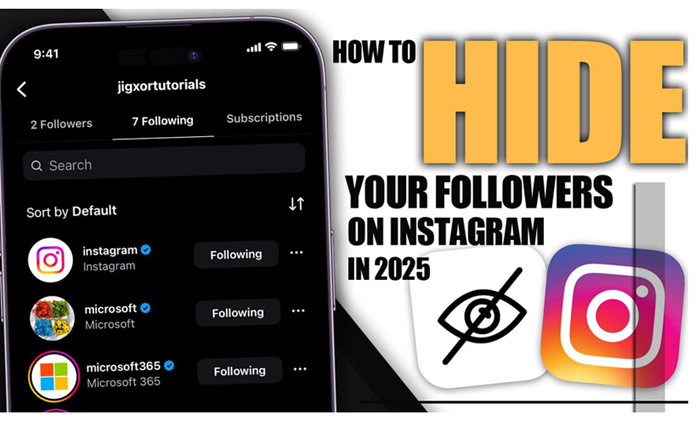
    How to Hide Your Followers on Instagram in 2025?

    Are you looking to protect your Privacy on Instagram? Maybe you don’t want all your followers to be visible to everyone, or you might want to limit access to your followers list to only certain people, or perhaps you’re tired of random users snooping around your profile.
    What if there were ways to restrict who can see it? In 2025, Instagram’s privacy features are getting more powerful, and if you ask how to hide your followers on Instagram, you’re in the right place. Let’s dive into the latest tricks that could give you more control!
    At first, tell us that you are unclear about the meaning of followers on Instagram. Check out our detailed guide on to learn all about it. It’ll help you gain a better understanding of what it means for your profile.

    Can You Fully Hide Your Followers on Instagram?

    Short answer, no. The platform does not allow you to completely conceal your followers on Instagram. If someone is following you, they’ll be able to see who else follows you.
    However, there are certain privacy settings and features you can use to limit who can view your followers, especially for users who aren’t following you. You can take the steps in this article.
    The most important tip is maintaining complete Privacy doesn’t just stop at hiding followers, with Instagram Reels Downloader, or instagram story downloader online you can save a private version of posts and stories for better management.

    (5) Methods to Hide Your Instagram Followers

    Sometimes, you might want to keep your follower list private. Whether it’s for personal reasons or just to clean up your profile, Instagram offers several ways to help you. Here’s a quick overview of the options available.
    For full details on hide Your Followers on Instagram, keep reading!

    MethodVisibilityWhat It DoesBest for
    Private AccountLimits to followersHides followers from non-followersGeneral Privacy
    Remove FollowersRemoves specific followersStops certain people from seeing youClean up the follower list
    Mute UsersHides posts & storiesKeeps posts off your feedClean feed, no unfollowing
    Block UsersFully hides profileBlocks posts, stories, and followersTotal Privacy
    Restrict UsersLimits interactionsRestricts comments & messagesManage interactions

    1 – Set Your Profile to Private

    If you want to keep your followers’ details away from strangers, switching your account to private is the best way to start. Here’s how Instagram privacy settings work in a private account:

    • Only approved followers can view your posts and follower list.
    • People who don’t follow you will only see the total number of your followers, not the individual accounts.
    • You control who can follow you by approving or denying requests.

    While setting your account to private does limit visibility, Instagram features to conceal followers are not fully enabled. Steps to set your account to private:

    • Go to your profile and tap the three-line menu icon.
    • Go to Settings > Privacy.
    • Toggle on Private Account

    You can’t selectively constrain your followers from certain people. If someone follows you, they will see your full follower list unless you block or remove them.

    how to hide followers

    2- Remove Followers You No Longer Want

    If you’ve approved Instagram followers that you no longer want to share your posts or follower list with, you can remove them without blocking them. This method is discreet and prevents unwanted access to your Instagram profile management without causing drama.

    • Go to your profile and tap Followers.
    • Find the Follower you want to remove.
    • Tap the three dots next to their name and select Remove Follower.

    Once you remove someone, they can no longer see your posts, Stories, or Follower list Privacy, and you can hide your followers on Instagram.
    Read more: maybe you have this question in your mind, what factors determine the order of followers on Instagram, don’t miss the Order of Followers on Instagram section on our site.

    3- Mute Accounts Instead of Unfollowing

    While muting someone doesn’t hide your follower list, it can help you keep your feed clean. Muting allows you to stop seeing posts and Stories from specific users, while still keeping them on your follower list.
    This is perfect for situations where you don’t want to unfollow someone but need a little less visibility. To mute someone:

    • Visit their profile.
    • Tap Following.
    • Choose Mute, and decide whether to mute their posts, stories, or both.

    This way, you can stay connected but without their content flooding your feed. Muting doesn’t affect your Instagram follower visibility. If you want more control over who can see your followers, consider removing the person as a follower or using other privacy features.

    4- Block Specific Users

    Blocking someone on Instagram is the most effective way to prevent them from seeing your content, including your follower list. When you block someone:

    • They won’t be able to see your posts, Stories, or Instagram follower control.
    • You won’t appear in their search results or recommendations.
    • You won’t get notified when you block them.

    To block someone to keep your followers hidden on Instagram:

    • Visit their profile.
    • Tap the three dots in the top-right corner.
    • Tap Block.

    Blocking is the ultimate method for limiting Instagram profile management access, but it also fully blocks the person from seeing your followers. This approach does not allow selective visibility.

    Use Instagram’s Restrict Feature

    5- Use Instagram’s Restrict Feature

    Instagram’s Restrict feature provides a middle ground between blocking and leaving a user free to interact with your profile. When you restrict someone from hiding your followers on Instagram:

    • Their comments on your posts will only be visible to them unless you approve them.
    • They won’t see when you’re online.
    • Their messages will go into your message requests, and you can choose not to reply.
    • Mentions or tags won’t appear unless you approve them.

    This feature gives you a way to limit interactions without fully blocking someone, but it still doesn’t offer selective hiding of your follower list. To restrict someone:

    • Go to their profile.
    • Tap the three dots in the top-right corner.
    • Select Restrict.

    Now that learn the steps to hide your followers on Instagram, you may be curious about how to hide mutual friends. Check out our article to discover its secrets.

    How to Hide Your Following List from Followers? (Instagram 2025 Feature)

    This option only works for the list of accounts you follow, not for the list of people who follow you. Instagram has rolled out a new feature in 2025 that lets you hide your following list from your followers without needing to set your account to private.
    This gives you more control over your profile privacy to hide your followers on Instagram:

    • Open the Instagram app and go to your profile.
    • Tap the three-line menu icon in the top right corner.
    • Select Settings from the options.
    • Scroll down and tap on Privacy.
    • Under the Connections section, locate the option called Hide Following List and toggle it on.

    Once enabled, the following list will be hidden from anyone who views your profile, including your followers. To reverse this, simply toggle the Hide Following List option off, and your following list will be visible again.
    For the last tip, do not forget that if you’re having trouble following people on Instagram, be sure to check out our guide on Why Can’t I Follow People on Instagram to find possible reasons and solutions.

    how to hide followers

    Final Thoughts

    While Instagram doesn’t let you completely hide your followers from everyone, you do have options to limit who can see them. Whether you choose to make your profile private, remove followers, or block certain users, these features can help you keep your follower list private when needed.
    Have you ever wished you could fully conceal your follower list? What features would you love to see in future updates? Are you using Instagram’s new feature to build your following list? How’s it working out for you so far? Share your thoughts below!
    Also, if you know any other method for “How to hide your followers on Instagram?”, comment below to add it to our article! Let’s keep the conversation going!

    Why can’t I see someone’s followers on Instagram?

    You might be restricted, or there could be technical issues.

    How to hide followers on Instagram without a private account?

    You can remove specific followers or use the block/restrict features to control who can view your follower list.

    Can a person hide their followers on Instagram?

    No, Instagram doesn’t allow full hiding, but you can limit visibility by setting your account to private.

    How to hide followers without changing privacy settings?

    You can remove followers or block users to stop them from seeing your followers without changing the overall privacy settings of your account.

    How to hide your followers on an Instagram business account?

    Instagram business accounts can’t fully hide their followers.

  • Can Someone Hide Mutual Friends on Instagram

    Can Someone Hide Mutual Friends on Instagram

    Peeking at someone’s mutual friends on Instagram can leave you wishing your own connections stayed a little more private. Sometimes, mutual friends reveal more than you’d want them to.
    While Instagram makes connecting effortless, there are times when you want to keep a bit of mystery around your social circle. That’s why knowing “Can Someone Hide Mutual Friends on Instagram?” can make a real difference!
    In this guide, we’ll show you how to take full control of your Instagram circle, organize your friends list and decide exactly who gets to explore your connections. It’s time to make your Instagram experience safer, more private, and just the way you want it!
    To better understand the importance of followers and their role on the social network, check out our article on What Are Followers on Instagram to see what followers mean and why they matter.

    hide mutual friends

    How Can You Hide Mutual Friends on Instagram?

    While Instagram does not allow IG users to hide mutual friends, you can manage Instagram followers and friends and also your privacy with effective strategies.
    Learn how to adjust Instagram privacy settings, restrict or block users, unfollow accounts, use secondary accounts, and control who sees your friends on Instagram. Keep your social connections private and stay in control of your Instagram visibility.
    Before dive into the article, we have surprise for you and if you want to easily save Instagram videos, photos, or stories, we recommend checking out our dlinsta download section.

    • Switch to a Private Instagram Account

    Let’s hide your friend’s list on Instagram so only the people you trust can see it. Making your Instagram account private is the easiest way to control who sees your posts, stories, and profile details.
    Once your account is private, only approved followers can view your mutual friends and interactions.

    • Open Instagram and go to your profile by tapping your profile picture in the bottom-right corner.
    • Tap the menu icon (three lines) in the top-right corner.
    • Select Settings & Privacy.
    • Tap Privacy.
    • Under the Account Privacy section, toggle on Private Account.
    • Once your account is private:

    -Your profile will still appear in searches, but non-followers won’t be able to see your full friends list or interactions.

    -People who want to follow you will have to send a follow request, giving you the option to accept or deny access.

    Switching to a private account is especially useful if you want to maintain selective social interactions and prevent your mutual friends from being visible to people you don’t know.

    Restrict, Block, or Unfollow Users

    • Restrict, Block, or Unfollow Users

    One of the most effective ways to hide mutual friends on Instagram is by adjusting your connections.
    These actions give you control over who sees your posts, stories, and friend interactions, helping you stay more discreet while using the platform. Adjusting these settings is an essential first step toward a more private Instagram experience.

    • Restrict or block users: Restricting someone hides your activity from them, while blocking completely prevents them from seeing your profile and posts. Simply go to the user’s profile > Tap the three dots in the top-right corner > Select Restrict or Block.
    • Unfollow users: Unfollowing someone reduces mutual visibility and helps control your Instagram privacy settings. Just go to the user’s profile > Tap Following > Select Unfollow.

    While this doesn’t directly hide Instagram connections from others, it reduces what others can see about your shared connections.
    Instagram’s algorithm doesn’t rely solely on who you follow. It also considers how you interact with others, such as likes, comments, and mentions. Frequent engagement with certain users can increase the visibility of mutual connections. Reducing interaction with specific accounts can be another subtle but effective way to protect your privacy.

    • Control Search Visibility

    You can also limit who finds your account in Instagram searches. By managing your Instagram account privacy and settings, you reduce the likelihood that people will see your mutual friends in search results.
    This is a useful approach for anyone looking to hide their friends list on Instagram or maintain selective social connections.

    • Open the Instagram app on your device.
    • Go to your profile by tapping your profile picture in the bottom-right corner.
    • Tap the menu icon (three lines) in the top-right corner.
    • Select Settings & Privacy.
    • Scroll down to How People Find and Contact You.
    • Tap Connections.
    • Toggle off “Suggest Your Account to Others” to prevent Instagram from recommending your profile to other users, and “Connect Contacts” to stop Instagram from syncing your phone contacts, so your account is less likely to appear to people who have your number saved.

    By turning off these options, you further reduce your visibility and make it harder for strangers or casual viewers to discover your mutual friends or personal connections.

    mutual friends

    • Use a Secondary Instagram Account

    Some users create a secondary Instagram account for selective interactions or to hide mutual friends on Instagram. This allows you to engage with friends or follow certain accounts without exposing mutual connections from your main account. This method is especially useful for Instagram privacy management or keeping your followers list discreet.
    Using a second account can be particularly useful for professionals, influencers, or anyone who wants to separate their social interactions for privacy reasons.

    • Be Careful with Third-Party Apps

    Apps like InstaMutual claim to hide Instagram mutual friends visibility, but using third-party tools comes with risks. They may compromise your account security or violate Instagram’s terms of service. Only explore this option if you understand the potential dangers.
    Instagram regularly updates its features, privacy controls, and algorithms. Some visibility settings may change, or new privacy tools might become available in future updates. To stay in control of your social visibility, it’s a good idea to periodically check Instagram’s official Help Centre.
    It’s important to fully understand these risks before considering any third-party tool. Sometimes, staying within Instagram mutual friends’ privacy settings is the safest and most reliable way to protect your mutual connections.
    Now tell us that curious about why you can’t follow that special someone? We revealed the secret in our article Why Can’t I Follow People on Instagram come in and discover the answer!

    find mutual friends on instagram

    Summary

    Instagram privacy can be simple when you stay aware and make smart choices. By managing your account thoughtfully, you can enjoy your connections without worrying about who’s watching. Protect your interactions and keep your account secure without revealing too much.
    How much of your Instagram world is really yours? What are your ideas on our topic, “Can someone hide mutual friends on Instagram? Which connections would you rather keep under the radar? Comment your thoughts and let’s discuss ways to stay in control!

    Why does it say a person has 3 mutual friends when I only see 2 on Instagram?

    Some mutual friends may have private accounts or restricted visibility.

    Did Instagram remove mutual followers in 2025?

    Instagram still shows mutual followers; the feature has not been removed.

    Does making your account private hide mutual friends?

    It limits exposure to strangers but doesn’t completely hide mutual connections.

    Can someone hide mutual friends on Instagram?

    Users often discuss privacy tricks, but unfortunately, you are unable to completely hide your mutual friends’ list.

    Will blocking someone hide mutual friends on Instagram?

    Blocking a user prevents them from seeing your profile and friends, which effectively hides mutual friends from that specific person.

  • Why Can’t I Follow People on Instagram?

    Why Can’t I Follow People on Instagram?

    You’re casually browsing Instagram when a profile catches your eye! You smile, tap Follow and boom! Nothing. No confirmation, no new connection, just silence. Frustrating, right? That strange moment makes you wonder: Can’t follow people on Instagram!

    Is the app secretly punishing you? Have you broken an invisible rule? Or is Instagram just playing tricks with its mysterious algorithms? The uncertainty is enough to spark anyone’s curiosity.

    What’s really going on behind the scenes, and how can you break free from these digital handcuffs? Let’s go beyond it and discover the data about “Why Can’t I Follow People on Instagram?”

    Reasons Why You Can't Follow People on Instagram Easily

    (7) Reasons Why You Can’t Follow People on Instagram Easily

    One of the biggest frustrations for active users is suddenly hitting a limit that feels invisible. Sometimes, Instagram blocks following when the system detects too much activity in a short time, almost as if it thinks you’re behaving like a bot.

    These are the most frequent reasons why you can’t follow people on Instagram:

    • Daily or Hourly Follow Limits: If you follow too many accounts in a short time, Instagram’s system may temporarily block that action. For example, trying to follow 80 users in one hour could trigger a restriction, as it mimics bot-like behaviour and violates the Instagram follow limit.
    • Reaching the 7,500-Following Cap: Instagram sets a hard limit of 7,500 accounts you can follow in total. Think of it like maxing out your contacts list; once you hit the cap, you’ll need to unfollow someone before you can follow anyone new. This is a classic case of reaching follow limits.
    • Suspicious Activity Detected by Instagram: Excessive liking, commenting, or following in a short time can trip Instagram’s anti-spam filters. Let’s say you start following dozens of accounts within minutes. The platform might pause your actions as part of its Instagram spam prevention.
    • Newly Created Accounts Have Tighter Restrictions: Brand-new accounts don’t get full access right away. Until you build some credibility (like posting, gaining followers, or verifying your email), the app may apply Instagram restrictions, and you can’t follow people on Instagram.
    • Past Reports or Blocks on Your Account: If your account has been reported or blocked before, Instagram may flag your profile for review. Even if you’re not doing anything wrong now, features like following others can be temporarily disabled due to your Instagram account being temporarily limited.
    • Instagram Follow Glitches or Outdated Version: Sometimes the problem isn’t your account, it’s the app itself. An outdated Instagram version or a temporary bug could cause the follow button to stop responding or fail silently.
    • Weak or Unstable Internet Connection: You tap the follow button, but nothing happens. It could be your internet. When your connection is slow or unstable (like in an elevator or underground), Instagram may not process your request, a subtle cause that can look like Instagram following block.

    Consider that the problem of not following is only part of the story; the other part is knowing what Instagram followers actually mean and why they matter, and on the other side of the subject, just as being unfollowed can be annoying, seeing your follower list can be unpleasant for some people. That’s where How to Hide Your Followers on Instagram comes in.

    How to Fix It When Instagram Won’t Let You Follow?

    How to Fix It When Instagram Won’t Let You Follow?

    If you can’t follow people on Instagram, it’s likely due to a temporary issue with your account, the app, or platform rules. The good news is, in most cases, the problem can be resolved with a few simple steps.

    Stay calm and avoid making rapid changes; things usually go back to normal soon.

    • Slow down your actions: If you’re following people too quickly, one after another, Instagram might think you’re a bot. Give it a few hours before trying to follow more accounts to avoid an Instagram action blocked message.
    • Build your account’s credibility: For new accounts, start by posting regularly, engaging with others’ content, and completing your profile details. This helps Instagram recognise you as a genuine user and allows you to follow more people.
    • Update or reinstall the app: Sometimes the problem is with the app itself. If the follow button isn’t working, try updating Instagram to the latest version or uninstall and reinstall the app, which is the simplest way for buds and fastest to know how to fix the follow problem on Instagram.
    • Check your internet connection: A weak or unstable internet connection can prevent follow-up requests from going through. If you’re on a slow Wi-Fi or in a place like the subway, switch to a stronger network before trying again.
    • Mix up your activity: Sometimes, spammy activities prevent you from following people on Instagram. Don’t just follow accounts nonstop. Like posts, leave comments, and share content to make your activity look more natural and avoid being flagged by Instagram’s spam filters.
    • Review your account status: If your account has been reported or blocked in the past, some features, like following others, might be limited. Read Instagram’s guidelines, remove any suspicious activity, and contact the Help Centre if needed.
    • Log out and log back in: Sometimes a simple logout and login can refresh your connection and fix temporary glitches. It’s like rebooting your device when something isn’t working.
    • Clear the app cache: On Android devices, especially, clearing Instagram’s cache can fix bugs like unresponsive buttons. Head to your phone’s settings to clear the cache and improve app performance.
    • Try another device: If possible, log in to your Instagram account from a different phone, tablet, or computer. This helps determine if the issue is with your device or the account itself.
    • Use one device and location: Logging into your account from multiple devices or different locations in a short time can trigger Instagram’s security measures. Stick to one device and location, and wait a few hours if you’ve switched recently.
    • Turn off VPN: Using a VPN or frequently changing your IP address can make Instagram suspicious of your activity. Disable your VPN and use a stable internet connection with a consistent IP to avoid getting your Instagram following blocked again.
    follow me

    In addition to fix the following restrictions and you Can’t follow people on Instagram, using the dlinsta download tool to save posts helps you archive and analyse highly engaged content, and you can also get information about this. Some brands use options like Order Followers Instagram to start their own community so they can get noticed faster.

    Pro Tip 1: Avoid the third-party apps that promise mass follows or automation. These apps are often detected by Instagram and can trigger stricter limits or even account suspension.

    Pro Tip 2: Check if the account you’re trying to follow has restrictions, like private settings or an age limit. Sometimes the “Instagram won’t let me follow” isn’t on your end, it’s on theirs.

    instagram follow back problem

    Wrapping It Up

    In the end, understanding why you can’t follow people on Instagram is the first step to solving the problem. With a little patience, careful account management, and the practical tips we’ve shared, you can overcome these obstacles and fully enjoy the Instagram experience again.

    Now, we’d like to hear from you. Did the Why Can’t I Follow People on Instagram?” article help you identify your issue? Share your thoughts in the comments! If you know another solution we didn’t mention, pass it along to help others.

    Still confused about Instagram restrictions? Ask your questions below, and we’ll provide answers. Have an interesting story about overcoming a follow block? Send it in and inspire other readers.

    Why does Instagram block me from following temporarily?

    Instagram may temporarily restrict following if it detects rapid activity, unusual patterns, or behaviour that resembles spam. These limits are designed to protect both your account and the community.

    Can I get permanently restricted from following?

    Permanent restrictions are rare. Usually, blocks are temporary, lasting from a few hours to a few days. Repeated violations of Instagram’s guidelines, however, can lead to longer restrictions or even account suspension.

    Does using multiple accounts affect follow limits?

    Yes. Instagram monitors all accounts tied to your device or login. Rapid activity across multiple accounts can trigger temporary follow blocks.

    How long do follow-up restrictions usually last?

    Most follow blocks are temporary, typically lasting 24-48 hours. In some cases, more severe or repeated violations can extend the restriction.

    Are these ways to prevent getting blocked in the future?

    Yes! Spread out your follows, engage genuinely with content, avoid third-party automation apps, and keep your app updated. Following these steps reduces the risk of hitting Instagram’s limits.


  • What Are Followers on Instagram? (Importance & Growth Tips in 2025)

    What Are Followers on Instagram? (Importance & Growth Tips in 2025)

    What are followers on Instagram? The truth might surprise you. Some people are always watching, and sometimes it feels like they know more about your online life than you do. Your digital entourage of intrigued strangers, loyal fans, and virtual neighbours somehow seems to recognize when you’re awake, what you’re looking at, and even which memes make you laugh.
    Some silently track every post and Story, while others linger in the shadows of your feed, ready to like, comment, or judge. Curious who your followers are? Learn it today!

    What Is an Instagram Follower?

    Let’s have Instagram followers explained. A follower is someone who chooses to subscribe to your account, whether on Instagram, TikTok, Facebook, or X (Twitter). By tapping the follow button, they signal that they want to see your posts, Stories, Reels, and updates in their feed. Essentially, the following is a way for users to opt in to your content, showing interest in what you share.
    Followers on Instagram specifically are more than just numbers; they make up your audience, the people who are genuinely engaged with your content. Some might be drawn to your professional insights, others to lifestyle updates, creative projects, or entertaining posts. Each follower represents a connection, someone who values your content, interacts with it, and has the potential to amplify your voice across the platform.
    They help define your influence, increase Instagram followers and your reach, and contribute to your growth. They’re also the people who can provide feedback, support your initiatives, and even introduce your content to new communities through likes, comments, shares, and saves.

    Follower vs. Following: What Are the Differences?

    You might still want more clarity on the meaning of Instagram followers, and their difference from followings. Followers are your personal fan club. Following, on the other hand, is your curated list of inspirations; the people whose lives, updates, or memes you can’t resist keeping tabs on.
    One is about who’s watching your world; the other is about whose world you’re peeking into. Following shapes your feed, sparks ideas, and keeps you connected to trends, communities, and people who inspire you.

    Why Do Followers Matter on Instagram?

    Followers on Instagram form the foundation of online growth; that’s why Instagram followers matter. The size and quality of your follower base directly influence how far your content can reach and how much impact you have.
    For businesses, brands, creators, and influencers, having followers means expanding visibility to new Instagram audiences, nurturing a loyal and engaged community, and boosting the chances that posts will gain traction through likes, shares, and saves.
    A strong follower base also boosts the likelihood of being discovered by Instagram’s algorithm, which rewards engaging and widely shared content.
    Also, to manage Instagram followers and content professionally, we recommend learning how to archive all posts on Instagram. This method allows you to keep your posts organized without deleting content.

    How to Get More Followers on Instagram?

    Growing your Instagram followers requires a thoughtful approach and consistent effort. It’s not just about posting frequently.
    Sustainable boost comes from building authentic connections, staying consistent, and engaging meaningfully with your community rather than relying on quick fixes or shortcuts:

    • Post valuable, high-quality content that connects with your target audience
    • Engage actively by replying to comments, answering direct messages, and showing appreciation to have more followers on Instagram.
    • Use hashtags strategically to reach beyond your current audience
    • Collaborate with influencers or partner with brands for cross-promotion
    • Stay consistent with your posting schedule and style

    The most practical tip is that you can review and manage the list in order followers Instagram, and to grow it quickly and strategically.
    Consider that to get a closer look at the content your followers are engaging with the most, you can use our Instagram Reels downloader, Instagram Story Downloader. These tools allow you to save popular videos and posts and analyze which types of content are getting the most feedback from followers.

    Why Does the Follower-to-Following Ratio Matter?

    Your followers on Instagram reflect your influence. The following list shows who you’re interested in and the type of content you consume. Together, these two numbers form an Instagram profile credibility that others use to judge credibility:

    • Too many following and too few followers may look spammy or inauthentic.
    • More followers than following often signals authority and influence.
    • Balanced ratio looks natural for personal or new accounts.

    How to Track Instagram Follower Growth?

    Monitoring your Instagram followers growth is essential for understanding the effectiveness of your content strategy and overall account performance.
    By keeping track of how your audience is expanding and interacting with your posts, you can make informed decisions to improve engagement and reach. Tools like BoostFluence’s Instagram Follower Count Tool make this process easier and more precise:

    • Track real-time followers on Instagram
    • See growth trends and patterns
    • Gain insights into audience behaviour
    • Measure Instagram engagement alongside follower growth

    Regularly analyzing your Instagram metrics allows you to optimize your posting strategy, maintain a healthy follower-to-following ratio, and ensure sustainable growth.

    Can You Block or Remove Followers on Instagram?

    Absolutely; the platform gives you full control over who can see and interact with your content by allowing you to remove or block Instagram followers. Removing a follower simply prevents them from seeing your posts and Stories without notifying them, while blocking goes a step further, completely restricting the user from viewing your profile, interacting with your content, or sending you messages.
    This functionality is especially valuable for maintaining a safe, positive, and relevant community and ensuring that your audience consists of people who genuinely want to engage with your content.
    You can also control who sees your follower list, which helps protect your privacy, manage your audience, and maintain a safe and focused viewership by focusing carefully on the “How to hide your followers on Instagram” article.

    Final Thoughts

    In summary, knowing “What are followers on Instagram?”, managing your ratio, and engaging authentically are key to building a credible presence. By posting high-quality content, connecting with your audience, and using smart growth strategies, you can not only enhance your followers but also foster a community that truly values and interacts with your content.
    How do you manage your followers and following? Which strategies have helped grow authentic followers? What content gets the most engagement from your audience? Share your thoughts and experiences in the comments!

    What does a follower mean on Instagram?

    A follower is someone who subscribes to your account on social media platforms like Instagram, or in other words, “Followers” are the users who follow you.

    What is the follower list?

    It is the total number of people who have subscribed to your account to view your content.

    How to get more followers on Instagram?

    Post engaging content, interact with your audience, and use hashtags and collaborations to grow followers.

    How to have an “Instagram followers and following check”?

    You can use a Followers and following checker that shows who follows you, who doesn’t, and helps manage your profile.

    What is the difference between followers and following on Instagram?

    Followers are people who subscribe to see your posts and updates, while following are the accounts you choose to keep track of on Instagram.