You open your phone and see a message notification pop up on Instagram. You tap it out of habit. Seconds later, that tiny “Seen” label appears,and now you feel obligated to reply, even if you’re not ready.
Sound familiar?
In a world where digital communication never sleeps, privacy and boundaries matter more than ever. Whether you’re someone who values a moment to think before replying, or simply prefer a little more control over who can contact you, this guide is for you.
By the end of this article, you’ll know exactly how to turn off Instagram read receipts, manage your direct message (DM) privacy settings, and protect your peace of mind,all using the latest tools available in 2025.
If you want to strengthen your overall account privacy beyond DM controls, learning how to hide your followers on Instagram is another effective way to limit what others can see on your profile.
What Are Instagram Read Receipts and Why Do They Matter?
Read receipts show others when you’ve opened their message. While this can be helpful for clarity, it can also feel intrusive. If you’ve ever wished you could read a message without instantly signaling you’re online and available, you’re not alone.
In 2025, Instagram finally rolled out features that allow you to turn off read receipts,both globally and per conversation. This puts power back into your hands.
How to Turn Off Read Receipts on Instagram
Turning off read receipts is simple, but not many users realize it can now be customized. You can do this in two ways:
Disable Read Receipts for All Chats :
To stop showing “Seen” across all messages:
Go to your profile and tap the menu (three lines).
Tap Settings and Privacy.
Select Messages and Story Replies.
Tap Show Read Receipts.
Turn the toggle off.
Now, others won’t see when you’ve read their messages,and you won’t see theirs either. Note that this doesn’t apply to Vanish Mode, where messages always show a read receipt.
Disable Read Receipts for Individual Chats
If you only want to turn off read receipts for specific conversations:
Open the chat.
Tap the username at the top.
Tap Privacy & Safety.
Turn off Read Receipts.
This allows you to stay visible in some chats while going silent in others,a balance few platforms offer.
While adjusting your read receipt settings can improve DM privacy, understanding How to Turn Off Vanish Mode on Instagram is just as important if you want full control over how your messages appear and disappear.
Managing Instagram DM Privacy Settings
Read receipts are just one piece of the puzzle. Controlling who can message you,and how their messages are delivered,is key to maintaining your digital boundaries.
Instagram DMs are divided into two main categories:
Inbox: Messages from followers or approved contacts.
Message Requests: Messages from people you don’t follow, which you can accept or ignore without sending a read receipt.
You can adjust who lands in each category. Here’s how:
Go to Settings > Privacy > Messages.
Under Message Requests, you’ll see categories like:
Followers
Others on Instagram
People on Facebook or Threads
3.For each category, choose:
Deliver to Inbox
Send to Message Requests
Don’t receive requests
Want fewer strangers in your inbox? Set “Others on Instagram” to “Don’t receive requests.”
Stop Unwanted Group Chat Invites
Have you ever been added to a spammy group DM out of nowhere? You’re not alone. Thankfully, Instagram now lets you control this too.
To prevent random group additions:
Go to Settings > Privacy > Messages.
Tap Who Can Add You to Groups.
Choose Only People You Follow.
This simple setting can eliminate a lot of noise,and prevent scammy group chats before they start.
Restrict vs. Block: Silencing Without the Drama
Not ready to block someone but want peace? Use Instagram’s Restrict feature. It hides your activity status, prevents read receipts, and moves their messages to Message Requests,without alerting them. Perfect for handling unwanted DMs quietly, and you can reverse it anytime.
Restrict is ideal when you want space without escalating the situation. You can enable it from the user’s profile or within a DM chat, and reverse it at any time.
Final Tips to Take Back Control
Digital peace of mind starts with your settings. Here’s how to make Instagram DMs work for you:
Adjust read receipts based on your comfort level
Customize who can message you
Keep group invites limited to trusted contacts
Use Restrict for soft boundaries without drama
Check your privacy settings after every major app update
Conclusion
You don’t have to be always-on. In fact, the smartest social media users in 2025 are the ones who set healthy boundaries,and stick to them.
Instagram’s latest privacy features finally allow you to control who gets your attention, when, and how. Whether it’s silencing that persistent acquaintance, avoiding spammy group chats, or simply reading messages on your own time, the power is now in your hands.
Start by turning off those read receipts. Your inbox,and your mental space,will thank you.
Getting hacked on Instagram is terrifying , you suddenly lose access to your account, your content becomes vulnerable, and in many cases business pages lose revenue every minute. The feeling of panic is real, but recovery is absolutely possible. In this guide, you’ll learn exactly how to regain control step by step, even if the hacker changed your email, phone number, or password.
How to Know Your Instagram is Hacked
A hacked account doesn’t always look dramatic in the beginning. Sometimes the hacker enters silently, changes login credentials slowly, and waits before doing damage. If you’re unable to log in despite using the correct password, notice unfamiliar login activity, or see content being posted without your permission, there’s a high chance your account is compromised. Followers may also report receiving strange DMs or crypto links from your page, which is often the clearest warning sign of takeover.
If you recognize these symptoms early, recovering the account becomes much easier. The critical point is acting fast , hours matter more than days.
Step 1 : Reset Your Password If You Still Have Access
The quickest route to recovery is through the standard password reset, especially when your phone number or email hasn’t been changed yet. From the login page, choose “Forgot Password” and request a reset link through your registered contact information. If you receive the email or SMS, set a new password immediately and log in before the hacker notices the change.
However, if no reset link arrives or if the reset option sends to an unfamiliar email, it means the intruder has already changed your details. In this case, you need to move to the next method without delay.
Step 2 : Restore the Account Through Instagram’s Security Email
Before Instagram updates an account’s email, it sends a warning message titled Your email address has been changed. This email is often a lifesaver because it includes a reverse button that lets you undo the hacker’s action instantly. If you still have access to the original mailbox and see this alert, click Revert this change and secure your account before the hacker locks you out completely.
Many users don’t check email immediately and miss this window, so time is critical. The sooner you act, the faster the restoration.
Step 3: When you’re fully locked out, identity verification is the only reliable recovery method
If the hacker has already changed your password, phone number, and email,Instagram must confirm you are the real owner before restoring access. In this stage, you’ll need to submit proof of identity directly through the recovery form.
Go to Login Page → Need more help?
Select My account was hacked
Submit original email/phone if still accessible
Fill out Instagram’s recovery form completely and accurately
Respond promptly to support emails to speed up review process
Complete the video selfie verification if Instagram requests it
Wait for access to be returned once ownership is verified
Step 4 : Before Logging Back In, First Secure Your Email and Device
Recovering access is not the final goal , keeping it secure is. Many hacks originate not from Instagram itself but from the user’s email, browser, or installed apps. If your device is infected with malware or your email password is weak, the hacker can re-enter anytime even after recovery. That’s why you must change your email password first, update its security settings, and enable two-factor authentication at the mailbox level.
Running a malware scan is also necessary, especially if you downloaded unknown files or clicked suspicious login pages. Avoid reusing old passwords and never store them in unencrypted notes. The goal is to remove the entry doors the hacker originally used.
Step 5 : Strengthen Instagram security after recovery so the hack never happens again.
Once you regain access, your top priority is preventing a second attack. Most accounts get hacked twice because users skip security reinforcement after recovery , so this step matters as much as the recovery itself.
Turn on Two-Factor Authentication (2FA) , authenticator app recommended over SMS
Create a long, unique password (12–16 characters minimum)
Review Login Activity and remove every unfamiliar device
Disconnect suspicious third-party apps or automation tools
Avoid entering login information on unofficial pages or shortened links
Stay alert for phishing attempts such as fake verification or copyright warnings
Avoid Phishing , The Main Cause of Hacks
Most Instagram hacks do not happen by brute force. Instead, attackers trick users into giving away their login details through fake links, sponsorship offers, or “verification request” DMs. These messages usually look official and often include phrases like Apply for a blue check or You violated copyright rules, which pressures users to click without thinking.
The best security habit is simple: never enter your password unless you are on Instagram or Meta’s official domain. If you are unsure, close the page and type the URL manually. Awareness is the best firewall.
What to Expect After Recovery
Once the account returns to your hands, you may notice that posts, highlights, or private messages changed. You can restore some content manually or request account history logs if necessary. It’s wise to notify your audience that your account was compromised so they don’t interact with previous suspicious messages. Transparency protects your reputation and prevents further spread of malicious links.
Business pages should review their connected apps, Facebook Business integrations, and creator tools. Removing old permissions and resetting API access ensures that third-party systems can’t open the account again.
And finally :
Recovering a hacked Instagram account is stressful, but absolutely possible with the right approach. First attempt a password reset, then use Instagram’s security email if available. If locked out entirely, submit identity verification through support. After regaining control, secure your email, device, and Instagram itself through strong passwords, two-factor authentication, and awareness of phishing risks.
Your account represents your identity, creativity and sometimes your income. Treat its security like digital property , protect it before it’s needed.
Save this guide , you never expect hacking until it happens.
If there’s one element that determines whether a Reel performs well or gets ignored in the scroll, it’s editing quality. Instagram’s built-in editing tools are useful for quick posts, but they fall short when it comes to precision, consistency, branding, captions, and high-quality export. That’s why most creators , from beginners to professionals , rely on third-party editing apps designed specifically for vertical content and short-form social video. This condensed guide walks you through the best Instagram Reel editing apps, what each one is best suited for, and how to choose the tool that aligns with your workflow and growth goals.
Why You Need a Dedicated Video Editing App for Instagram Reels
Instagram offers trimming, basic text, music sync and speed controls , but only to a limited extent. For creators focused on reach, retention and professional presentation, those limits eventually become a bottleneck. A dedicated editing app offers:
True 9:16 vertical editing with no cropping issues
Cleaner cuts and smoother pacing for higher retention
More control over audio levels and music sync
Better typography, captions and brand consistency
Draft safety ,your edits don’t randomly disappear
Higher quality exports and watermark-free results
High-quality editing makes viewers stay longer, rewatch, save and engage , and the algorithm rewards that behavior.
What to Look For in the Best Instagram Reel Editing App
A great Reels editing app should offer proper 9:16 vertical editing, smooth trimming, and clear speed control for tighter pacing. Multi-layer support helps you add captions, overlays, and B-roll without limits. Strong text tools and automatic captions are important since many users watch without sound. Reliable audio sync, high-quality export, and no watermark ensure a polished result. The best editor is one that improves retention, speeds up workflow, and makes your content look professional.
Top Instagram Reels Editing Apps
Not every creator needs the same editing tools, so no single app works best for everyone. What matters is knowing which app fits your style and workflow. The list below groups each option by the type of creator it’s best suited for, based on real-world use and performance.
CapCut [ The Most Practical All-Rounder]
Best for: most creators, beginners CapCut has become a default industry standard. It’s powerful, extremely beginner-friendly, and , most importantly , exports without a watermark. If you want an app that does everything without overwhelming you, this is the one.
Why creators love it:
Free + no watermark
Huge template library + trending effects
Strong auto-captions for talking-head content
Accurate timeline trimming
Reliable 9:16 export
Fast rendering for frequent posting
InShot [ Clean and Simple Editing]
Best for: talking-head videos, tutorials, simple clean edits InShot focuses on speed and simplicity. No complicated UI, no clutter. Perfect for business pages, creators who talk to the camera, or anyone who prefers minimal editing.
Why creators choose InShot:
very simple interface with no learning curve
fast trimming, cutting, and speed control
reliable text and sticker tools for clean on-screen messaging
smooth transitions for simple montage-style Reels
stable exports with consistent 9:16 quality
If you want an editor that feels lightweight, easy, and efficient , without the clutter of advanced features , InShot is one of the best choices.
VN Video Editor [ Aesthetic and Cinematic Feel]
Best for: travel creators, lifestyle influencers, cinematic storytelling VN is made for smooth transitions, aesthetic pacing and more professional layouts. The timeline resembles desktop software and offers more detailed control.
Highlights:
No watermark
Easy speed ramping for cinematic flow
Multi-clip arrangement for storytelling
Smooth zooms + transitions + stylistic cuts
Great for travel vlogs + moody visual content
New Microsoft Word Document
If your page aesthetic matters, VN is a strong upgrade over basic editors.
Canva [ Branded Reels for Businesses]
Best for: branded content, educational videos, product showcases Canva isn’t just a design tool , it’s one of the most accessible Reels editors for businesses. The ability to use brand kits (fonts, colors, logos) ensures a consistent identity across posts.
Standout features:
Brand Kits for visual consistency
Hundreds of 9:16 Reel templates
Great typography + text animation
Drag-and-drop editing workflow
Stock footage + music library included
If you’re building a brand rather than only a personal page, Canva is unmatched for identity-focused content.
KineMaster – Layer-Heavy and Detailed Editing
Best for: educational overlays, reaction videos, technical content KineMaster is closer to a compact desktop editor , ideal if you use multiple video layers, graphics, screenshots or green screen.
Key features:
Multi-layer timeline
Keyframe animation for smooth motion
Chroma key (green screen)
Detailed audio mixing
Visual effects + speed ramps
Not the simplest for beginners , but extremely powerful once you learn it.
LumaFusion [ Professional-Level Editing on Mobile]
Best for: camera footage, high-end IG Reels, documentary-style verticals If you want desktop-level control without actually switching to a computer, LumaFusion is the most professional mobile video editor available.
Why it stands out:
Multi-layer video + audio
Full color-grading tools
Keyframing + motion control
High bitrate exports , crisp after upload
Ideal for DSLR/mirrorless footage
If your output must look premium, this app sets you apart immediately.
Which App Is Best for Beginners?
If you are just starting out, the main things you need are clarity and speed. An app that looks impressive but overwhelms you will slow down your content schedule, which matters more than any single effect.
In practice, most beginners feel comfortable fastest with CapCut or InShot. CapCut is great if you like templates, trending effects, and built-in tools that guide you through popular formats. InShot is better if you prefer a clean, minimal interface with fewer distractions and a focus on essential tools.
Beginner-Friendly Reels Editing Apps
App Name
Ease of Use
Best For
Pros
Cons
CapCut
⭐⭐⭐⭐⭐
Fast, trendy Reels
Free, no watermark, templates, auto-captions
Too many features may confuse some beginners
InShot
⭐⭐⭐⭐⭐
Simple talking videos, tutorials
Clean interface, quick edits, reliable
Some tools require Pro version
VN Editor
⭐⭐⭐⭐
Aesthetic & travel-style Reels
No watermark, smooth transitions
Slightly more complex layouts
Canva
⭐⭐⭐
Branded content & business Reels
Brand kits, easy design + video
Limited motion editing
KineMaster
⭐⭐
Multi-layer or detail-heavy edits
Advanced features, keyframes
Not ideal for complete beginners
Final Recommendation
There isn’t a single best app , the right one depends on your workflow. CapCut is the most versatile choice for most creators, InShot is great for simple clean edits, and VN suits cinematic or aesthetic styles. Canva works best for branded content, while KineMaster/LumaFusion are better for advanced multi-layer editing. Choose the tool that helps you edit faster and improve retention ,that’s what really boosts growth.
Are Instagram’s own editing tools enough?
They can work for very simple Reels, but they do not offer the control and reliability you need if you want consistent growth. External apps are more stable and more flexible.
Do professional creators really use mobile apps?
Yes. Many full-time creators use a mix of mobile and desktop tools. Mobile apps are ideal for fast, social-first content, even when the same creator uses desktop software for long-form videos.
Which app is best if I never want a watermark?
CapCut and VN are among the strongest free options that allow watermark-free exporting in many cases. Paid versions of other apps also remove their branding.
Does using templates make Reels look generic?
Templates can make your Reels look similar to others if you copy them exactly. However, if you customize colors, text, pacing, and footage, they become a time-saving base rather than a limitation.
Is it worth learning a more advanced editor?
It is worth it if you see Reels as a central part of your brand or business. More advanced tools give you room to grow creatively, but they are not mandatory at the very beginning.
If you’re a photographer, chances are Instagram has been both your biggest portfolio and your biggest frustration. You spend hours shooting, editing, curating, and polishing your work,yet sometimes posts barely reach anyone.And here’s the truth:Instagram does not reward beautiful photos alone. It rewards content that connects.In multiple surveys (from Later, Meta Business Insights, and independent photography communities), one thing became clear: Over 70% of clients check a photographer’s Instagram before booking,often before visiting their website.
Content with “human presence” (BTS, storytelling, emotion, voice) performs 3–5× better than purely aesthetic photography posts.
This article is built around real user behavior, proven engagement patterns, and human psychology, not trends that disappear in 2 weeks. Whether you shoot weddings, portraits, commercial, product, newborn, or fashion,these content ideas apply to all working photographers.
Let’s break the process down into clear, practical, high-performing sections.
Before & after edits are one of the most powerful ways to show the real value behind your work. Clients love seeing the transformation,from a raw moment to a polished, emotional final image.
Why it works:
Proves your editing talent
Builds trust
Shows non-photographers the value behind your pricing
3- Behind the Scenes (BTS),Easiest Way to Go Viral
Behind-the-scenes content pulls your audience into the magic that happens before the shutter clicks. It shows the effort, creativity, and personality behind every shot,making your work instantly more relatable and share-worthy.
BTS content ideas:
setting up lighting
posing guidance
making the client laugh
shooting in a “boring location”
unexpected tricks you use
shot vs. real location comparison
BTS Reels have 4× higher average reach than finished-photo Reels.
4- Tell the Story Behind a Photo
When you share the story behind a photo, the image suddenly becomes more than a nice shot—it becomes an experience. Maybe it was a moment that almost slipped away, a reaction that surprised you, or a challenge you had to work around.
These little details help your audience feel the emotion behind the frame and understand the thought and timing that went into it. And that’s exactly what makes the photo more memorable, relatable, and engaging on Instagram.
Why this works:
Humans respond to stories more than visuals. Stories build emotional memory , clients remember you.
5- Client Testimonials / Social Proof
testimonials are one of the strongest trust signals a photographer can use on Instagram. People want to know how others felt in front of your camera long before they book a session themselves. When you share real feedback, emotions, and experiences, you remove doubt,and make your work feel safer, warmer, and more credible.
Examples of powerful social-proof content you can share:
screenshots of heartfelt messages from clients
a short video where a client describes their experience
a carousel showing the client’s photos paired with their review
a quick story about what made that session special
before/after shots combined with a comment from the client
a roundup post of multiple testimonials for credibility
Sharing testimonials is not about showing off,it’s about reassuring potential clients that others have trusted you and loved the result. And on Instagram, where decisions are often fast and emotional, even one genuine review can make someone feel confident enough to book you.
Even one strong testimonial post per month drastically increases trust.
6- Educational Posts (Save Magnet Content)
posts are one of the most reliable ways for photographers to get consistent saves on Instagram. People love learning small, practical tips that make them feel more confident,whether they’re clients preparing for a shoot or beginners who admire your craft. And because users often save educational content to revisit later, these posts send strong SEO signals to Instagram’s algorithm, helping your account stay visible for longer.
Examples of high-performing educational content:
simple lighting tips that anyone can understand
posing ideas for clients who feel awkward in front of the camera
outfit recommendations for different types of sessions
short location suggestions in your city
a quick explanation of why certain lens choices matter
preparation checklists for clients
editing micro-tutorials or color-grading breakdowns
What makes educational posts so effective is how practical they are. They solve real problems your audience has,like not knowing how to pose, what to wear, or how to choose the right location. And from a user-experience perspective, people save this content because it genuinely helps them get better results during their next session. When your followers learn something useful from you, it positions you as both an expert and a guide,someone they can trust long before they step in front of your lens.
7- Share Personal Introduction Posts
Personal introduction posts help new followers quickly understand who you are and what makes your work unique. Instead of just seeing your photos, people get a glimpse of the personality and story behind the camera,something that builds trust fast.
A simple intro can highlight things like:
how you started photography
what inspires your style
one personal detail that makes you relatable
When people feel they know the photographer, not just the photos, they engage more and connect more deeply with your work. This small human touch often becomes the reason they choose you over someone else.
8- Share Your WHY
Personal introduction posts help new followers quickly understand who you are and what makes your work unique. Instead of just seeing your photos, people get a glimpse of the personality and story behind the camera,something that builds trust fast.
A simple intro can highlight things like:
how you started photography
what inspires your style
one personal detail that makes you relatable
Examples:
why you love photographing people
why capturing emotions matters to you
why storytelling drives your style
When people feel they know the photographer, not just the photos, they engage more and connect more deeply with your work. This small human touch often becomes the reason they choose you over someone else.
Brands with a strong mission convert up to 30% more than those without one.
9- Camera Gear & Editing Workflow
Sharing a bit about your camera gear and editing workflow helps followers see the craft behind your photos. You don’t need technical details,just simple insights like:
the lens you rely on
your general editing style
how you keep client files safe
These small glimpses make your work feel more professional and intentional, and they help clients understand the value behind every final image.
Examples:
what’s in my camera bag (for non-photographers)
why you choose certain lenses
how you back up files to protect clients’ memories
This builds authority without overwhelming beginners.
10- Humor & Relatable Content
Humor and relatable moments help your audience see the lighter side of your work. Sharing the funny, awkward, or “only photographers will understand” moments makes your page feel more human and approachable.
Simple ideas like:
behind-the-scenes mishaps
relatable photographer struggles
lighthearted memes about sessions
11- Inspirational Posts
Inspirational posts add emotion to your feed and remind people what photography means to you. They’re simple, heartfelt, and easy for followers to connect with.
You can share things like:
a quote that reflects your style
a moment from a session that inspired you
Example:
“Sometimes the best photos happen in the quiet seconds between poses,those unplanned, honest moments.”
12-Major Milestones & Announcements
Sharing major milestones makes your brand feel active, growing, and credible. Whether it’s a new studio, a publication, an award, or even hitting a personal goal, these updates show your audience that your work is evolving.
You can highlight things like:
a recent achievement
a new service or upgrade
an important moment in your photography journey
These posts build trust instantly,because people love following photographers who are moving forward.
Best Instagram Stories Ideas for photograghers
Instagram Stories are the easiest place to show the real, unfiltered side of your work. They disappear after 24 hours, so they feel casual and personal,perfect for building trust.
You can share behind-the-scenes moments, quick tips, or small previews that don’t need a polished look. Stories work best when they feel raw and honest.
Some simple Story ideas include:
showing your setup before a shoot
sharing a quick posing or lighting tip
asking a question or running a poll
posting an honest moment from your day
Stories create a sense of closeness. They make people feel like they’re right there with you, not just watching from a distance.
If you want to explore more content ideas beyond this guide, several articles on our website can help deepen your strategy. For example, if you’re focusing on Stories, the article “40 Creative Instagram Story Ideas to Boost Engagement and Attract More Followers” offers a wide collection of formats that work especially well for photographers.
Best Reels Ideas for photograghers
Reels remain the fastest way for photographers to reach new audiences. The key is mixing simplicity with personality,short, visual, and engaging.
You don’t need fancy editing. Even a seven-second clip can perform extremely well when the idea is strong.
Reels that perform well often include:
shot vs. behind-the-scenes comparisons
quick posing demos
location transformations
before/after edits
a timelapse of your editing workflow
These formats catch attention quickly and encourage saves—two things Instagram pushes heavily in 2025.
Common Mistakes Photographers Make
Many photographers create beautiful work but unintentionally limit their reach because of a few common habits. One of the biggest mistakes is posting only final images without showing process, context, or emotion,followers crave connection, not just aesthetics.
Another frequent issue is inconsistent posting. Even great content loses impact if it appears randomly without rhythm.
Other mistakes include:
writing captions that feel cold or overly technical
not using Stories or Reels at all
avoiding photos of themselves
ignoring DMs and comments
Fixing even one of these can dramatically improve engagement and visibility.
How to Build a Photography Content Calendar
A simple content calendar helps you stay consistent without feeling overwhelmed. It doesn’t need to be complicated,just a weekly rhythm that mixes your strongest content types.
For example, you could rotate between:
one portfolio post
one educational post
one behind-the-scenes moment
one Reel
a few casual Stories throughout the week
This balance keeps your feed professional while still feeling human and active.
A good calendar isn’t about strict rules,it’s about making content easier to plan and making your presence steady and predictable for your audience.
Conclusion
Instagram may evolve every year, but the core remains the same: people connect with photographers who feel real, intentional, and emotionally present. By mixing portfolio work with stories, tips, behind-the-scenes moments, and honest reflections, you create a fuller picture of who you are,and that’s exactly what makes your account worth following.
For many beginners starting a new business, marketing often feels overwhelming,limited budgets, limited reach, and too many digital channels to choose from. But among all platforms available today, Instagram stands out as one of the most powerful, accessible, and beginner-friendly tools for business growth.
With over 2 billion monthly active users, high engagement rates, strong visual formats, and built-in tools that support small businesses, Instagram gives even the smallest brand the chance to compete with big players. In this guide, I’ll explain,step by step,how Instagram can help new businesses grow, attract customers, and build a powerful brand from day one.
Why Instagram Has Become Essential for Modern Businesses
Businesses today operate in a world where attention is the most valuable currency,and Instagram has become one of the strongest platforms for capturing it. With its massive user base, high engagement levels, and powerful discovery tools, Instagram now plays a crucial role in helping brands connect with customers and grow faster than ever.
Instagram’s Massive User Base and High Engagement
Instagram is no longer just a platform for sharing photos. It’s a discovery engine where people actively search for products, brands, and inspiration. Research shows that 61% of users use Instagram to discover new products, meaning your business can reach potential buyers organically,even without ads.
Perfect Platform for Beginners
Instagram’s visual format makes it extremely beginner-friendly. You don’t need a studio, professional camera, or expert knowledge. A smartphone, authenticity, and consistency are often enough to build an audience.
Key Benefits of Using Instagram for Business
Instagram offers a unique combination of visibility, engagement, and direct customer interaction,making it one of the most effective platforms for businesses to grow and connect with their audience.
1- Builds Strong Brand Awareness
Instagram’s algorithm favors visual and engaging content. Even small businesses can appear in Explore pages, Reels feeds, and hashtag searches, gaining exposure faster than on other platforms.
2- Creates High Engagement With Visual Content
People interact more with photos, videos, Reels, Stories, and behind-the-scenes content than with plain text posts on other networks. This engagement naturally boosts visibility and trust.
3- Helps Customers Discover Products Easily
Users browse Instagram like a digital mall.If your content is helpful or inspiring, people will naturally explore your page and check your products.
4- Allows Direct Selling Through Instagram Shopping
Instagram Shop enables businesses to tag products directly in posts, Stories, and Reels. This reduces friction,customers can buy without ever leaving the app.
5- Low-Cost Marketing for Beginners
You don’t need big budgets.Organic reach through Reels and good content can outperform paid ads.
How Instagram Helps Beginners Grow a Business (Step-by-Step)
Instagram provides a simple yet powerful growth path for beginners, offering clear tools and features that help new businesses build visibility, attract loyal customers, and scale steadily from day one.
Step 1 – Set Up a Professional Instagram Business Account
Setting up a business account is your first step toward unlocking Instagram’s full marketing potential. A business profile gives you access to features like analytics, contact buttons, ads, and shopping tools that are not available on personal accounts. This upgrade helps your brand appear more credible and provides the foundation you need to grow your presence on the platform.
Step 2 – Optimize Your Profile
Your Instagram profile is the first impression customers get of your brand, so it needs to be clear, credible, and visually consistent. A well-optimized profile helps visitors immediately understand who you are, what you offer, and why they should follow or buy from you. This includes choosing a professional profile photo, writing a concise and compelling bio, adding a call-to-action, and using Story Highlights to showcase essential information like products, reviews, and FAQs.
Step 3 – Develop a Simple but Effective Content Strategy
A clear content strategy helps beginners stay consistent and intentional with what they post. Instead of randomly sharing photos, you focus on creating content that educates, inspires, or entertains your audience,while still promoting your products naturally. Start by defining your content pillars (such as tutorials, behind-the-scenes, product demos, or customer stories) and aim to deliver value in every post. This not only increases engagement but also builds trust faster.
A small handmade candle business in Texas started sharing three types of content consistently:
short tutorials on how their candles are made,
aesthetic photos of candles in home settings,
customer reviews in Stories.
Step 4 – Use Reels to Boost Organic Reach
Reels are currently Instagram’s most powerful growth engine, especially for beginners. The algorithm pushes Reels to new audiences, giving small businesses the chance to go viral even without followers. You don’t need professional equipment,simple videos showcasing your products, tips, transformations, or behind-the-scenes moments often perform best. Posting Reels consistently can dramatically increase visibility and attract potential customers organically.
“If you want your posts to drive real engagement and not just look good, these 30 Instagram caption strategies explain how to write captions that actually support reach, interaction, and sales.”
Example:
A home bakery in India posted an 8-second Reel showing a simple “before and after” of a freshly baked sourdough loaf. The video had no fancy editing and was filmed on a phone,yet the algorithm pushed it widely.
Result: over 120,000 views, 900 new followers, and 35 real orders in the same week, proving how powerful Reels can be for beginners.
Step 5 – Use Instagram Stories to Build Trust and Authenticity
Stories allow businesses to show their human side through real-time, unedited content. Beginners can use Stories to share daily updates, answer customer questions, run polls, and offer limited-time promotions. Because Stories sit at the top of the app, they keep your brand front-of-mind for followers. Over time, this consistent visibility helps build authenticity and deepen your relationship with your audience.
Example:
A beginner fitness coach started posting daily Stories showing her morning workout routine. She also used Polls and Question Stickers to answer follower questions in real time.
This made her audience feel personally connected to her journey. Within four weeks, her online coaching inquiries tripled, showing how Stories can drive trust-based conversions.
Step 6 – Leverage Hashtags and Geo-Tags the Right Way
Hashtags and geo-tags are essential discovery tools for beginner businesses. Using relevant hashtags helps your posts appear in search results and reach audiences interested in your niche, while geo-tags increase visibility among local users,perfect for local shops, cafés, salons, and service providers. A balanced mix of niche, industry, and location-based tags ensures your content reaches the right people without feeling spammy.
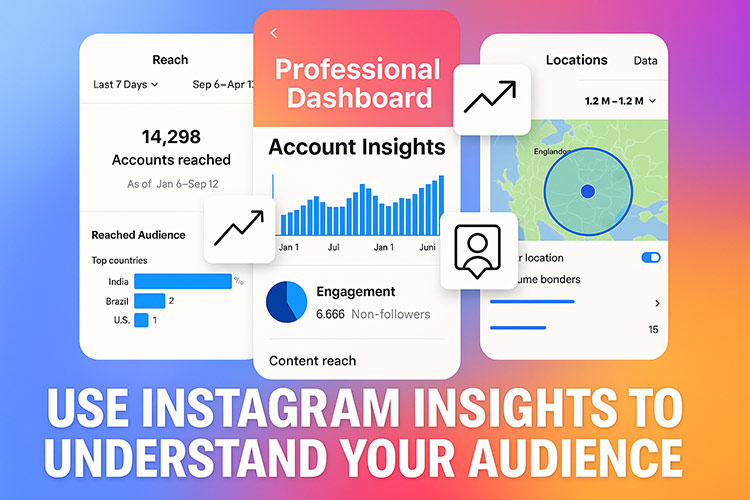
Step 7 – Use Instagram Insights to Understand Your Audience
Instagram Insights gives beginners valuable data about what’s working and what’s not. By tracking metrics like reach, engagement, follower demographics, and best posting times, you can refine your strategy and create more effective content. Insights help you identify your top-performing posts, understand your audience’s behavior, and make data-driven decisions that accelerate your growth over time.
Example :
An online clothing boutique discovered through Instagram Insights that posts shared at 8 PM received twice as many saves and likes compared to other times. They also learned their audience was mostly aged 18–24 and reacted best to Reels featuring outfit transitions.
After adjusting their posting schedule and content style, they saw a 60% increase in profile visits and a 15% boost in sales within a month.
Powerful Instagram Features Beginners Should Use
Instagram offers a wide range of built-in tools that make marketing easier, even for first-time business owners. By understanding and using these features strategically, beginners can maximize visibility, strengthen customer relationships, and grow their brand faster.
Reels
Perfect for fast growth, storytelling, tutorials, before-and-after videos.
Stories
Great for daily engagement, polls, Q&A, discounts, and authenticity.
Guides
Useful for showcasing collections, tutorials, or product lists in a blog-style format.
Instagram Live
Perfect for real-time Q&A sessions, product launches, and demonstrations.
Instagram Shopping
A must-have for product-based businesses—allows direct shopping within posts.
Collab Posts
Helps you reach new audiences instantly by co-posting with collaborators or influencers.
Professional Dashboard
Central place for tracking analytics, insights, and tools.
Real Examples of How Businesses Grow on Instagram
Instagram’s diverse features allow different types of businesses to grow in uniquely effective ways, regardless of size or industry. The following examples highlight how various brands use simple content strategies to increase visibility, build loyal audiences, and convert followers into real customers.
Local stores often grow by sharing authentic behind-the-scenes moments, showcasing staff, and posting real customer experiences. This helps build trust within the community and encourages more people to visit the shop in person.
Beauty & Skincare Brands
Beauty brands succeed by posting tutorials, product demos, and customer before-and-after results. These visual formats build credibility quickly and help audiences feel more confident about purchasing skincare or cosmetic products.
Food Businesses
Restaurants and home-based food brands attract attention with visually satisfying Reels that show cooking processes or final dishes. These short videos frequently go viral, increasing both foot traffic and online orders.
Clothing Brands
Fashion brands grow by sharing styling ideas, try-on videos, and aesthetic lookbooks. This type of content helps customers visualize how items will look on them, increasing purchase intent and engagement.
Service-Based Businesses
Coaches, designers, and freelancers post educational content, client transformations, and workflow insights. By demonstrating their expertise, they build authority and convert followers into paying clients.
Expert Marketing Tips for Success
Mastering Instagram requires more than just posting consistently,it demands a strategic approach that helps your content stand out in a competitive digital space. These expert-level tips will guide beginners toward building real engagement, attracting loyal customers, and achieving long-term growth on the platform.
The 80/20 Content Rule
80% value, 20% sales = guaranteed growth.
Consistency Over Perfection
Posting consistently is more important than perfection.
UGC (User-Generated Content)
The strongest trust-builder—people trust content made by real customers.
Micro-Influencer Collaborations
Affordable, targeted, and authentic.
Engage With Every Comment & DM
Instagram rewards accounts that build community.
Create a Content Calendar
Even a simple weekly plan improves results dramatically.
Avoid Beginner Mistakes
❌ Buying followers ❌ Posting only promotional content ❌ Ignoring analytics ❌ Using irrelevant hashtags
For beginners, Instagram ads can be a powerful way to accelerate growth—but only when used at the right time and with the right foundation. Understanding when to invest in ads helps new businesses avoid wasting money and ensures their campaigns deliver meaningful results.
Best time to start ads
When you have consistent content
When your profile looks professional
When organic reach plateaus
When NOT to use ads
With no content strategy
With a non-optimized profile
When you have no understanding of your audience
A simple beginner ad strategy
Promote best-performing posts
Target local audience or people with specific interests
Start with a low daily budget
Final Thoughts
Instagram is more than a social media platform,it’s a modern business tool that helps beginners build credibility, attract customers, increase sales, and grow organically. With the right strategy, even small businesses can create a strong digital presence and compete with bigger brands.
Whether you’re selling products, offering services, or building a personal brand,Instagram is one of the best places to start your business journey.
Finding the perfect birthday caption for your best friend shouldn’t feel like a struggle , but somehow, it always does. You want something sweet, but not cheesy… funny, but not awkward… meaningful, but not dramatic. And of course, it needs to sound like you.
That’s exactly why this guide exists. Here, you’ll discover 40 fresh, modern, and unique birthday captions crafted specifically for best friends , not recycled quotes or overused one-liners you’ve seen a thousand times.
Whether your friendship is all about love, laughter, chaos, aesthetics, or deep emotional connection, this list has a caption that will fit your photo perfectly. Ready to find the one that feels just right? Let’s dive in.
Short captions pair perfectly with strong visuals. They’re simple, modern, and ideal for minimal Instagram feeds. If your photo speaks for itself, these captions add the right touch without overwhelming the post.
“HBD, bestie ❤️”
“Another year of you ✨”
“My favorite human, always.”
“Your day, your glow.”
“Cheers to you 🎉”
Funny Birthday Captions
If your friendship is built on humor, a playful caption is the best way to show your real dynamic. Funny lines create high engagement and make your post stand out in a feed full of serious birthday messages.
“Aging like fine… yogurt 😂”
“Another year older? Couldn’t be me.”
“Happy birthday to my human disaster.”
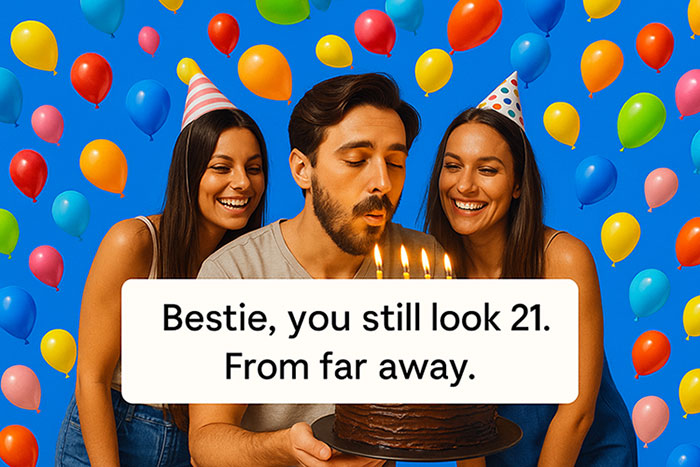
“Bestie, you still look 21. From far away.”
“Let’s agree we’re not aging , we’re upgrading.”
Emotional & Heartfelt Captions
For deep friendships, meaningful captions express how much the person truly means to you. These lines are warm, soft, and perfect for sentimental photos.
“You make every year brighter.”
“A beautiful soul was born today.”
“Grateful for your existence.”
“Your friendship is my biggest blessing.”
“Celebrating you today and always.”
Aesthetic & Modern Captions
These captions match the clean, poetic style that’s trending on Instagram. Perfect for golden-hour photos, travel shots, or curated feeds with soft colors and minimal editing.
“Soft hearts. Bright souls. Your day.”
“Golden hour, golden you.”
“Your light is unmatched.”
“This world feels softer with you in it.”
“Another trip around the sun.”
If you’re turning birthday memories into reels, using the right travel captions for Instagram reels can make those moments feel even more special.
Captions for Reels & Video Edits
Reels need fast, catchy captions that align with transitions or beats. These short lines add flow and personality without distracting from the visuals.
“Best friend birthday Reel ✨”
“Moments worth remembering.”
“Same chaos, new year.”
“Your glow hits different.”
“Memories in motion.”
Song-Lyric Birthday Captions
Music creates emotional resonance and instantly connects with viewers. These lyrics are short, well-known, and perfect for birthday posts celebrating your closest friend.
If the universe wrote a song, I’m sure your name would be the chorus
You carry sunlight in your smile — no wonder life feels warmer with you
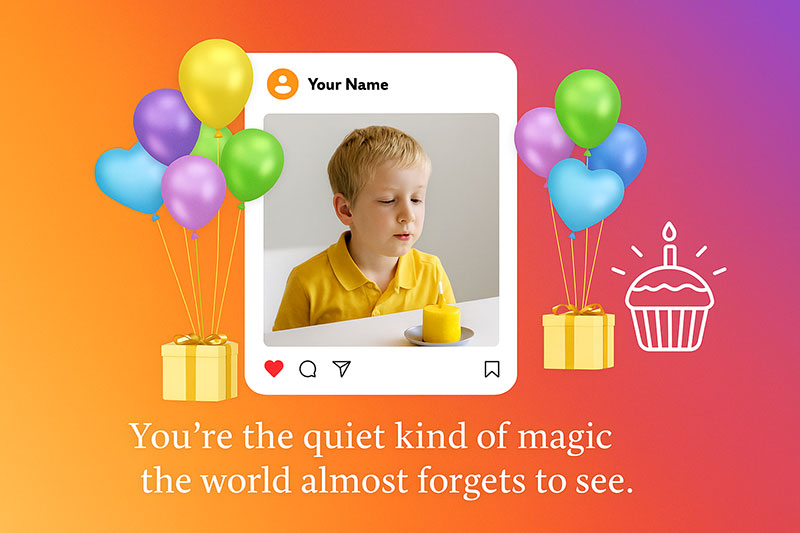
“You’re the quiet kind of magic the world almost forgets to see.”
“You carry both softness and fire, and it’s beautiful.”
In every version of my story, you’re the warmest chapter
Cute & Soft Birthday Captions
Soft captions add warmth and tenderness to your post. They’re perfect for cozy photos, childhood friendships, or moments that show deep connection.
“You’re the softest part of my life.”
“Friends who feel like home.”
“So lucky to know your heart.”
“You glow differently today.”
“You deserve every joy.”
Captions for Male Best Friends
Male best friends often have a brother-like bond. These captions keep the tone friendly, supportive, and clear , without sounding romantic.
“Happy birthday to my favorite brother-by-choice.”
“A real one was born today.”
“Thanks for being my constant chaos partner.”
“You’re a legend , never forget that.”
“More memories, more trouble, more laughs.”
These captions share similarities with attitude-based captions, where tone and confidence define the message.
Inspirational Birthday Captions
Inspirational captions work beautifully when your friendship is built on growth, support, and shared milestones. These messages are uplifting, motivational, and perfect for celebrating the person who pushes you to be your best.
“Keep shining , the world needs your light.”
“Here’s to the year you become everything you dream of.”
“Growth looks good on you.”
“A new chapter for the strongest person I know.”
“May your year be full of wins, joy, and magic.”
“To more goals, more dreams, and more courage.”
“Your journey inspires everyone around you.”
“A beautiful soul deserves a beautiful year.”
“The world is brighter because you’re in it.”
“You were made for great things , happy birthday.”
Savage & Bold Birthday Captions
If your friendship has bold, confident energy, these captions are perfect. They’re playful, dramatic, and carry that “main character” vibe , ideal for glam photos, birthday shoots, or celebrations with attitude.
“A real one was born today , act accordingly.”
“Too fabulous for this age.”
“Another year hotter, wiser, and louder.”
“A queen celebrating a queen.”
“Bestie leveling up , everyone stay tuned.”
“Proof that perfection ages well.”
“Chaos, beauty, and brilliance , that’s you.”
“Birthday energy: unstoppable.”
“Best friend unlocked her next power-up.”
“Warning: birthday icon approaching.”
Birthday Captions Based on Friendship Type
Not all friendships look the same , some are loud and chaotic, some are soft and emotional, and some are built on years of shared memories. That’s why the perfect birthday caption should match your friendship type. Here are tailored caption ideas based on different kinds of best friends.
Childhood Best Friend
Childhood best friends hold a special place in your heart. They’ve seen you grow, change, fail, and rise again. These captions capture the nostalgia and lifelong bond that only childhood friends understand.
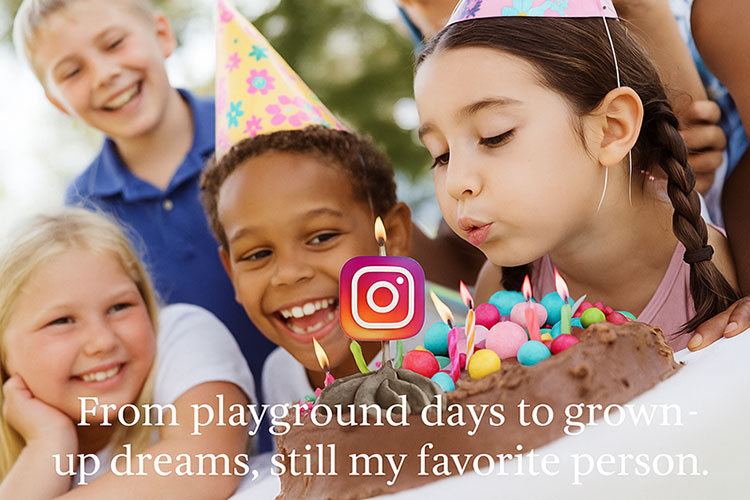
“From playground days to grown-up dreams , still my favorite person.”
“Lucky to grow up with you, and luckier to grow old with you.”
“We go way back , like crayons and cartoons.”
“Childhood memories hit different when you’re still in them. Happy birthday!”
“A lifetime of friendship and still counting.”
College Best Friend
College friendships are built on late nights, difficult exams, endless laughs, and unforgettable experiences. These captions are perfect for your campus soulmate.
“From study sessions to life lessons — happy birthday, bestie.”
“College gave me many things, but you’re my favorite one.”
“Roommate. Classmate. Lifelong friend.”
“Cheers to more semester-style chaos.”
“We survived exams. We can survive anything. Happy birthday!”
Work Best Friend
Your work bestie is the person who makes long days shorter and hard tasks easier. They’re the reason you can actually enjoy Monday mornings.
“Coworker by chance, best friend by choice.”
“Thanks for making work feel less like… work.”
“You’re the reason office life is bearable. Happy birthday!”
“Meetings are better with you. Coffee too.”
“Best office buddy EVER.”
Long-Distance Best Friend
Distance doesn’t weaken real friendships , it strengthens them. These captions are perfect for a best friend who lives miles away but still feels close to your heart.
“Miles apart but never apart.”
“Distance has nothing on us.”
“Missing you more today — happy birthday, bestie.”
“Sending hugs across the map.”
“Different cities. Same heart.”
New Best Friend
Some friendships feel instantly right , as if you’ve known each other for years. These captions celebrate that fresh, exciting connection.
“How did we just meet and already feel like forever friends?”
“New friend, same best-friend energy.”
“So glad life crossed our paths.”
“To new memories with a new favorite person.”
“Instant chemistry, endless laughter.”
Girl Best Friend
Your girl best friend is your safe space, hype woman, therapist, and partner in every kind of adventure. These captions celebrate her warmth and energy.
“A queen celebrating a queen.”
“Thank you for being my soft place to land.”
“Life is prettier with you in it.”
“Best friend, soul sister, birthday girl.”
“Your sparkle is unmatched.”
Guy Best Friend
A guy best friend brings a different kind of loyalty, honesty, and humor. These captions are friendly, supportive, and non-romantic.
“Thanks for being the brother I got to choose.”
“Happy birthday to my favorite chaos partner.”
“You’re real, reliable, and ridiculously funny.”
“Cheers to the guy who keeps life interesting.”
“Legend status unlocked.”
Online Best Friend
Some of the strongest connections are made online , through shared interests, long conversations, and genuine support. These captions celebrate digital friendships that feel real.
“Screens can’t stop real friendship.”
“Online but never out of reach.”
“Thanks for being my digital soulmate.”
“You’re proof that internet friendships are real.”
“Happy birthday to my virtual ride-or-die.”
Tips for Choosing the Perfect Caption
The right caption should match the energy of your photo. Whether your post is funny, emotional, or aesthetic, these tips help you pick a caption that enhances the moment.
Your best friend’s birthday is a moment worth celebrating with the perfect caption. Whether you prefer emotional lines, funny one-liners, or aesthetic phrases, these 60 unique captions offer something for every style. Use them as inspiration , or personalize them to make your post truly yours.
Instagram has quietly become one of the most powerful tools a musician can use,long before stepping into a studio or walking onto a stage. Over the years, I’ve worked with emerging singers, indie producers, guitarists, and even vocal coaches, and one thing has stayed consistent: Instagram often becomes the first place where their sound is truly discovered.
In many cases, a simple 8-second rehearsal clip has reached more listeners than a polished music video. Not because the video was bad,but because Instagram rewards authenticity in ways traditional promotion doesn’t.
This guide comes from real work with real musicians, not a checklist generated by a marketing textbook.
People don’t “search” for new artists anymore; they stumble upon them. A melody in a Reel, a lyric scribbled on paper, a warm vocal take recorded on a phone,these moments travel faster than press releases or paid ads.
Record labels know this too. I’ve seen label managers check an artist’s engagement pattern long before listening to their full discography. Sometimes it’s the emotion in a clip, not the quality of the final mix, that captures their attention.
Your Artist Brand: The Story People Feel Before Hearing You
Building a strong artist brand is the foundation of every successful music career. Your brand Branding isn’t about logos or perfectly matching colors; it’s about emotional consistency. One of the artists I worked with had an amazing voice but a completely scattered page—dark moody photos one week, bright filters the next, no clear sense of who she was. Once we aligned her visuals with the tone of her music, her entire profile felt like a single narrative. Her growth doubled without altering the music at all.
To understand your brand, ask yourself:
What emotion does your music carry?
How do you want someone to feel the first three seconds they’re on your profile?
What personal story ties your music together?
When these answers become clear, your visuals, captions, and tone naturally fall into place.
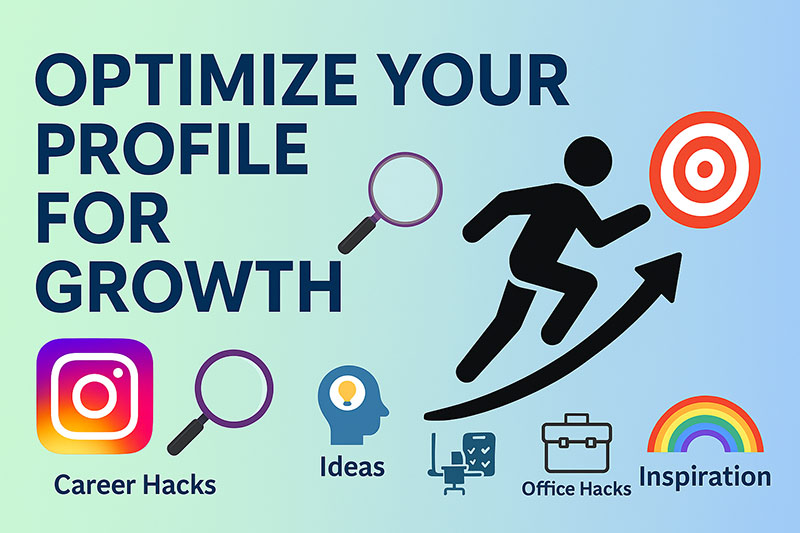
Optimize Your Profile for Growth
Optimizing your profile is the first impression you give to potential fans. A clear, well-structured profile instantly communicates your artistic identity and professionalism. From your bio and highlights to your link setup, each detail should tell visitors exactly who you are and why they should follow your music journey.
Profile Picture:
Use a professional headshot or a clear photo that reflects your style.
Example: A close-up photo of you holding your guitar on stage or singing in the studio with good lighting and a clean background.
Bio Keywords:
Include searchable terms like musician, singer-songwriter, or indie artist. Example: “🎤 Indie pop musician | Storytelling through sound | New EP ‘Echoes’ out now.”
Link in Bio:
Use link tools (like Linktree or Beacons) to direct followers to Spotify, YouTube, or ticket sales. Example: A Linktree containing buttons such as “🎧 Listen on Spotify,” “📺 Watch My Latest Video,” and “🎟️ Tour Dates.”
Story Highlights:
Create categories like “Live Shows,” “Studio,” “Behind the Scenes,” or “Fan Moments.” Example: Highlight covers with icons , 🎤 for Live Shows, 🎧 for Studio, 💫 for Behind the Scenes, and ❤️ for Fans.
Content Strategy That Works for Musicians
Reels are where discovery happens.But perfection is not what gets attention,emotion is. I’ve watched shaky phone clips outperform studio-quality videos simply because viewers felt a moment: a breath before the high note, a laugh after a missed chord, the rawness of a first take.
Reels: Your Discovery Engine
Post short, captivating clips , performance snippets, lyric lines, or jam sessions.
Add trending sounds or your own track preview.
Hook your audience in the first 3 seconds with emotion or energy.
Reels currently offer the highest reach rate on Instagram, making them essential for new musicians.
Behind-the-Scenes Content
Fans crave authenticity. Show your process , songwriting, mixing, tour rehearsals, or vocal practice. This transparency helps build emotional connections.
Educational or Value-Based Posts
Share quick tips or insights from your journey (e.g., “How I wrote my first single in one night” or “3 things I learned performing live”). This positions you as both artist and educator, which attracts engagement and shares.
Collaborations
Feature or duet with other musicians. Cross-promotion exposes your page to new audiences and builds community in your niche
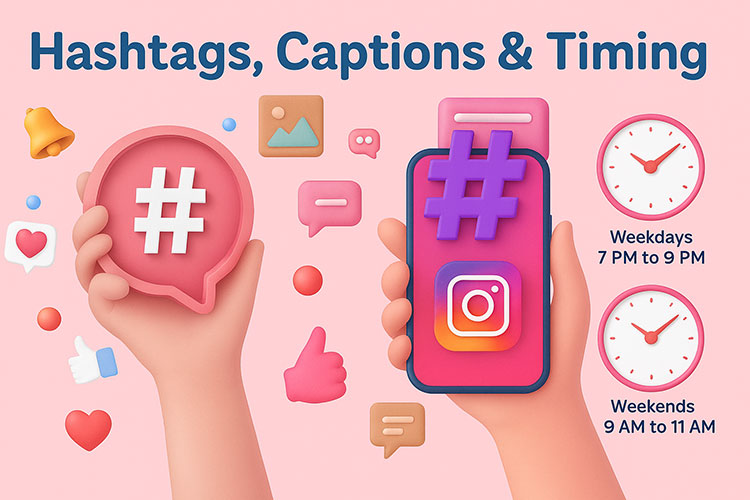
Hashtags, Captions & Timing
Hashtags, captions, and timing together shape how your content performs on Instagram. The right combination helps your posts reach new listeners and keeps your current audience engaged. By mastering these three elements, musicians can turn each post into a strategic opportunity to grow their fanbase and visibility.
Limit them to 10–20 per post, and rotate regularly for better reach.
Captions
Treat captions as micro-stories , express emotions, lyrics, or behind-the-song thoughts. Example:
“I wrote this chorus at 2 a.m. after missing a train , sometimes the best music comes from chaos.”
Posting Schedule
Analyze Instagram Insights. Generally, Tuesday–Thursday, 6–9 PM local time yields higher engagement for artists, but test to find your sweet spot.
Engage Authentically with Your Audience
When someone comments on a clip or replies to your story, it’s a moment of connection. Ignoring it is like walking offstage mid-performance.
A musician I mentored started replying to story reactions just five minutes a day. Within a month, her Reels had noticeably higher retention because her followers felt seen. Instagram’s algorithm noticed it too,engaged audiences get surfaced more often.
Engagement isn’t a growth tactic; it’s relationship-building.
Analyze, Learn, and Improve
Professional artists treat Instagram like rehearsal: observe, adjust, refine.Instead of obsessing over likes, look at:
How many people saved your post
How many shared it
Where viewers stopped watching your Reels
These numbers reveal what resonates emotionally.If viewers stay until the last frame, your storytelling worked.If they save the post, it offered value or inspiration.
Analytics should guide you,not discourage you.
Common Mistakes to Avoid
Many musicians limit their growth on Instagram by repeating a few simple but avoidable mistakes. Understanding these pitfalls helps you stay focused on strategies that actually build real engagement and long-term success.
Buying fake followers or engagement.
Ignoring DMs or comments.
Over-editing every post (perfection kills authenticity).
Using irrelevant hashtags.
Inconsistent posting rhythm.
Stay authentic وalgorithms reward engagement, not perfection.
Advanced strategies can help musicians grow faster while still keeping their audience genuine and engaged. These tactics go beyond the basics and tap into tools, collaborations, and promotional methods many artists overlook. When applied consistently, they create long-term, sustainable growth rather than short spikes in followers.
Collaborate with micro-influencers in your genre for shoutouts or Reels features.
Run small ad campaigns targeting fans of similar artists.
Join Instagram Broadcast Channels to communicate directly with followers.
Repurpose content from TikTok or YouTube Shorts to expand reach.
Leverage AI tools (like ChatGPT or OpusClip) to create captions or Reels faster.
These advanced strategies help you compete in a crowded music scene while maintaining originality.
Final Thoughts
Growing your Instagram as a musician isn’t about luck or viral trends — it’s about strategy, consistency, and connection. When your music tells a story and your profile reflects that story visually and emotionally, followers naturally evolve into fans.
Start today. Share your sound. Tell your story. Let your audience grow with you.
How often should musicians post on Instagram?
Aim for 3–4 quality posts per week and daily Stories for consistent engagement.
What content performs best for singers?
Reels showing live singing, songwriting, and emotional storytelling tend to attract higher engagement.
Should musicians use paid ads?
Yes, but strategically , promote your best-performing organic post to a custom audience interested in your genre.
How can I get verified as a musician?
Develop a professional press presence, link your Instagram to Spotify/YouTube, and apply for verification in the app.
What’s the fastest way to grow my Instagram as a new artist?
Post consistently, collaborate often, and engage genuinely. Authenticity builds loyal fans faster than any growth hack.
Instagram Stories have become one of the most powerful tools for building real connections with your audience. They’re quick, fun, and authentic , exactly what users love most about social media. Unlike perfectly curated posts, Stories show the “real” side of a brand or creator. And when done right, they can skyrocket your engagement, reach, and follower loyalty.
In this guide, we’ll explore 40 unique and creative Instagram Story ideas that will help you keep your audience hooked, start conversations, and grow your page organically.
Why Instagram Stories Matter for Engagement?
Every day, over 500 million people watch Instagram Stories. That’s half of Instagram’s total user base , a clear sign that Stories aren’t just an extra feature; they’re where attention lives.
Unlike feed posts, Stories feel temporary, casual, and interactive. They disappear in 24 hours, which makes viewers more likely to watch them in the moment. They also give brands and creators a chance to connect more personally through polls, stickers, questions, and behind-the-scenes moments.
In short: Stories are not just content , they’re conversation starters.
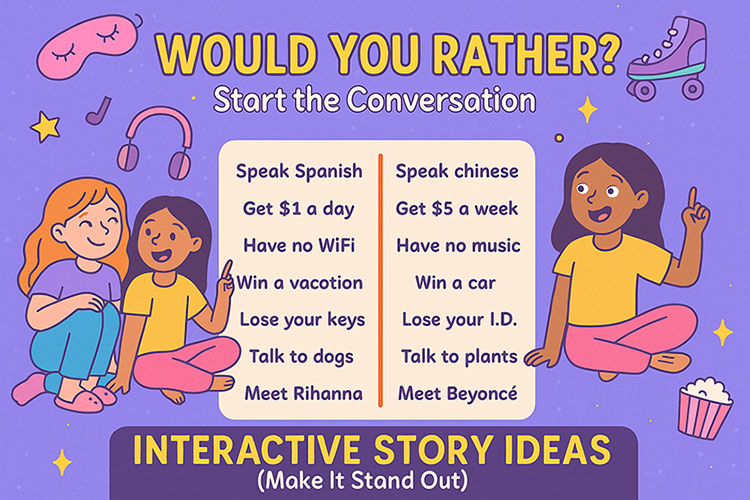
Interactive Story Ideas (Start the Conversation)
If you want people to engage with your Stories, give them something to respond to! These interactive ideas invite participation and can instantly boost your Story’s visibility.
Polls and Quizzes: Use polls (“Which color do you like more?”) or quizzes (“Can you guess the answer?”) to get your audience to tap and vote.
This or That: Show two options , maybe two outfits, designs, or meals — and ask followers to pick.
Question Stickers: Invite questions like “Ask me anything about [your topic]” or “What’s your biggest challenge with…?”
Emoji Sliders: Use emoji sliders to gauge how much people like something — from excitement to curiosity.
Countdown Stickers: Create buzz for upcoming events, product launches, or sales.
💡 Quick tip: Always reply to the people who interact with your stickers. It builds loyalty and increases your algorithm reach.
Behind-the-Scenes Stories (Show the Human Side)
People love authenticity , it’s what makes social media social. Sharing what goes on behind the curtain helps your audience feel connected to you or your brand.
Try these:
A “day in the life” of your team or creative process
Quick clips from your workspace or office setup
Bloopers, mistakes, or fun moments
Sneak peeks at a new project or upcoming launch
These stories work because they build trust. They remind followers that there are real people behind the profile.
Educational and Value-Driven Stories (Teach Something Useful)
Providing value is one of the best ways to keep your followers coming back. Educational content doesn’t have to be complicated , it just needs to be clear and helpful.
Here are a few ideas:
Quick “how-to” tutorials (for example: “How to take better product photos with your phone”)
Step-by-step guides or checklists
Short explanations of common myths or mistakes
Mini infographics or carousel-style slides
You can mix this with storytelling: show a problem, explain how to fix it, then share a real example.
Entertaining and Trend-Based Stories (Stay Fresh)
Instagram is full of trends, memes, and viral sounds. Staying relevant doesn’t mean chasing every trend , it means choosing the ones that fit your brand’s tone.
Some creative options:
Join trending Reels audio and turn them into quick Story edits
Use humor and relatable memes about your niche
“Before and After” transformations
Funny reactions, GIFs, or filters
“Throwback Thursdays” or “Flashback Fridays”
Entertainment is what keeps followers watching — even if they’re not ready to buy anything (yet).
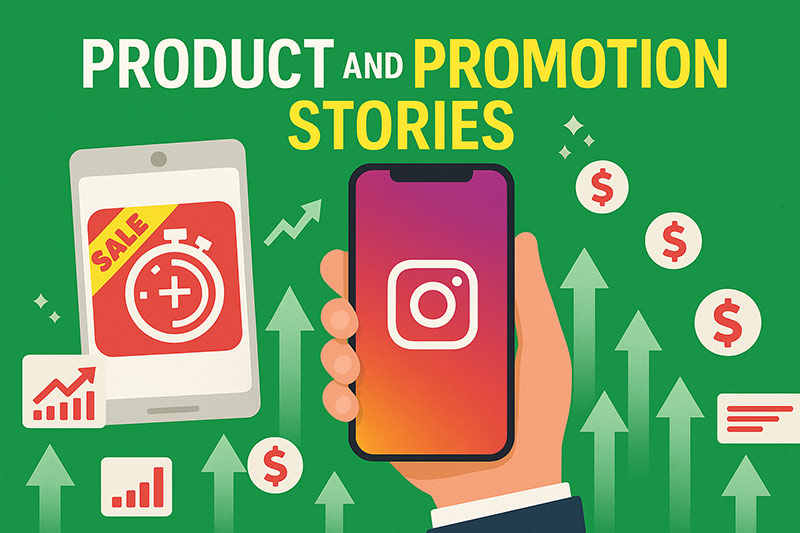
Product and Promotion Stories (Soft-Sell Strategies)
Promoting products on Stories doesn’t have to feel like an ad. The secret is to keep it conversational and authentic.
Here’s how:
Show your product in use. A quick clip of how it works is more convincing than a static photo.
Share customer testimonials. Repost Stories from buyers using your product.
Run a limited-time offer. Use a countdown sticker for flash sales or special discounts.
Create “before/after” demos. Perfect for beauty, design, or home improvement brands.
Tag products directly. Make shopping simple with clickable tags.
🎯 Quick tip: Mix these with non-promotional Stories to keep your audience engaged and not overwhelmed by constant ads.
Community and UGC Stories (Make Followers Feel Seen)
User-generated content (UGC) is one of the most effective ways to strengthen community. When followers see you featuring real people, they’re more likely to trust and interact with your brand.
Try these:
Repost Stories that tag your brand
Highlight your top fans or repeat customers
Ask followers to share how they use your products
Create a branded hashtag challenge
Community-based Stories make people feel part of something bigger , and that’s how loyal followers are built.
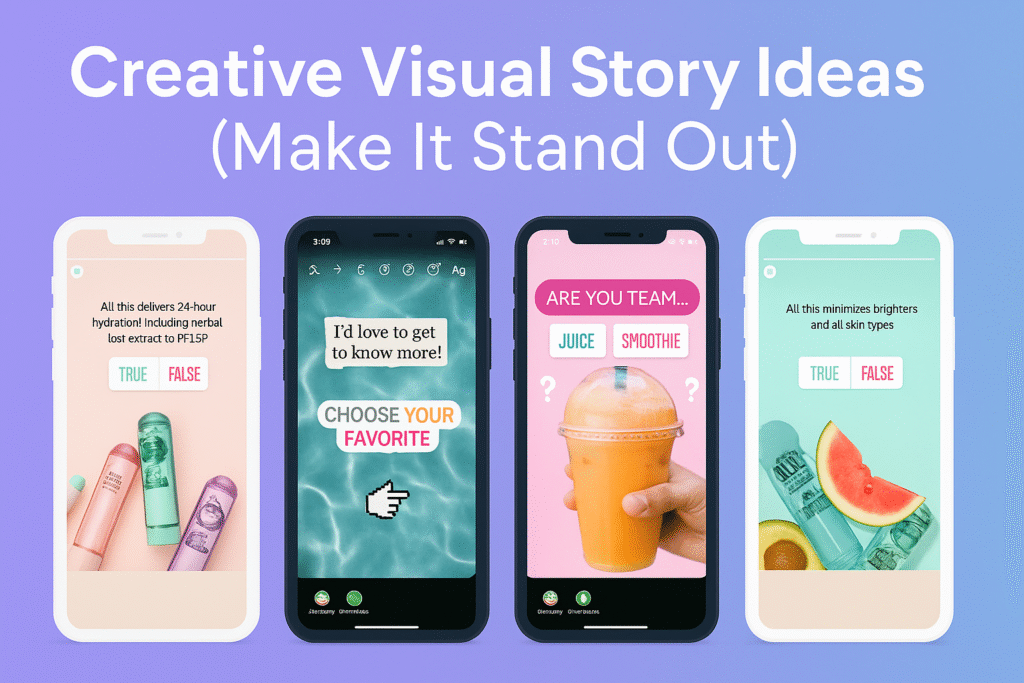
Creative Visual Story Ideas (Make It Stand Out)
You don’t need to be a designer to make visually stunning Stories. Use templates or apps like Canva, Mojo, Unfold, or CapCut to create branded layouts.
Some quick visual ideas:
Minimalist text-based quotes with your color palette
Split-screen comparisons (“old vs new design”)
Story collages with photos, doodles, and stickers
Animated captions to catch attention
Consistent fonts and icons for a clean brand look
Visual consistency helps your brand feel recognizable and professional.
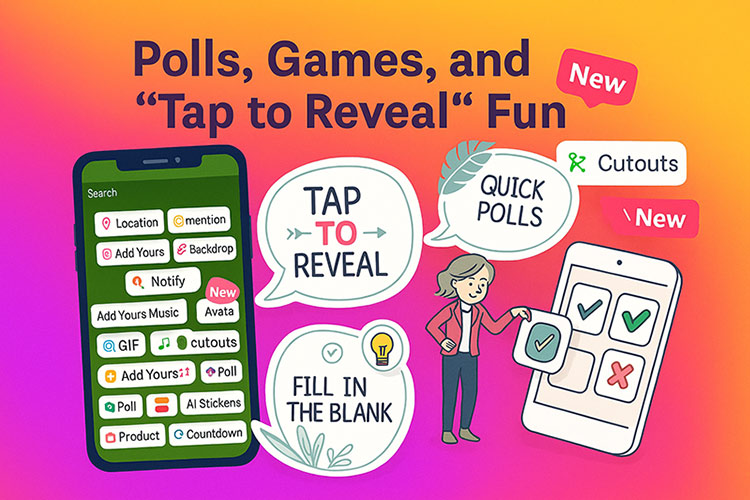
Polls, Games, and “Tap to Reveal” Fun (Micro-Engagement)
Sometimes, a simple “tap to reveal” Story can outperform a whole campaign. It’s quick, interactive, and satisfying.
Examples:
“Guess the answer” (next slide shows the reveal)
“Rate this design from 1–10”
“Spot the difference” games
“Would you rather…” questions
Hidden image reveals using stickers
Small games like these turn passive viewers into active participants , exactly what Instagram’s algorithm rewards.
Seasonal and Holiday Story Ideas
Aligning your Stories with current events or holidays helps you stay timely and relatable.
Ideas include:
New Year resolutions (“What’s your 2026 goal?”)
Valentine’s Day specials
Behind-the-scenes of seasonal launches
Festive Q&A or giveaways
Local or cultural holidays specific to your audience
Seasonal Stories show that your brand is active and in tune with your community.
Tips for Creating Stories That People Actually Watch
Even with all these ideas, success depends on execution. Here are some quick best practices:
Keep text short , aim for under 20 words per slide.
Use bold visuals and high contrast for readability.
Add captions for accessibility.
Combine video, photo, and text for variety.
Always include a call to action , “swipe up,” “vote,” or “reply.”
Save your best Stories in Highlights for new visitors.
Tools to Create Professional Instagram Stories
If you want to elevate your Stories without spending hours designing, use these tools:
Canva – Ready-made templates for branding and social content
Mojo – Dynamic animated layouts for eye-catching motion
CapCut – Free mobile editor for short video Stories
Unfold – Elegant minimal templates ideal for lifestyle brands
These platforms can save hours and make your Stories look polished and on-brand.
Final Thoughts
Instagram Stories are more than just a trend , they’re a storytelling tool that connects you with your audience on a human level. Whether you’re a brand, an artist, or a small business owner, using creative and interactive Stories can transform passive viewers into loyal fans.
The key? Be consistent, authentic, and creative. Mix education with entertainment. Add interaction to every post. And most importantly — have fun with it!
What type of Instagram Stories get the most engagement?
Stories that invite interaction perform best , like polls, quizzes, “Ask me anything” boxes, or “This or That” questions. Audiences love content they can respond to. Adding short captions, fun stickers, or a personal touch also helps increase retention and reach.
How often should I post Instagram Stories?
Ideally, post 1–3 Stories per day to stay visible without overwhelming followers. Consistency is more important than quantity. A few quality Stories that tell a clear story or teach something valuable will outperform dozens of rushed clips.
Can I save or download other people’s Instagram Stories?
Yes , but only if the account is public. You can use trusted tools like aninstagram story downloader online to view or download stories without logging in. Always respect copyright and privacy rules when saving others’ content.
Every creator dreams of seeing their content light up Instagram feeds , reaching new eyes, sparking engagement, and fueling growth. But sometimes, the numbers tell a different story. Your reach drops. Likes vanish. The algorithm feels colder than usual. Yet, nothing seems “wrong.”
This invisible slowdown has a name: the shadowban , a quiet digital curtain that hides your posts from discovery while leaving everything else looking perfectly normal. It’s one of the most confusing and misunderstood experiences on social media.
To navigate it, you need more than guesswork , you need clarity. This article unpacks what a shadowban truly is, how to detect it before it hurts your visibility, and most importantly, how to avoid falling into it again.
Many creators rely on trusted tools like dlinsta to manage and download Instagram content safely. However, even with such tools, visibility issues like a shadowban can still strike unexpectedly.
What Is a Shadowban?
Before exploring solutions, it’s vital to clarify what a shadowban actually means in practice. Many users confuse it with temporary glitches or algorithm changes, but a shadowban is a specific suppression mechanism. Knowing how it works,and how it differs from a full account ban,will help you react strategically rather than emotionally.
A shadowban occurs when Instagram limits the visibility of your posts without notifying you. Your content remains live, but it may stop appearing in hashtag results, the Explore page, or non-followers’ feeds. Essentially, your profile becomes invisible to new audiences. Unlike a full ban, where you lose access to your account, a shadowban is more subtle. It targets reach, not access,meaning you can still post and interact, but far fewer people see your work.
Why Does a Shadowban Happen?
A shadowban isn’t random; it’s the result of algorithmic cues and user behavior patterns that Instagram interprets as suspicious or spammy. By understanding the underlying triggers, you can adjust your habits to stay compliant while maintaining authentic engagement. Below are the most common causes that can lead to this hidden penalty.
– Violation of Guidelines
Instagram’s Community Guidelines are the foundation of a safe, respectful platform. Whenever a user repeatedly violates those rules, the algorithm may quietly restrict their visibility rather than immediately suspending the account. This moderation style helps the platform limit harm while avoiding the backlash of an outright ban.
Common examples include posting misleading health or political information, sharing violent or explicit imagery, using copyrighted music without permission, or promoting spammy giveaways. Even subtle issues , like misleading captions, mass tagging, or fake engagement groups , can trigger content de-ranking.
A single mistake rarely causes a shadowban; rather, it’s the pattern of behavior that matters. When multiple posts or interactions signal risk, Instagram’s system lowers your reach across the account. That’s why it’s essential to review your posts, captions, and hashtags regularly and ensure they align with Instagram’s latest policies. Maintaining transparency and authenticity isn’t just about compliance , it’s what protects your visibility in the long run.
– Repetitive or Banned Hashtags
Using the same set of hashtags repeatedly,or accidentally using banned ones,can signal spammy behavior. Instagram’s algorithm may then suppress those posts to protect users from irrelevant content.
When hashtags are overused, the algorithm interprets them as automated or non-authentic patterns rather than organic discovery tools. Some hashtags are temporarily banned because of inappropriate or excessive use, and even a single flagged tag in your post can affect your overall visibility. It’s best to rotate your hashtags, mix popular ones with niche-specific tags, and review them periodically to make sure none have been restricted or blacklisted. Consistent hashtag hygiene shows Instagram that your activity is genuine and keeps your posts discoverable.
– Automation and Bot Activity
Using automated tools for likes, comments, or follows violates Instagram’s Terms of Use. Sudden spikes in artificial engagement are red flags for algorithmic suppression.
Instagram’s system can easily recognize repetitive bot-like behaviors , such as mass-following and unfollowing, identical comments across accounts, or unnatural engagement speed. These patterns break the rhythm of authentic human interaction that Instagram values. When detected, the platform may quietly reduce your reach or limit certain actions for a short period. To stay safe, focus on genuine engagement: interact manually, respond thoughtfully to comments, and schedule posts only through approved partners like Meta Business Suite. This not only protects your visibility but also strengthens long-term credibility with both the algorithm and your audience.
– Sudden Drops in Engagement
A sharp and unexplained decline in impressions, likes, or reach can also cause the system to reevaluate your content’s authenticity. Instagram’s algorithm monitors engagement consistency to detect sudden, unnatural fluctuations that might suggest inauthentic activity.
If your account experiences extreme highs and lows within short periods, it can trigger temporary visibility limits. This usually happens when users rely on engagement pods, mass liking, or irregular posting schedules. Maintaining steady, organic interaction , even if smaller , builds trust with the algorithm and ensures your audience continues to see your content regularly.
– Sensitive or Flagged Topics
Instagram’s content-moderation system automatically monitors and filters posts that involve politically charged, violent, or adult-themed material. When the algorithm detects a pattern of sensitive topics, it may quietly reduce the visibility of your posts , even if you haven’t violated any written rule. Content connected to misinformation, health claims, or controversial debates can also trigger partial suppression. Sometimes, captions or hashtags containing certain trigger words are enough to flag a post. To minimize the risk, creators should use neutral language, cite reliable sources, and avoid sensational phrasing. Maintaining transparency and context helps algorithms distinguish responsible discussion from harmful or misleading content.
How to Detect a Shadowban?
The most frustrating part of a shadowban is its invisibility—Instagram never confirms it. Therefore, detection relies on careful observation, consistent analytics review, and logical testing. Here are several proven methods to determine if your account has been affected.
– Engagement Analytics
One of the first signs of a shadowban is a sudden and unexplained drop in engagement metrics such as reach, impressions, or profile visits. By regularly reviewing Instagram Insights, you can detect patterns that deviate from your usual performance baseline. If all other factors,like posting frequency and content quality,remain stable but numbers decline sharply, it’s a strong indication that your account visibility has been limited.
– Hashtag Test
A quick hashtag test is one of the most effective ways to confirm a shadowban. Post a new image using a few unique hashtags, then search those tags from another account that doesn’t follow you. If your post doesn’t appear in the recent results, it’s likely being suppressed , a clear signal that your visibility has been limited by the algorithm.
– Explore Page Absence
If your posts no longer appear on Instagram’s Explore page, even when engagement remains strong, it may indicate limited reach. The Explore page is algorithm-driven and prioritizes content with healthy interaction patterns. A consistent absence there suggests your account’s discoverability has been quietly restricted.
– Audience Feedback
Direct feedback from your followers can reveal visibility problems that analytics might miss. If loyal followers report not seeing your posts in their feed, stories, or hashtag searches, it’s a potential symptom of a shadowban. Always cross-check such feedback before drawing conclusions.
– Use Third-Party Tools Carefully
Some analytics or “shadowban checker” tools promise insights but can violate Instagram’s data policies. Using unverified services may worsen your situation by flagging suspicious logins or automated behavior. Stick to official tools like Instagram Insights or Meta Business Suite for reliable analysis.
Effects of a Shadowban
A shadowban can have a domino effect across every metric you track. It doesn’t just reduce visibility; it impacts your credibility, engagement rate, and overall growth trajectory. Let’s explore the real consequences this invisible penalty can create for individuals and brands.
Reduced discovery: fewer new users find your content.
Lower engagement: likes, saves, and comments decline sharply.
Decreased follower growth: new audience reach is limited.
Brand impact: for creators and businesses, lower visibility can reduce sales, collaborations, and ad performance.
How to Avoid a Shadowban?
The best strategy is prevention. Once your content is flagged, recovery takes time and patience. Fortunately, you can protect your account by cultivating healthy habits and aligning with Instagram’s algorithm-friendly practices. Below are key preventive measures that keep your content visible and your reputation strong.
Rotate hashtags regularly : Avoid overusing identical tags or those with spam content.
Engage authentically : Reply to comments and interact naturally; avoid bots.
Even if your account experiences a shadowban, the situation isn’t permanent. Recovery depends on restoring trust with Instagram’s algorithm and rebuilding engagement authenticity. Follow these steps systematically to help your account return to normal visibility.
Pause posting for 48–72 hours to reset algorithmic signals.
Remove banned hashtags or repetitive content.
Change your password and secure your account with two-factor authentication.
Rebuild trust: Post only original, positive, and guideline-compliant content.
Avoid automation for at least two weeks.
Submit feedback via Instagram’s “Report a Problem” if issues persist.
In Summary
Every social media platform evolves, and Instagram is no exception. While the concept of a shadowban can feel discouraging, it’s also a reminder that real engagement,not artificial metrics,is what drives visibility. Focus on creating meaningful content and authentic relationships; the algorithm will follow.
A shadowban may silence your posts temporarily, but a genuine connection with your audience will always break through.
FAQ
How long does a shadowban last on Instagram?
A shadowban usually lasts between a few days and two weeks, depending on the severity of the issue. The duration can vary based on your activity patterns and how quickly you correct the behavior that triggered it.
Can deleting posts remove a shadowban?
Deleting a few posts may help if those posts contained banned hashtags or violated community guidelines. However, the best approach is to stop suspicious activity, wait a few days, and then return to normal, organic engagement.
Does using third-party apps cause shadowbans?
Yes, certain unauthorized automation tools or “growth” apps can trigger a shadowban. Always use Instagram’s official tools or Meta Business Suite for scheduling, analytics, and audience management to stay safe.
In 2025, Instagram is still the heartbeat of visual storytelling , a place where artists, designers, and creative brands turn imagination into influence. Every swipe, every scroll, and every reel is a chance to show the world your unique perspective. But visibility on such a crowded stage doesn’t happen by accident , it’s built strategically, one hashtag at a time.
For painters, illustrators, and motion designers, hashtags are not just social media add-ons; they’re digital bridges connecting your art to the right audience. And if you happen to work in fashion or run a clothing brand, you’ll want to explore our guide on 5 Best Instagram Content Ideas for Clothing Brands to pair powerful visuals with the perfect strategy.
This article dives deep into the latest and most effective Instagram hashtags for artists and designers in 2025 .
Why Hashtags Still Matter for Creatives?
Hashtags are not just decorative labels,they are metadata that helps Instagram’s algorithm understand what your content is about. When used properly, hashtags increase your visibility by placing your post in front of people interested in similar topics.
For creatives, hashtags serve two major purposes:
Discoverability: A well-chosen hashtag can get your art featured on the Explore page, seen by potential clients or collectors.
Community Building: Hashtags connect you with peers, studios, and design movements worldwide.
For example, an artist posting under #portraitillustration or a designer using #brandidentitydesign is not just tagging their work,they’re entering a global conversation about creativity, style, and innovation.
Choosing the Right Hashtags
Finding the perfect hashtags isn’t about luck , it’s about strategy. With Instagram’s algorithm now prioritizing relevance and engagement over volume, creators need to be more intentional than ever. The right mix of tags can help your content reach genuine followers instead of getting lost in crowded feeds.
Here’s how to choose the most effective hashtags for your creative posts:
– Prioritize Relevance Over Popularity
Don’t chase viral hashtags just because they’re trending. Choose ones that truly reflect your art style, design niche, or audience interest. A smaller but focused community is far more valuable than thousands of random impressions.
This balance increases both reach and engagement consistency.
– Avoid Overused or “Dead” Hashtags
Some hashtags become oversaturated or shadowbanned. Always check the recent posts under a tag to ensure it’s still active and relevant.
– Use Data-Driven Tools
Tools like Flick, IQHashtags, or Postpone now analyze hashtag performance in real time — helping you find tags that match your follower size, engagement rate, and content type.
– Stay Trend-Aware but Authentic
Each year, new creative trends emerge — from #AIartcommunity to #motiondesigners. Adopt what fits your style, but don’t lose your artistic identity trying to follow every wave.
– Keep It Human
Think of hashtags as conversation starters, not keywords. The goal isn’t to trick the algorithm — it’s to help real people who love your kind of work find you.
Top Instagram Hashtags for Artists
For artists, hashtags are more than a way to label a post , they’re a tool for visibility, connection, and storytelling. The right set of art hashtags can place your work in front of galleries, collectors, and fellow creators who appreciate your style. Here are some of the most effective hashtags to help your art get the audience it truly deserves.
– General Art Hashtags
Use these to attract broader audiences who appreciate art, exhibitions, and creativity.
For designers, Instagram isn’t just a portfolio , it’s a living showcase of ideas, style, and innovation. The right hashtags can connect your work to clients, studios, and creative communities that share your design vision. Below are some of the most effective hashtags to help your designs stand out and get discovered by the right audience.
– Graphic & Brand Design
These are evergreen tags that help freelancers and studios attract clients and showcase design expertise.
Even great work can get buried if your hashtag strategy is weak. Here are the pitfalls to steer clear of:
Using irrelevant hashtags: Don’t use #digitalart for an oil painting—it confuses the algorithm.
Repeating the same set every time: Instagram may flag repetitive patterns as low-effort posting.
Ignoring analytics: Review your insights monthly to see which hashtags actually drive engagement.
Over-tagging: Filling captions with 30+ random tags looks spammy.
Not updating hashtag sets: Trends evolve. Refresh your lists every 3–4 months.
Example: If you’re a minimalist designer using #illustrationoftheday, your content will likely miss your target audience completely.
Smart Hashtag Strategy for Growth
Using hashtags effectively isn’t just about copying popular ones , it’s about building a system that works for your creative goals. A smart strategy helps you reach new audiences, track engagement, and stay consistent without feeling repetitive. Here’s how to turn hashtags into a long-term growth tool for your art or design brand.
Group Hashtags by Project Type:
For example, “artwork posts,” “client work,” and “behind-the-scenes.” Each can have its own optimized set.
Monitor Performance:
Use Instagram Insights → Content → Hashtag Reach. Drop low-performing tags and replace them with fresh ones.
Combine Seasonal & Evergreen Tags:
Example: #artgoals2025 + #digitalartist will work well together early in the year.
Engage Under Your Tags:
Comment on posts under your hashtags to build community visibility.
Create a Branded Hashtag:
Encourage followers to tag your brand or art series (#StudioMariaDesigns).
Remember: Hashtags amplify visibility, but engagement keeps the spotlight on you.
From Strategy to Action
Hashtags alone won’t make you famous , but the right ones can open doors to visibility, connection, and growth. For artists and designers, they act as creative signals that tell the world who you are and what kind of work you create.
When you use hashtags with purpose, you move beyond chasing likes and start building a real audience , people who value your creativity, follow your journey, and engage with your story.
So the next time you post your work, don’t just hit “share.” Take a moment to tag with intention, connect with your community, and let your creativity speak louder than the algorithm.
Your art deserves to be seen. Your design deserves to be discovered. Hashtags are simply the bridge to get you there.