

In 2025, privacy-conscious users are looking for smarter ways to use Instagram without oversharing personal information. One of the most common questions is whether you can still create an Instagram account without a phone number , and the answer is yes. Instagram has updated its sign-up process, allowing users to register safely through email or Facebook instead. This guide explains the latest step-by-step methods, common issues, and security recommendations. You’ll also discover how tools like DLInsta.com
can help you manage and download your favorite Stories and Reels with ease.
Is It Possible to Sign Up Without a Phone Number?
Yes , in 2025, Instagram still allows users to create new accounts using only an email address or by linking an existing Facebook account. While the platform often prompts users to add a phone number for extra security, it is not mandatory for registration or verification if you follow the correct steps.
Instagram requests a phone number primarily to verify your identity, prevent spam, and recover lost accounts. However, users who value privacy or manage multiple accounts can safely skip this step by relying on verified emails and secure login methods.
Method 1: Sign Up Using Email Only
Creating an Instagram account via email is the simplest and safest way to avoid providing your phone number. Here’s the latest process (as of 2025).
Step-by-Step (Mobile App):
- Open the Instagram app and tap “Create New Account.”
- Choose “Sign up with Email.”
- Enter your valid email address (Gmail, Outlook, etc.).
- Type your full name, create a strong password, and set your birthday.
- Confirm the verification link sent to your email inbox.
- Choose a unique username and profile photo , done!
Step-by-Step (Desktop / Web Version)
- Visit instagram.com
- Click “Sign up” → select “Use email instead.”
- Fill in your name, email, and password.
- Complete the CAPTCHA and verify your email.
- Log in and start customizing your profile.
- Tips for a Smooth Signup
- Use an email you actually control for password recovery.
- Avoid disposable or temporary emails — they often get flagged.
- Use a strong, unique password to prevent hacking attempts.
- If prompted for a phone number later, tap “Skip” and verify via email instead.
Method 2: Sign Up Using Facebook
If you already have a Facebook account, you can create your Instagram profile in seconds without entering a phone number.
How It Works :
- On the Instagram login page, tap “Continue with Facebook.”
- Log into your Facebook account (if not already).
- Instagram automatically imports your name, profile photo, and email.
- You can later unlink the two accounts under Settings → Account Center.
Advantages:
- Instant signup, no manual form-filling.
- Facebook verification replaces phone verification.
- Easy to manage both platforms together.
Limitations:
- Some users prefer to keep Instagram separate for privacy.
- If your Facebook account is disabled, access to Instagram may also be affected.
What to Do If Instagram Still Requests a Phone Number
Occasionally, Instagram may force a phone number prompt , especially if your IP, device, or email appears suspicious. Here’s how to handle it:
Sometimes, this happens when Instagram’s system detects unusual sign-up activity, such as multiple accounts from the same network or unverified emails. Don’t panic ,it doesn’t mean your account is blocked or unsafe. By following a few simple troubleshooting steps and using legitimate login details, you can usually bypass the phone verification screen and complete registration smoothly.
- Avoid multiple new accounts from the same device.
Creating too many accounts too quickly can trigger automated checks.
- Use a real, trustworthy email.
Emails from domains with good reputations (Gmail, Outlook, Yahoo) reduce verification issues.
- Clear cache or try a different browser/device.
Sometimes the app “remembers” a verification requirement. Logging in fresh can bypass it.
- Don’t use virtual or temporary phone numbers.
These are often banned or recycled. Accounts verified with fake numbers may be disabled later.
- Be patient and try again.
If all else fails, wait 24–48 hours before retrying signup from a clean IP or new network.
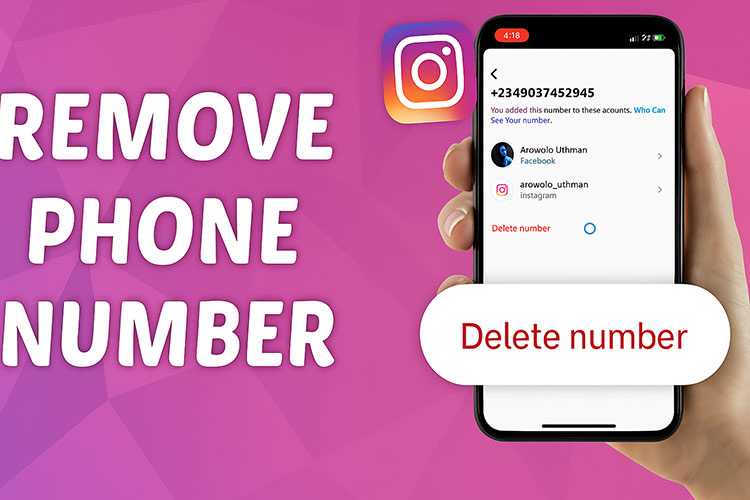
Removing or Replacing Your Phone Number Later
If you accidentally added your phone number and want to remove it, you can safely do so:
Sometimes users decide to replace their phone number when switching devices or simply prefer to keep their contact information private. Instagram fully supports this ,as long as your email is verified and two-factor authentication is enabled, you can manage or delete your phone number anytime without losing access to your account.
- Go to Settings → Account → Personal Information.
- Tap Phone number → Delete.
- Make sure your email is verified before removing your number.
- Enable two-factor authentication (2FA) using an authenticator app instead of SMS.
This setup improves both your security and privacy, giving you full control of your account recovery options.
Security & Privacy Best Practices
In 2025, Instagram continues to emphasize account safety and user authenticity. If you want to keep your profile secure without sharing your phone number:
Protecting your privacy goes beyond avoiding phone verification و it’s about maintaining full control of your online identity. Regularly review your connected devices, revoke access to untrusted apps, and update your recovery information every few months. Staying proactive with these small steps can drastically reduce the risk of hacking or unauthorized logins, ensuring your Instagram account remains both private and secure.
Use an Authenticator App
Instead of SMS codes, apps like Google Authenticator, Authy, or 1Password generate secure login tokens that work offline.
Keep Your Email Updated
Your email acts as your recovery key. Make sure it’s accessible and protected with two-step verification.
Limit Third-Party Logins
Avoid connecting unknown apps or bots that claim to grow your followers ,they can compromise your data.
Avoid Duplicate or Spam Behavior
Repeatedly creating accounts from the same IP or device can trigger phone verification requests.
Conclusion
Creating an Instagram account without a phone number in 2025 is absolutely possible ,and completely safe when done correctly.
Whether you register via email or Facebook, you can maintain privacy without compromising security by using verified credentials and authenticator apps.
And if you ever need to download your own Stories or Reels, trusted tools like DLInsta.com
make it fast, private, and easy.
In short, Instagram gives users control , and with the right setup, you can enjoy a secure, phone-free experience while protecting your digital identity.








Leave a Reply